Background Tasks Bulk Actions, Lombiq's MSBuild Targets improvements - This week in Orchard (09/10/2026)
Tired of enabling or disabling background tasks one by one? The Background Tasks admin list now has bulk actions, just like the Features list.
Ever changed an email/SMS or any other setting in the admin and wondered why the tenant had to reload for it to take effect? A new IOptionsMonitor refresh pipeline updates site settings-backed options without a shell release.
And how much of your module's project file is the same boilerplate as every other module's? Our custom MSBuild SDKs for Orchard Core handle references and package management for you.
This week's changes come from Mike Alhayek, with a demo by Sára El-Saig.
Orchard Core updates
Background Tasks Bulk Actions
Thanks to Mike Alhayek, the Background Tasks admin list now supports bulk actions, similar to the Features admin list. To try it out, enable the Background Tasks feature under Tools -> Features, then go to Tools -> Background Tasks. Each task has a checkbox, and once you select more than one task, an Actions menu appears with Enable and Disable options that apply to all selected tasks at once.
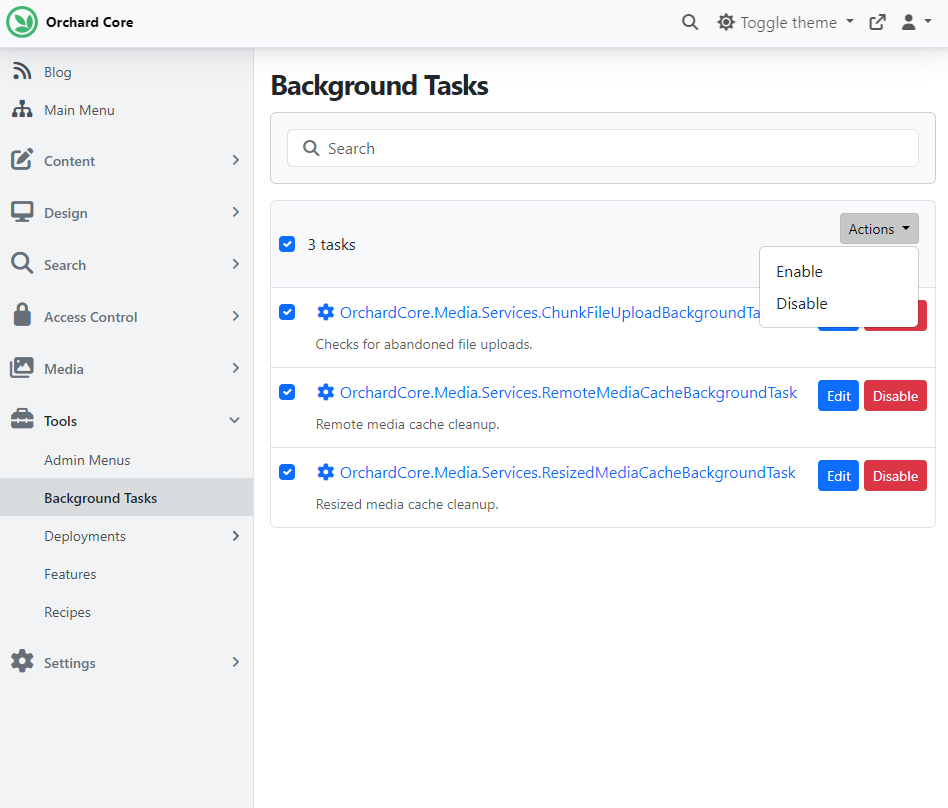
The same change removed the Toggle bulk action from the Features admin list, leaving Enable and Disable, for consistency with the other admin lists that offer bulk actions. If your code references it, note that the Toggle value is also gone from the FeaturesBulkAction enum, along with its handling in FeatureService.EnableOrDisableFeaturesAsync.
IOptionsMonitor<TOptions> for site settings-backed options
Thanks to Mike Alhayek, Orchard Core now has a post-commit, signal-backed IOptionsMonitor<TOptions> refresh pipeline for options that are populated from tenant site settings. In practice, this means an admin settings change updates the running tenant without forcing a shell release.
If your custom code injected IOptions<TOptions> and expected those values to track settings changes, switch to IOptionsMonitor<TOptions> and read CurrentValue (or Get(name) for named options) instead.
If your own settings UI updates values that feed those options, register Orchard Core's signal-backed IOptionsChangeTokenSource<TOptions> for the affected options type. Then request invalidation with IOptionsUpdateNotifier after the settings update succeeds, so Orchard Core refreshes the monitor cache once the underlying YesSql session commits.
Mike also applied IOptionsMonitor to several settings, for example:
- EmailOptions, EmailProviderOptions, and AzureEmailOptions. AzureEmailProviderBase changed accordingly: it is now generic (AzureEmailProviderBase<TOptions> where TOptions : AzureEmailOptions), its constructor takes IOptionsMonitor<TOptions> instead of a Func<AzureEmailOptions>, and it reuses the EmailClient instance until the current connection string changes. Custom Azure email providers derived from the old non-generic base class must update their inheritance and constructor calls.
- ExternalLoginOptions, so changes to external login settings take effect without a shell release. Custom code that cached ExternalLoginOptions from IOptions<ExternalLoginOptions> must switch to IOptionsMonitor<ExternalLoginOptions> and read CurrentValue.
- TwilioOptions, so changes to Twilio SMS settings take effect without a shell release. The same switch to IOptionsMonitor<TwilioOptions> applies to custom code that cached these options.
- SmtpEmailProviderBase, which is now generic (SmtpEmailProviderBase<TOptions> where TOptions : SmtpOptions) and takes IOptionsMonitor<TOptions> in its constructor instead of an SmtpOptions instance. Custom SMTP providers derived from the old non-generic base class must update their inheritance declaration and constructor.
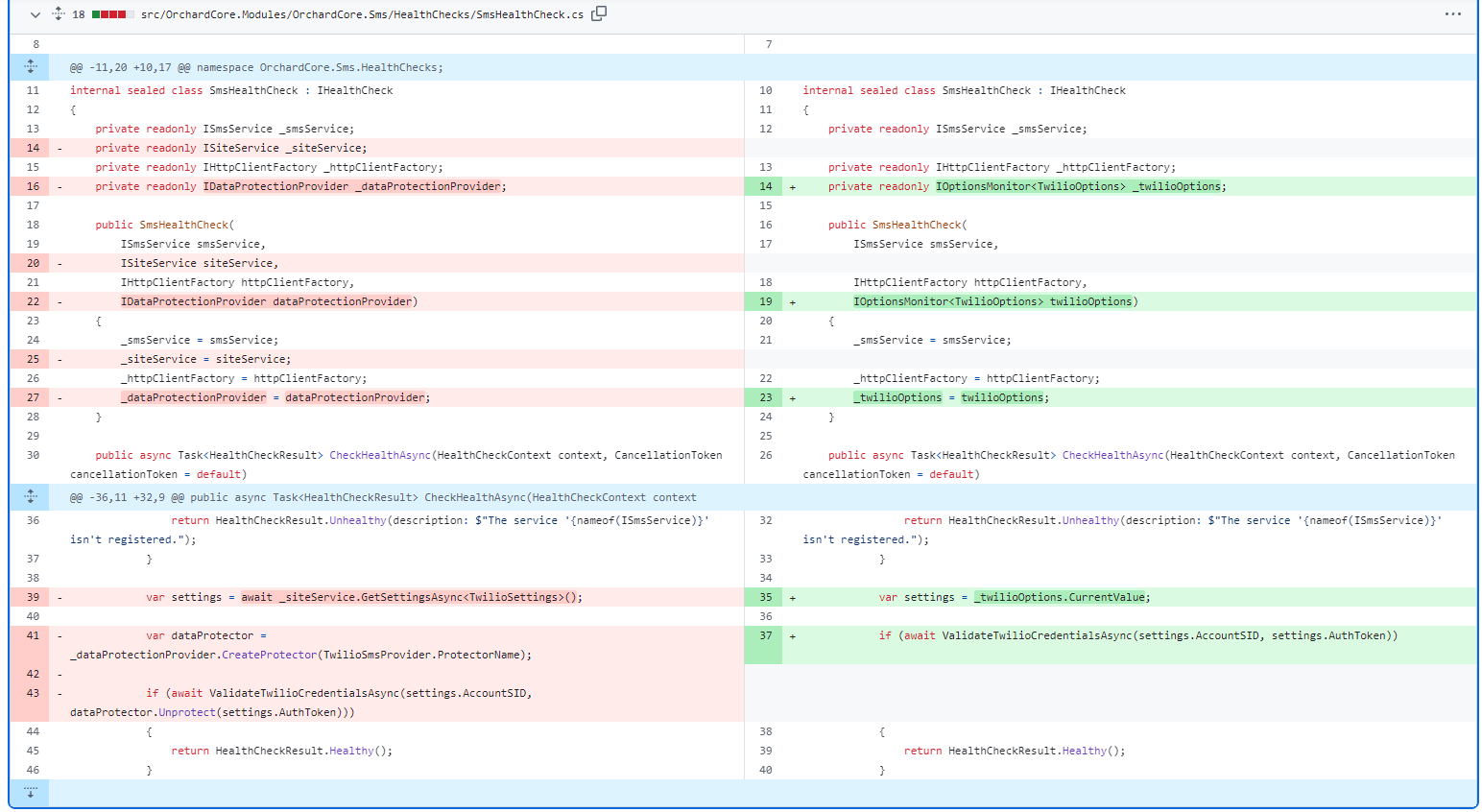
The SmsHealthCheck class shows what the change looks like in practice: it no longer needs ISiteService to load the Twilio settings. It injects IOptionsMonitor<TwilioOptions> and reads CurrentValue.
Demos
Lombiq's MSBuild Targets improvements for Orchard Core
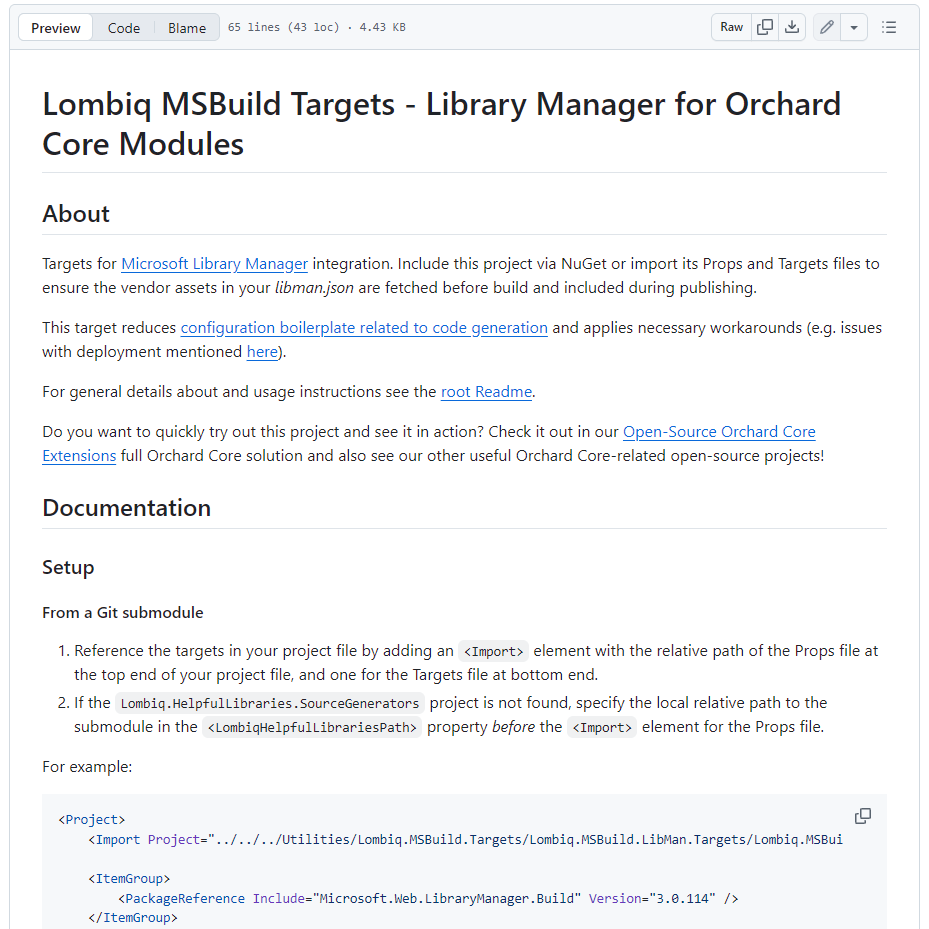
The Lombiq MSBuild Targets project contains MSBuild Targets and Props files to streamline repetitive project configuration.
The easiest way to try it out is to clone our Open-Source Orchard Core Extensions solution. This Orchard Core Visual Studio solution includes most of Lombiq's open-source Orchard modules and themes, plus related utilities and libraries, including our Lombiq MSBuild Targets project with detailed documentation.
This time, Sára El-Saig demonstrated custom MSBuild SDKs for Orchard Core modules and themes, which cut boilerplate and centralize package management. She showed how the SDK imports props and targets files, so the necessary references are included automatically, and module and theme project files stay short.
The SDK approach also lets you manage NuGet packages and dependencies centrally, and add client-side packages via the LibMan integration. Additional SDKs for UI and unit testing also let test projects share the same configuration, making them easier to set up and maintain. To see these improvements in action, head to YouTube for a recording.
Orchard Dojo Newsletter
Lombiq's Orchard Dojo Newsletter has 405 subscribers! We have started this newsletter to keep the Orchard community informed about the latest platform news. By subscribing to this newsletter, you will receive an email whenever a new post is published to Orchard Dojo, including 'This Week in Orchard', of course.
Do you know of other Orchard enthusiasts who would like to read our weekly articles? Tell them to subscribe here!