Copilot Integration, Last call: Speaker application for Orchard Harvest 2026 - This week in Orchard (01/05/2026)
This week, Mike Alhayek shows how to use Copilot directly inside Orchard Core!
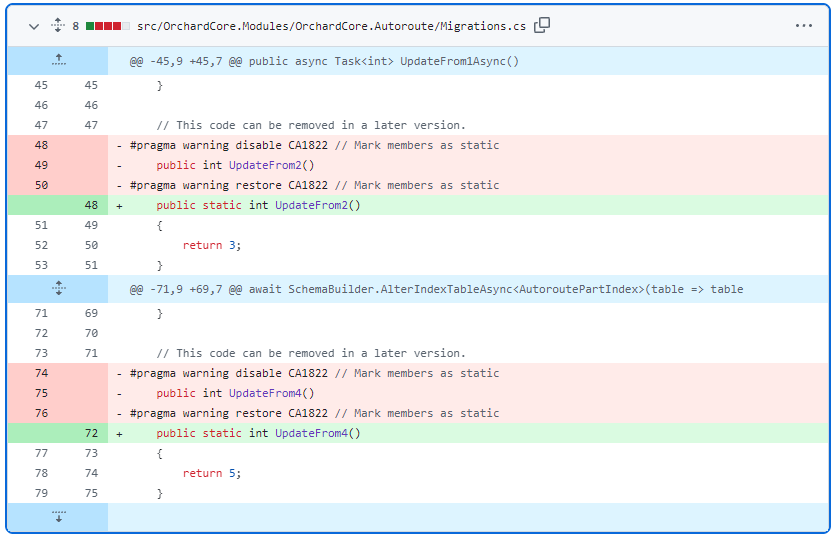
But before that, check out some code where you can see that, starting now, Orchard supports static data migration methods, and suppressions are no longer required for migration steps that don't use instance state.
Welcome the first contribution from Jack Liu, who made the pagination of the List Part configurable to decide whether to show a full pager with page numbers or just the arrows to navigate to the previous and next pages.
Do you know that since 2013, we've been working with Óbuda University in a hands-on way to teach web development? If you are interested in our Orchard Core courses at the university, check out our post on our site!
As we mentioned, we started publishing last year's Harvest recordings to YouTube. Check them out for some inspiration, and don't forget to apply to be a speaker for this year's Harvest by the 5th of May, midnight, anywhere on Earth!
Ready to explore? Let's dive in!
Orchard Core updates
Support static data migration methods
Public static data migration methods are now supported for Create, CreateAsync, UpdateFromX, UpdateFromXAsync, Uninstall, and UninstallAsync, so CA1822 suppressions are no longer required for migration steps that don't use instance state. It means that all methods could now be static if we don't use services, and we can remove the warnings that say mark members as static.
Make List Part pagination configurable
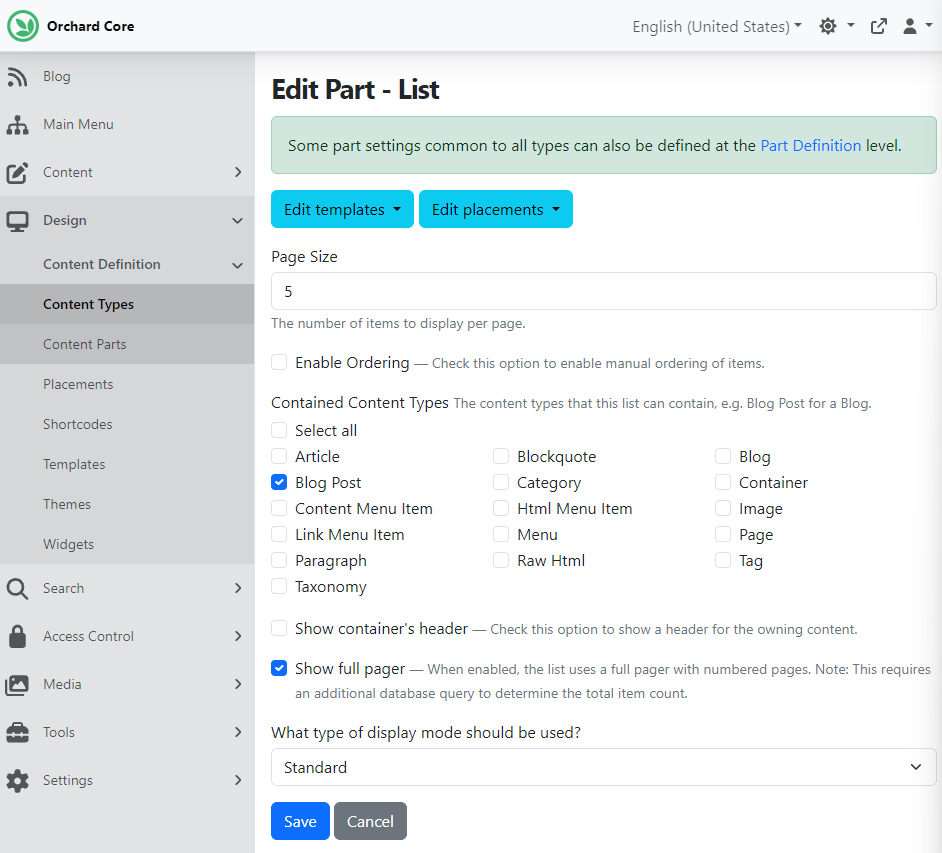
From now on, for the List Part, you can choose to use the current PagerSlim, which just shows next and previous, or use page numbers as well. But don't forget that showing page numbers, too, requires an additional database query to determine the total item count. By default, we are still using PagerSlim. Thanks to Jack Liu for his first contribution!
We can try this out quickly by setting up our site using the Blog recipe. The Blog recipe provides us with the Blog content type, which has the List Part attached. If we navigate to Design -> Content Definition -> Content Types and click Edit next to Blog, we can find the attached List Part, where we can see the new Show full pager checkbox.
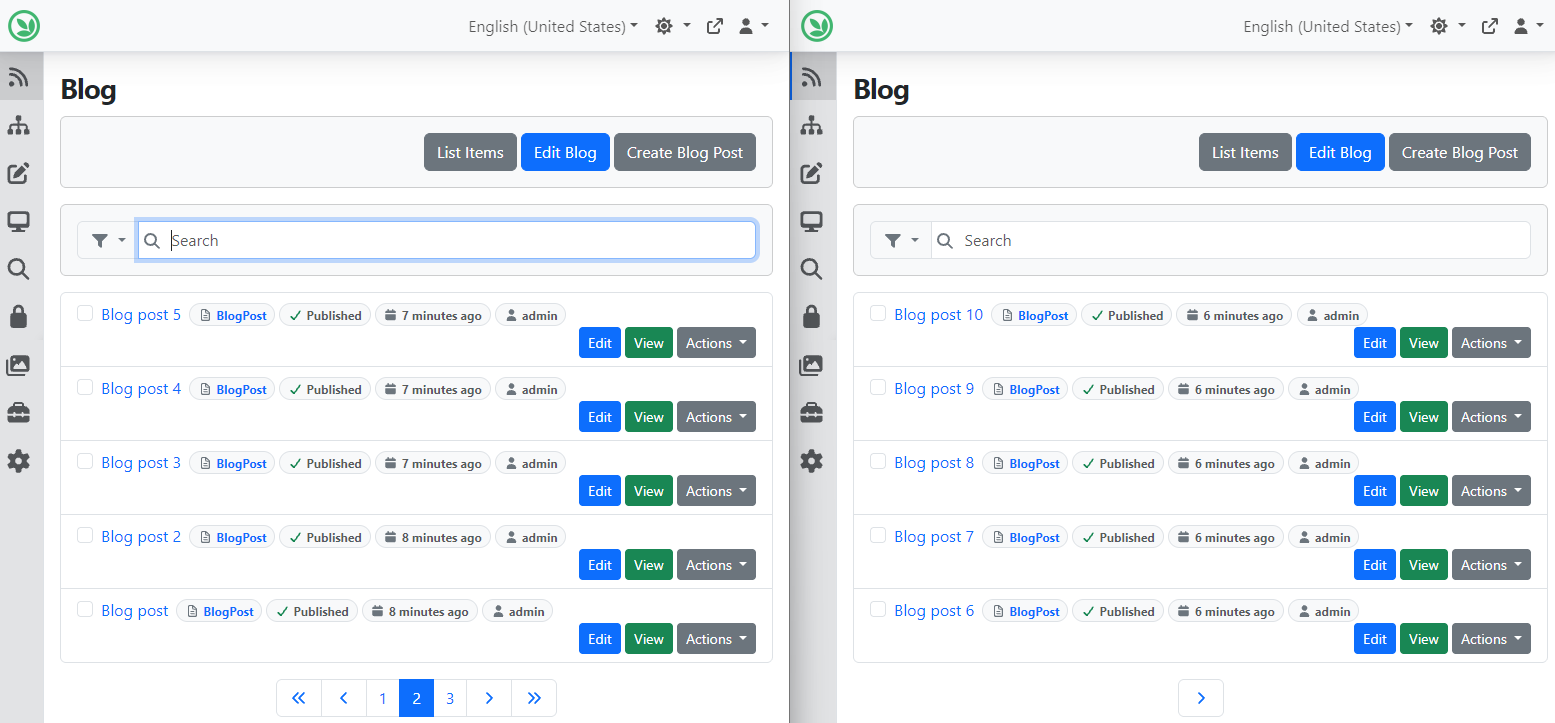
Now, let's see the differences between using a full pager and not using one. On the left side of the screen, we can see the full pager in use. In this case, you can see the page numbers and the << >> arrows to be able to jump to the first and the last page of the list. The right side of the screen shows you the PagerSlim usage, where you can only navigate to the previous and next pages.
Demos
Copilot Integration
Let's continue our journey with the AI suite, this time with the AI Copilot Orchestrator!
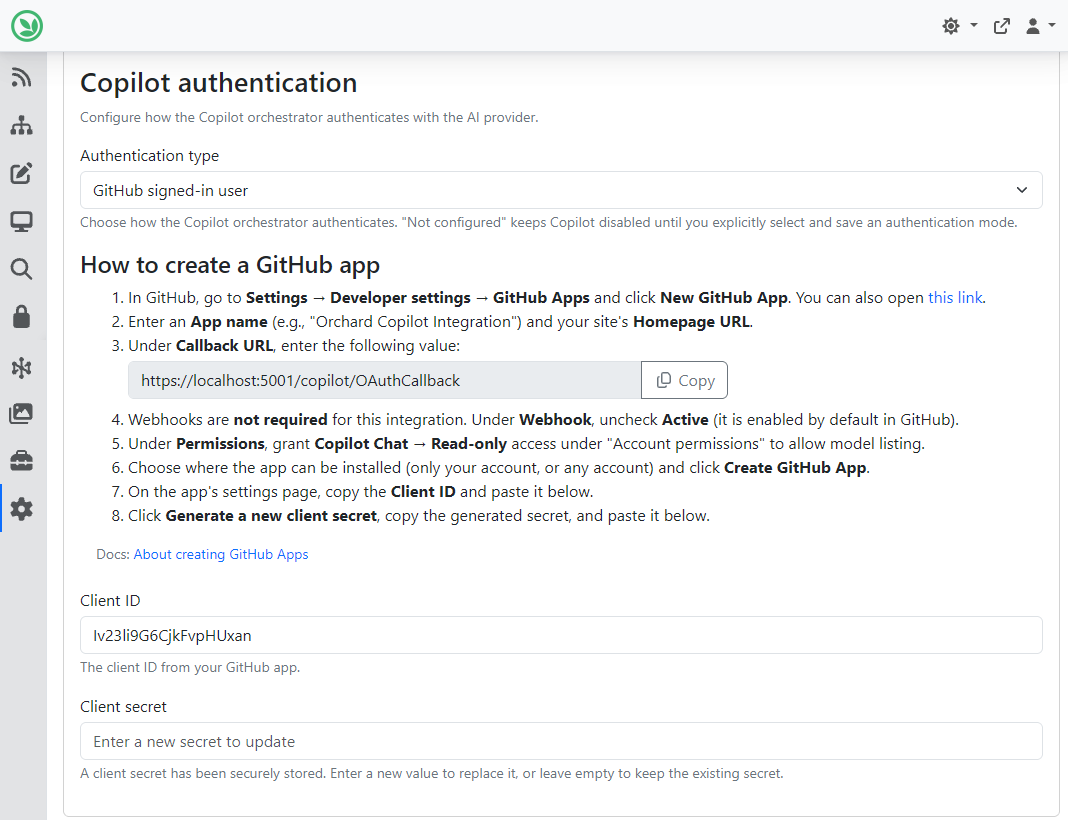
If you navigate to Tools -> Features and enable the AI Copilot Orchestrator feature, it will provide a GitHub Copilot SDK-based orchestrator for AI chat sessions. Then, you can go to Settings -> Artificial Intelligence, where you will see a new Copilot section. You can set the authentication type and choose between GitHub Signed-in User and API Key (BYOK). The API Key can be used if you have this service hosted in Azure. For the sake of the demo, we chose the GitHub signed-in user authentication type and followed the steps mentioned to create a GitHub app.
Now, we can go to Artificial Intelligence -> Chat Interactions, where we can create a new chat or continue an existing one. Here you can select the orchestrator to use for this chat interaction. The orchestrator controls how tools are selected and how the AI execution loop is managed. If you select the GitHub Copilot Orchestrator here, the site will ask you to log in to your GitHub account. Once you have it, a new drop-down will display where you can select the Copilot model to use for this interaction.
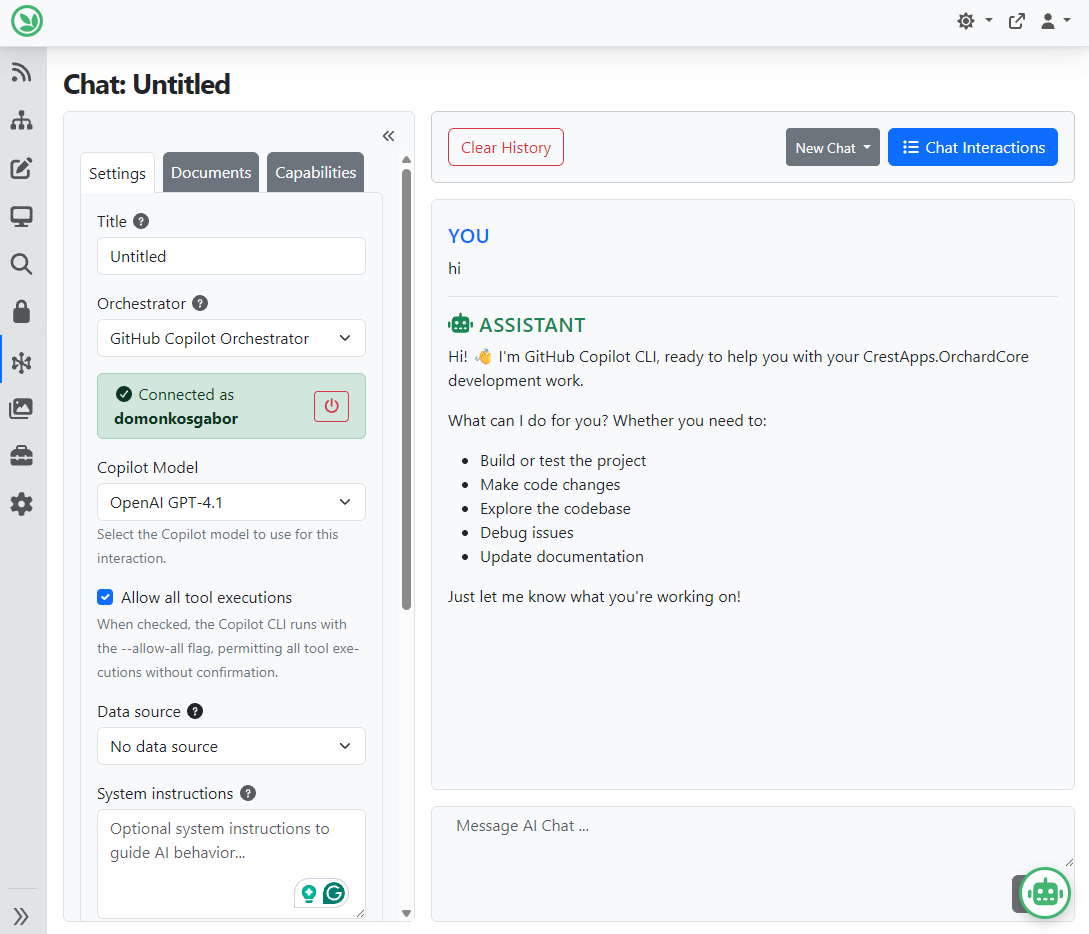
Copilot will be aware of all the capabilities that you select under the Capabilities tab, and it is also aware of the documents that you can attach under the Documents tab. And the same applies to profiles. You can reach profiles under Artificial Intelligence -> Profiles, where you can edit/create profiles and set the orchestrator nearly the same way. Here you can read more about Profiles and Chat Interactions.
And as always, if you want to see this feature in action, head to YouTube for a recording by Mike Alhayek, and don't forget to check out the official documentation about the Copilot Integration!
News from the community
Speaker application for Orchard Harvest 2026 and Orchard Harvest 2025 recordings
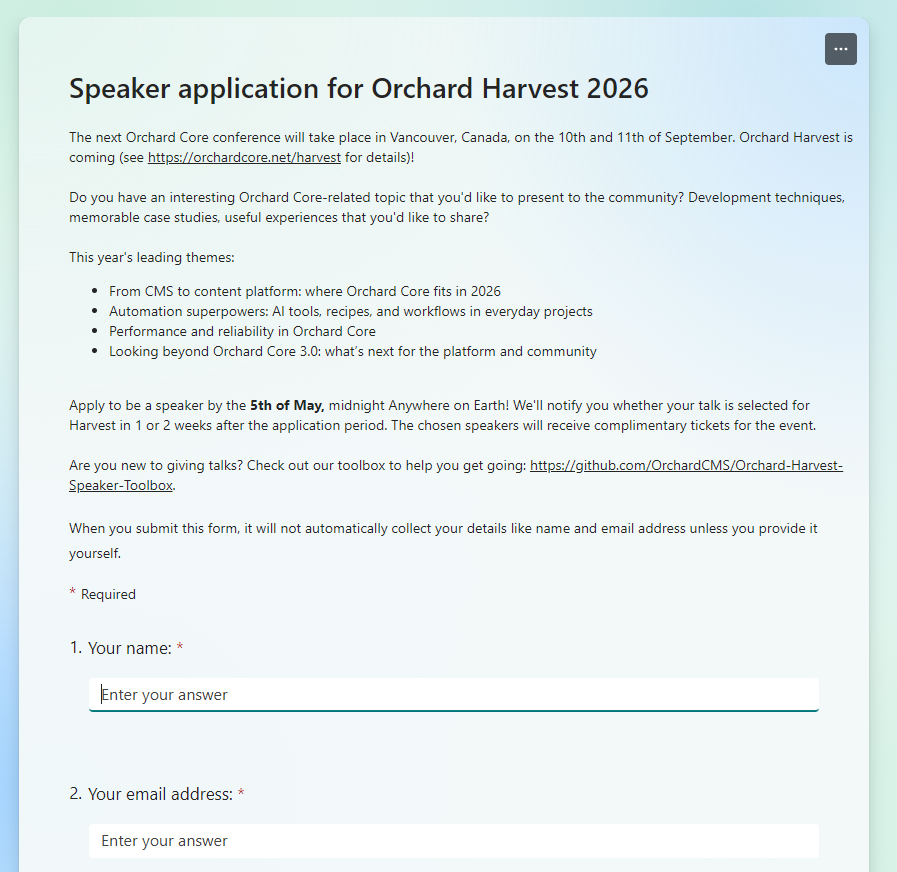
The next Orchard Core conference will take place in Vancouver, Canada, on the 10th and 11th of September.
Do you have an interesting Orchard Core-related topic that you'd like to present to the community? Development techniques, memorable case studies, and useful experiences that you'd like to share?
This year's leading themes:
- From CMS to content platform: where Orchard Core fits in 2026.
- Automation superpowers: AI tools, recipes, and workflows in everyday projects.
- Performance and reliability in Orchard Core.
- Looking beyond Orchard Core 3.0: what’s next for the platform and community.
Application form: https://forms.office.com/pages/responsepage.aspx?id=Wt6elek45kStyIVVO-uCICDdeeZFbXdAlSWTkdgpZAtUQzA3UzVNUERJTk4zVlEwRUtXNkM2SlI4Sy4u
Apply to be a speaker by the 5th of May, midnight, anywhere on Earth! We'll notify you whether your talk is selected for Harvest in 1 or 2 weeks after the application period. The chosen speakers will receive complimentary tickets for the event.
The 8th Orchard Harvest Conference was held in Prague on the 11th and 12th of November, 2025. We recorded every session, and are currently publishing them on the Orchard Core YouTube channel. The videos are published every Monday, Wednesday, and Friday at 4:00 PM UTC. If you haven't done so yet, subscribe to this YouTube channel for the Harvest videos and some inspiration if you are considering being a speaker this year! Here you can find the playlist for last year's Harvest recordings.
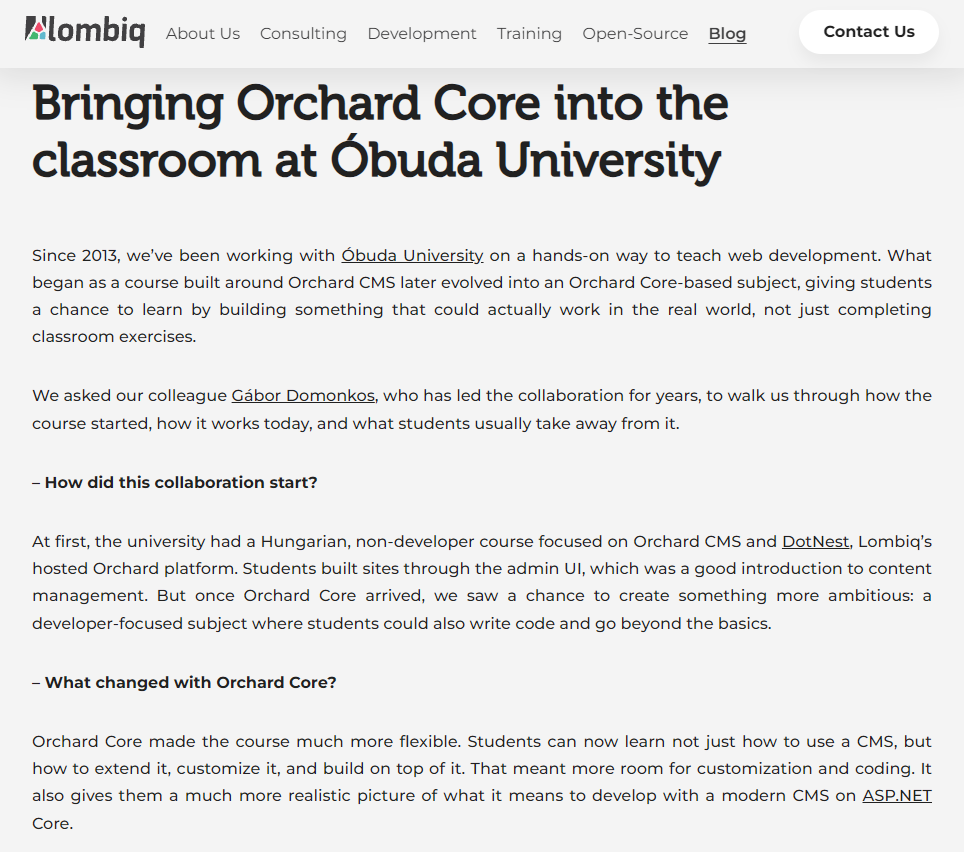
Bringing Orchard Core into the classroom at Óbuda University
Ever wonder how a CMS can make university courses more practical? At Óbuda University, Orchard Core did just that. Students learn ASP.NET Core by building live sites on DotNest. They go through milestones, create custom forms and workflows. We talked with our project leader, Gábor Domonkos, about how it started, what students build, and why it prepares them for real careers.
Students gain practical experience, the university gets a more hands-on subject, and the industry gets people who are better prepared for real projects. We believe more universities could benefit from this kind of collaboration, whether with Orchard Core or other open-source technologies. And if you are exploring something similar, we are always happy to share what has worked for us so far.
Check out the full interview here!
Orchard Dojo Newsletter
Lombiq's Orchard Dojo Newsletter has 419 subscribers! We have started this newsletter to keep the Orchard community informed about the latest news on the platform. By subscribing to this newsletter, you will receive an email whenever a new post is published to Orchard Dojo, including 'This Week in Orchard', of course.
Do you know of other Orchard enthusiasts who would like to read our weekly articles? Tell them to subscribe here!