Customize theme templates from the admin UI, faster role setup - This week in Orchard (30/10/2026)
Want to override a theme's Liquid templates without creating a new theme or restarting your app? Theme Customization, now continuing as Assisted Templates, clones them into the Templates store right from the admin UI.
Tired of hunting for the permissions page after creating a role? The new Save & Configure button takes you straight there.
And has a workflow ever silently done nothing because it had no startup task? Orchard Core now marks the first event as the startup task, and warns you if a workflow doesn't have one.
We also share how we repositioned Lombiq.com for the people who decide on critical platform projects.
This week's changes come from Rajeev Kumar and Sotiris Roussos.
Orchard Core updates
Save & Configure and Save and continue buttons on the role Create and Edit pages
After creating a role, you almost always want to assign its permissions next, but the Create button sends you back to the roles list. Thanks to our new contributor, Rajeev Kumar, there are now two new options: Save & Configure and Save and continue.
To see them in action, go to Access Control -> Roles in the admin UI and click Add Role. You will find the new Save & Configure button between Create and Cancel. It creates the role and redirects you to the page where you can assign its permissions.
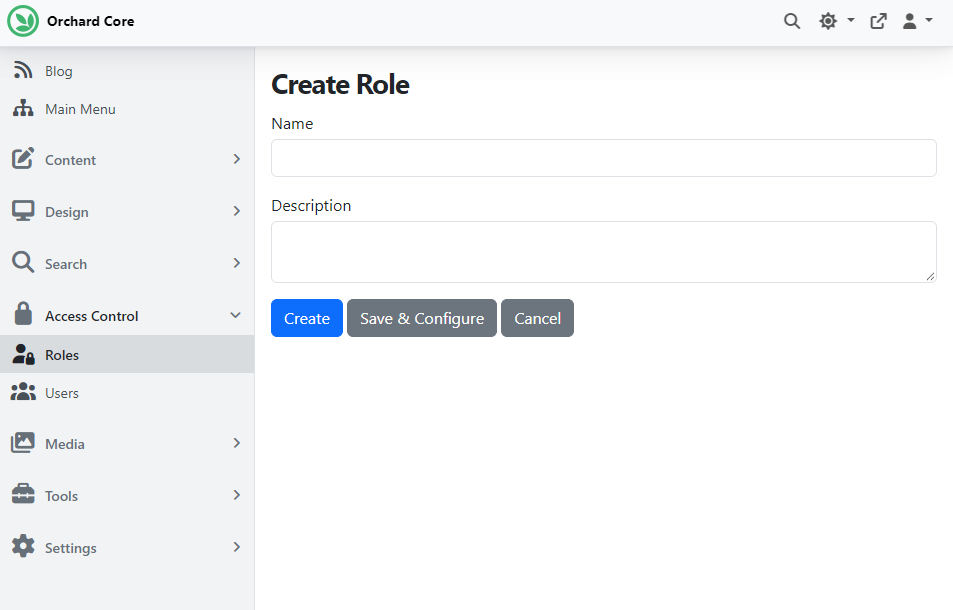
If you edit an existing role, the Save button is now a dropdown with a new "and continue" option. It saves your changes and keeps you on the edit page, so you can keep working on the role.
Make the first event added to a workflow its startup task
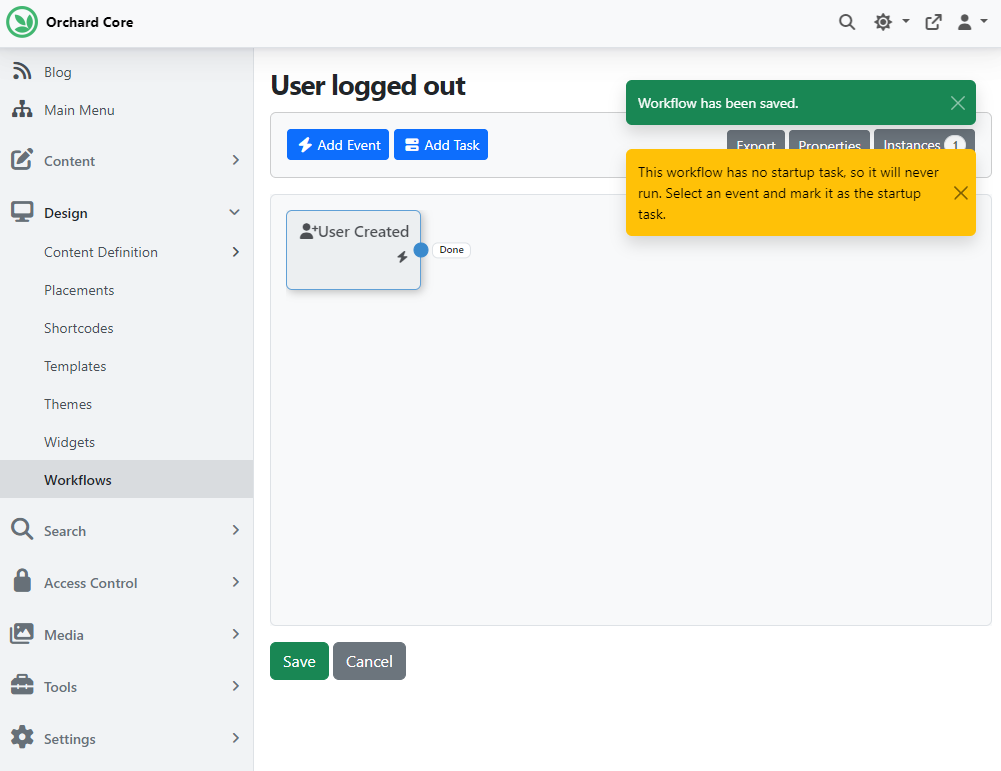
A workflow only runs if one of its events is marked as the startup task. With a single event, it's obvious which one that is, but you still had to set it by hand, and forgetting it left the workflow silently doing nothing. Another contribution by Rajeev Kumar fixes this.
Enable the Workflows feature, go to Design -> Workflows, and click Create Workflow. We added a User Created event, clicked Save, and Orchard Core automatically marked it as the startup task. If you unmark it and save again, you get a warning that the workflow has no startup task, so it will never run.
Demos
Theme Customization
Sotiris Roussos demoed a new feature called Theme Customization. It lets admins start customizing the front end from the admin UI by cloning the active site theme's Liquid templates into Orchard Core's runtime-managed Templates store. You don't need a new compiled theme, a rebuild, or a restart.
In the demo, enabling the feature adds a Customize button to the active theme's card under Design -> Themes. This opens the Theme Customization dashboard, scoped to the active theme. After selecting Initialize Customization, you can clone templates one by one or use Clone All Missing Templates.
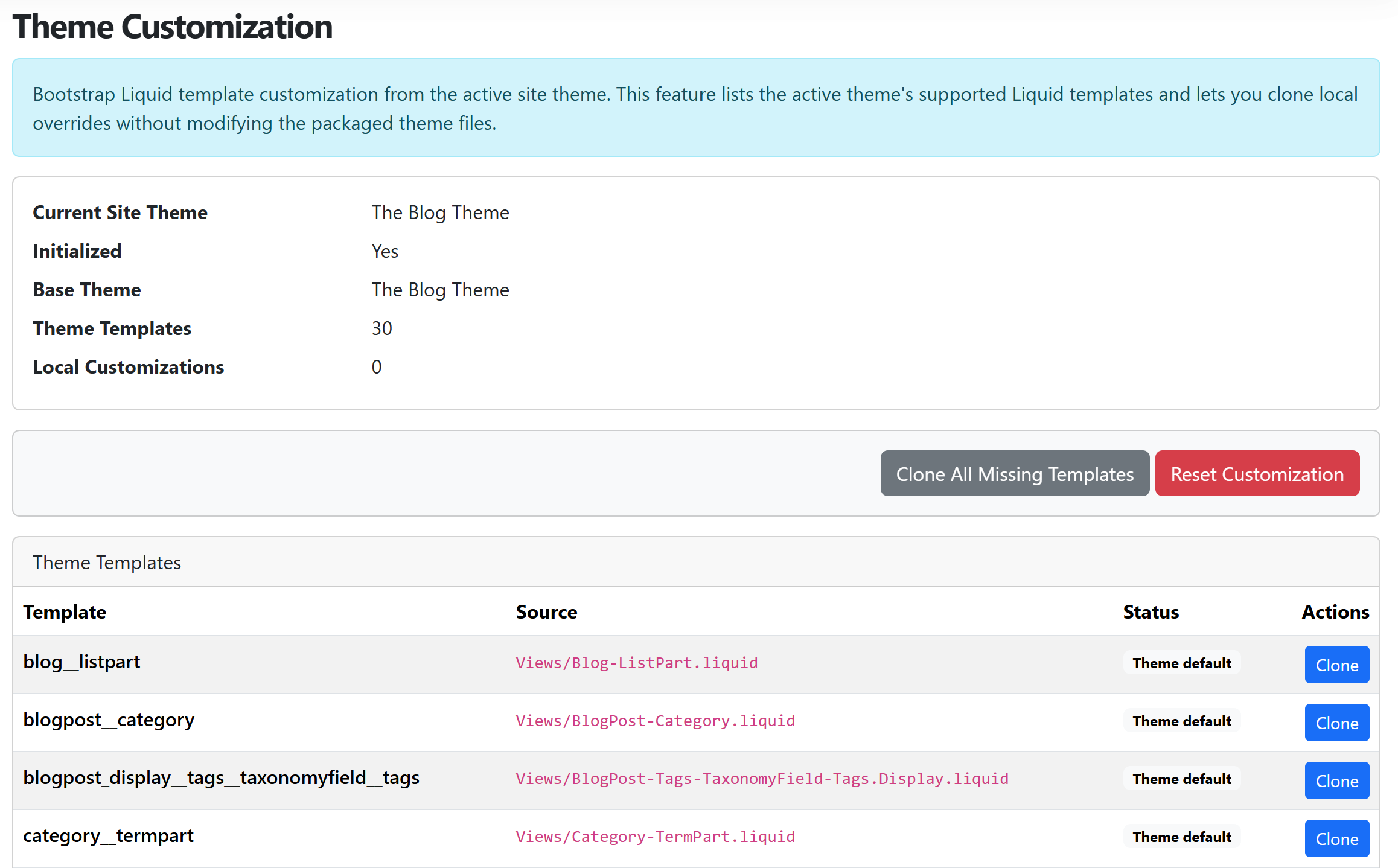
Editing a cloned template opens the regular template editor you already know. If you switch the active site theme afterward, the dashboard tells you that your customization is stale, rather than silently mixing markup from two themes.

To see all this in action, head to YouTube for a recording!
The work has moved on since the demo. On 28 October, Sotiris opened a pull request that renames the feature to Assisted Templates and makes it part of the Templates module. Its buttons appear on the Templates and Admin Templates lists. It also adds lists of feature templates, alternates, and an Inspect Content page that shows which template renders each shape of a content item. The pull request is still open, so check it out and try the feature yourself!
News from the community
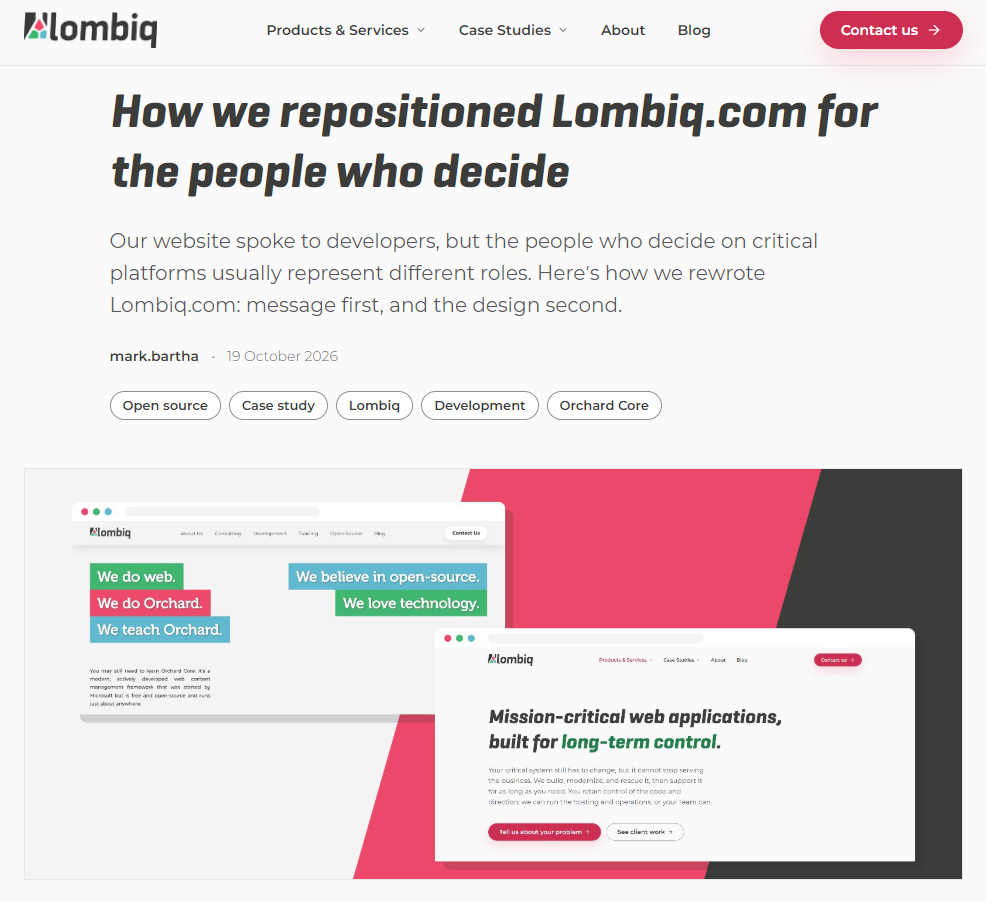
How we repositioned Lombiq.com for the people who decide
Does your website describe the tools you use, or the problems you solve for your clients?
Until this September, Lombiq.com mostly did the first. It was written for developers, while the people who decide on a critical platform project usually represent different roles. They want to know whether we can take responsibility for a system their organization depends on.
We rewrote the message first and the design second.
In the case study, we share:
- Why a new design alone wouldn't have fixed the problem.
- How we put our clients' problems at the center, and the technology in the background.
- How we used AI, with experienced people deciding what the site says.
- How we rolled out the new site safely on a live system.
If your website no longer matches how you sell, this one might feel familiar. Read our case study! For a short video about the new site, including its admin area, head to YouTube for a recording.
Orchard Dojo Newsletter
Lombiq's Orchard Dojo Newsletter has 402 subscribers! We have started this newsletter to keep the Orchard community informed about the latest platform news. By subscribing to this newsletter, you will receive an email whenever a new post is published to Orchard Dojo, including 'This Week in Orchard', of course.
Do you know of other Orchard enthusiasts who would like to read our weekly articles? Tell them to subscribe here!