Dynamic Translations, refactor IContentDefinitionService for improved modularity and design - This week in Orchard (13/02/2026)
This week, we mention the refactored IContentDefinitionService, allowing other modules to use content definition operations without referencing the entire ContentTypes module. See a demo of the Translation Editor that allows you to translate dynamic strings via the admin UI! And finally, check out a case study about how we rebuilt hajosnep.hu, Hungary's oldest maritime history association's website, with Orchard Core on DotNest!
Orchard Core updates
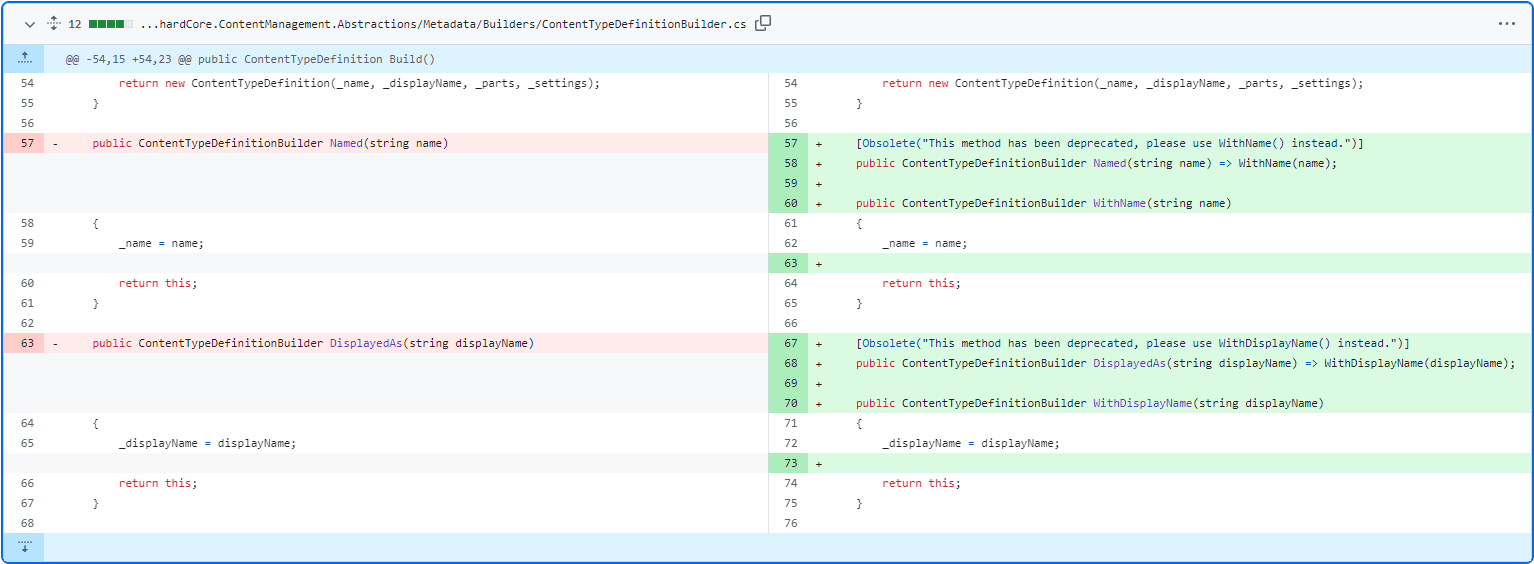
DisplayedAs was renamed to WithDisplayName, and Named was renamed to WithName for consistency
When you define the type definition for your content type, you can define its Technical Name and Display Name using the ContentTypeDefinitionBuilder. You can also attach content parts to it, add various settings, and more. Most method names in ContentTypeDefinitionBuilder start with the word With, which means "define my content type with this name, with this part, etc." But that was not the case when you defined the Name and the Display Name. From now on, Hisham Bin Ateya was renamed the DisplayedAs method to WithDisplayName, and the Named method to WithName for consistency. We kept the old Named and DisplayAs methods for now, but we marked them as obsolete ones.
Refactor IContentDefinitionService for improved modularity and design
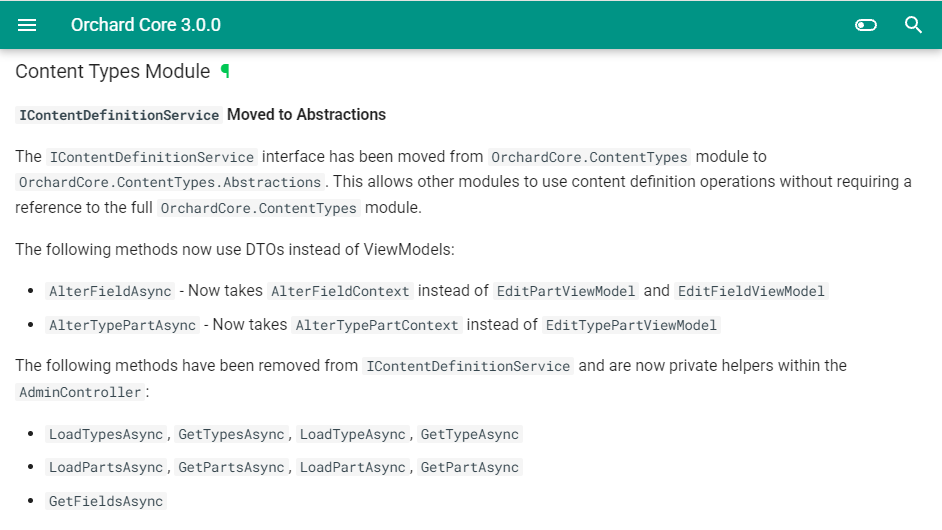
The IContentDefinitionService interface was moved from the OrchardCore.ContentTypes module to OrchardCore.ContentTypes.Abstractions: the ContentDefinitionService doesn't implement any methods that return view models. So, this interface was not just moved; it was also updated to remove all methods for manipulating or creating view models. These methods were moved to the AdminController itself, which needs the view models, so it uses the ContentDefinitionManager directly and creates its own view models from the business data. And we also have documentation for the IContentDefinitionService interface.
Demos
Dynamic Translations
The Data Localization module provides a database-backed localization system for translating dynamic content that cannot be handled by static PO files, such as:
- Content Type and Content Field display names.
- Permission names and descriptions.
- Any custom dynamic strings via ILocalizationDataProvider.
To enable this module, go to Tools -> Features and enable the Data Localization module. It means that you will find a new Dynamic Translations option in Settings -> Localization. For each of these data-localizable items, we have a translation editor. This editor displays all translatable strings grouped by category:
- Culture Selector: Choose which culture to edit translations for.
- Search: Filter strings by original text or translation.
- Category Filter: Focus on a specific category.
- Auto-save: Toggle automatic saving (enabled by default, saves after 2 seconds of inactivity).
- Save Button: Manually save all changes.
Our demo site supports two cultures: English and Hungarian. We selected the Hungarian culture using the culture selector and filtered for the Content Types category. We already started providing translations for Content Type strings. As you can see, we translated 6 of the 16 strings.
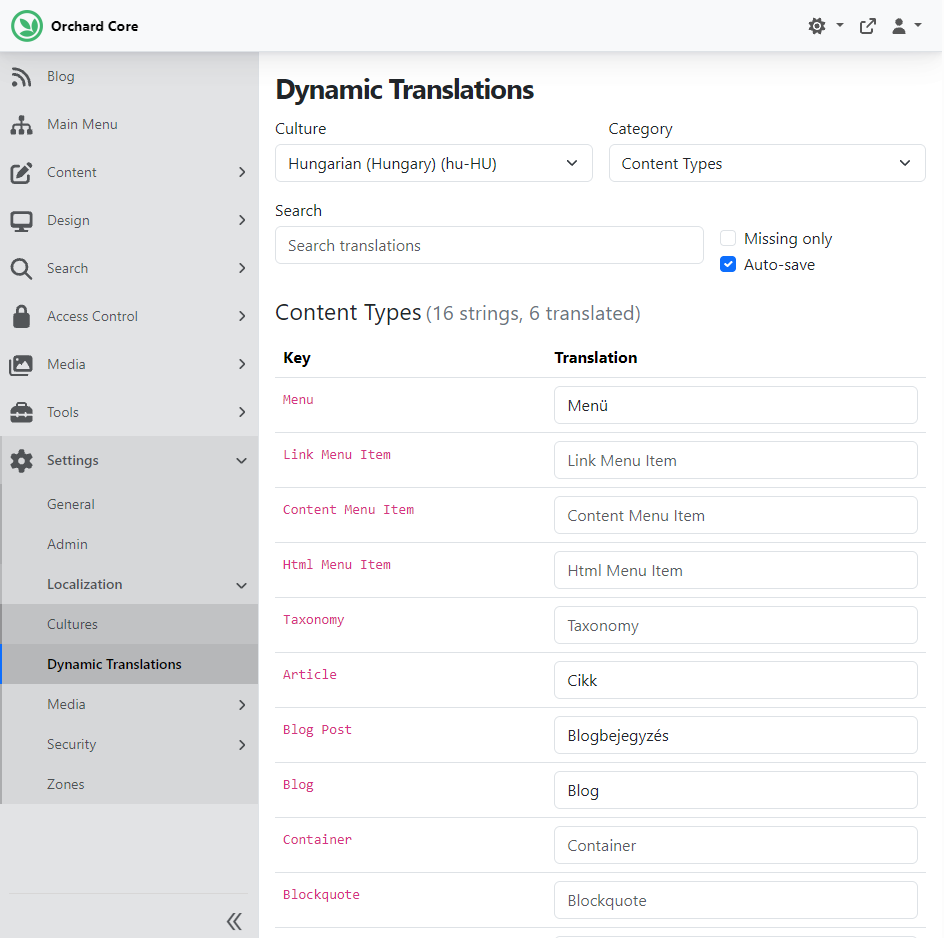
We keep the Auto-save checkbox checked, which means the site automatically saves our modifications without needing to click the Save button at the bottom of the screen.
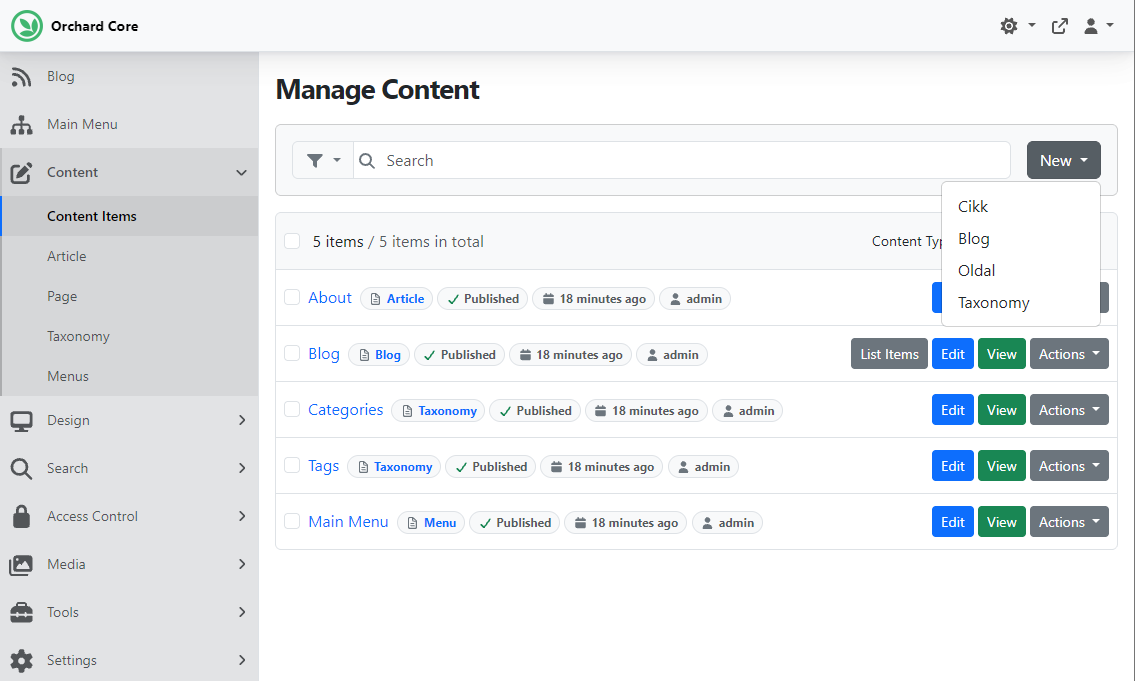
If we switch to Hungarian, we could see the UI and the data in Hungarian (but we have no Hungarian PO files). If we click the New button to create new content items based on existing content types, we can see the translated names of those content types. The Taxonomy is there because we haven't translated it.
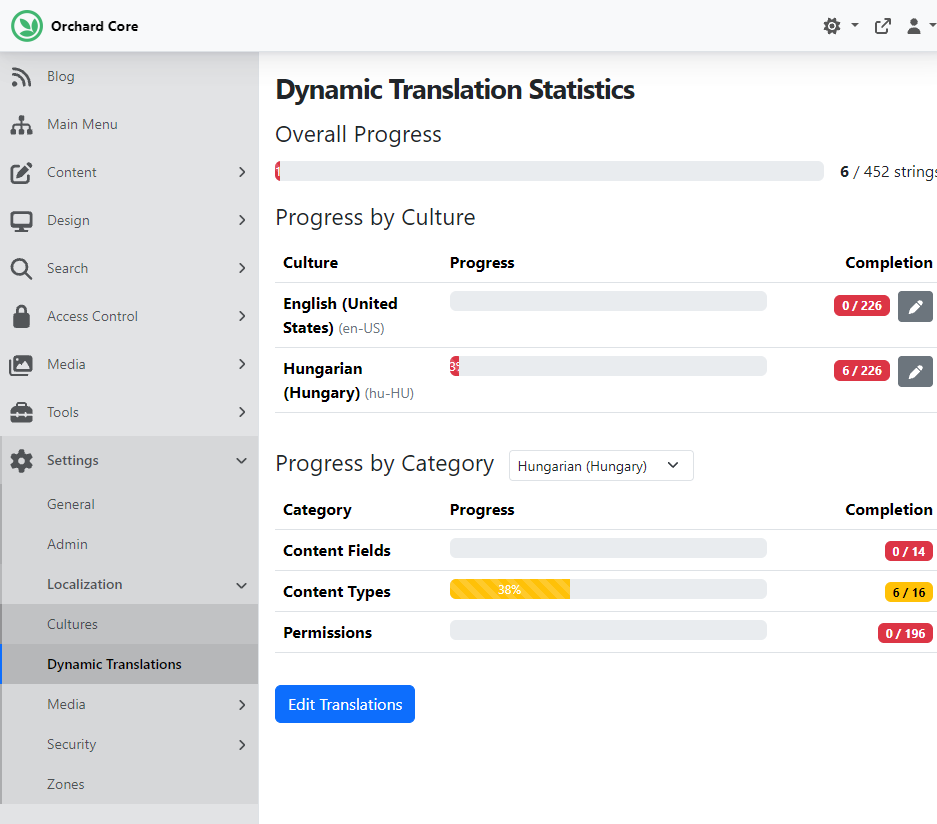
If we go back to the Dynamic Translations page, we will find a button labeled Statistics at the bottom that opens the statistics dashboard. The statistics dashboard shows translation completion progress:
- Overall Progress: Total translation progress across all cultures.
- By Culture: Progress bar and completion count for each supported culture.
- By Category: Detailed breakdown per category for a selected culture.
Progress bars are color-coded:
- Green (≥75%): Good progress.
- Yellow (25-74%): In progress.
- Red (<25%): Needs attention.
Here you can see that we translated 6 strings of 226, and all 6 are under the Content Types category.
And as always, if you want to see this new feature in action, head to YouTube for a recording by Sébastien Ros!
News from the community
Modernizing a legacy Orchard 1 site
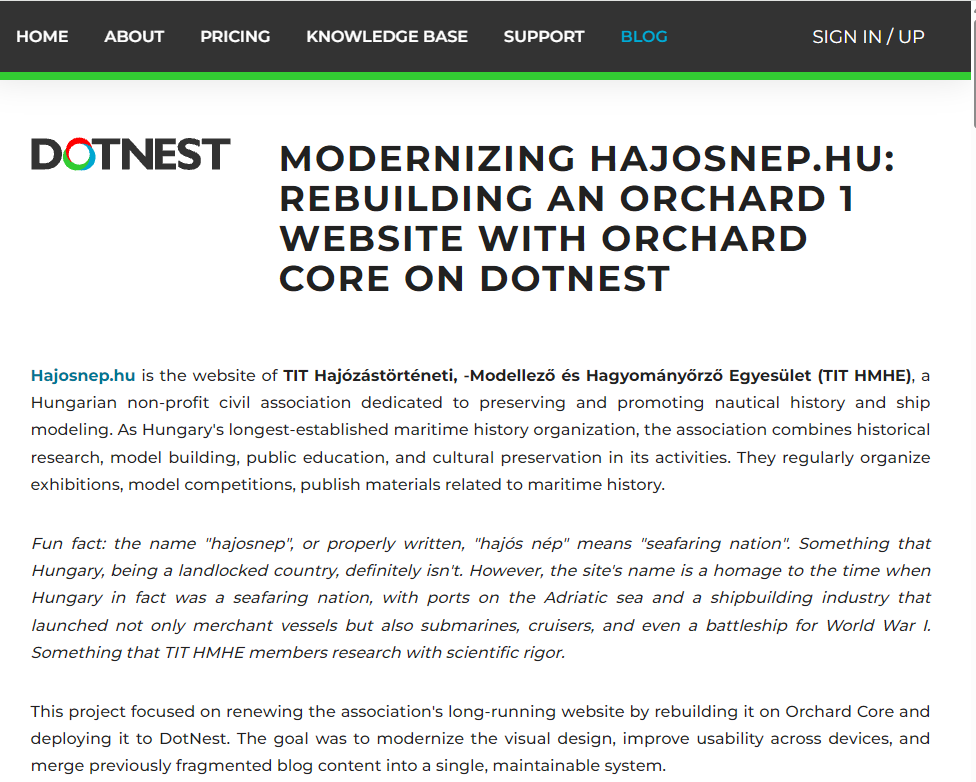
Last month, we rebuilt hajosnep.hu, Hungary's oldest maritime history association's website, with Orchard Core on DotNest, improving design, usability, and maintainability. Check out our case study to learn why modernization was important, the technical details (including the use of Lombiq's DotNest Core SDK for theme development), the key challenges and solutions, and the future plans.
The renewed hajosnep.hu website now provides a modern, mobile-friendly platform for the association to share content, engage with the community, and showcase Hungary's maritime history. The site is fully maintainable, accessible, and prepared for future multilingual expansion, ensuring it can evolve alongside the association's needs for years to come.
If you are considering a website renewal or migration, especially on Orchard Core or DotNest, this project demonstrates how a robust theme foundation and an automated asset pipeline can help modernize even complex legacy sites in a maintainable and future-proof way.
If you’d like to build something similar, you can create your own Orchard Core site on DotNest and start experimenting right away. As Orchard Core grows in popularity, so does our experience with it. If you'd like to take advantage of the platform's various improvements, don't hesitate to reach out to us here.
Orchard Dojo Newsletter
Lombiq's Orchard Dojo Newsletter has 425 subscribers! We have started this newsletter to keep the Orchard community informed about the latest news on the platform. By subscribing to this newsletter, you will receive an email whenever a new post is published to Orchard Dojo, including 'This Week in Orchard', of course.
Do you know of other Orchard enthusiasts who would like to read our weekly articles? Tell them to subscribe here!