Enhanced Blocks Editor for content creators, Last call: Orchard Harvest 2026 survey - This week in Orchard (06/03/2026)
This week, you can see an interesting demo of the enhanced Blocks Editor, showcasing new features such as in-place block insertion, block duplication, cross-page block copying, and reusable Global Blocks!
But before that, let us quickly mention the newly added Agent Skills directly to Orchard Core for guided workflows!
If you haven't filled it out yet, please take a quick look at the Orchard Harvest 2026 survey that we will close on the 9th of March.
Orchard Core updates
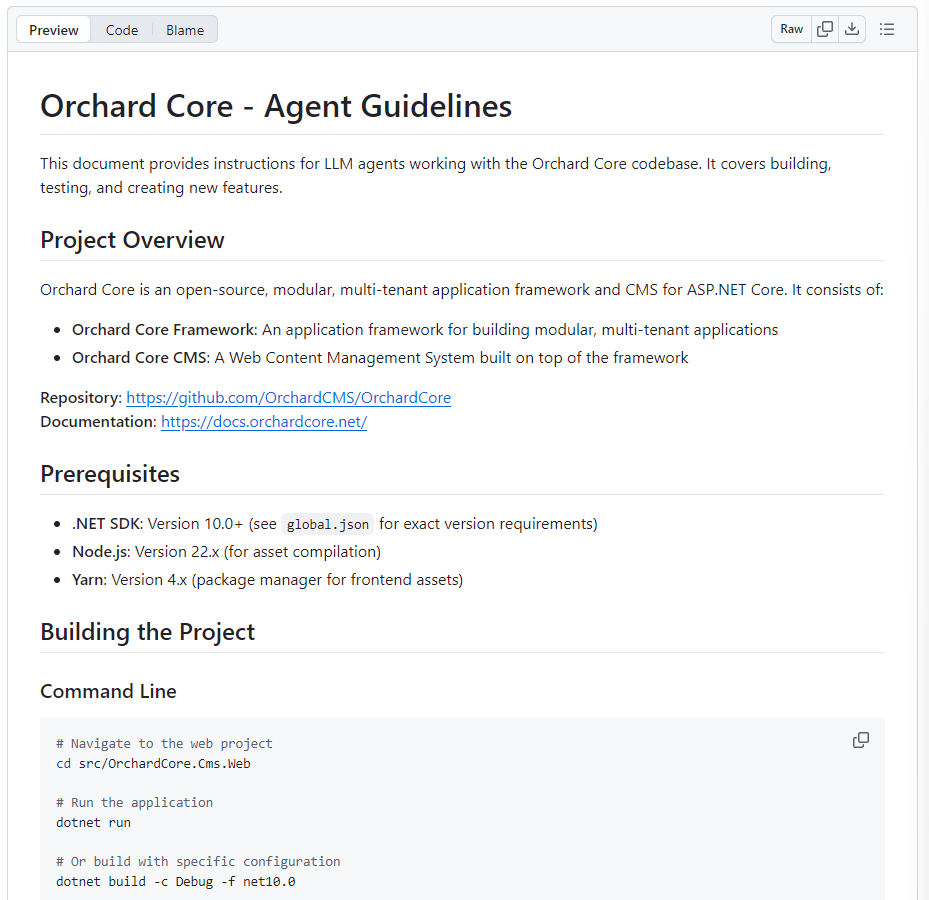
Orchard Core - Agent Skills
The idea here was to have Agent Skills inside Orchard Core, primarily for developers. That's the reason why it's in the .agents/skills folder. The goal is that when you clone Orchard, you will have access to these skills. The new skills are:
- orchardcore-module-creator: Creates new Orchard Core modules with proper structure, manifest, startup, and patterns. Use when the user needs to create a new module, add content parts, fields, drivers, handlers, or admin functionality.
- orchardcore-tester: Tests Orchard Core CMS features through browser automation. Use when the user needs to build, run, set up, or test Orchard Core functionality, including admin features, content management, media library, and module testing.
- orchardcore-theme-creator: Creates new Orchard Core themes with proper structure, manifest, layouts, and assets. Use when the user needs to create a new theme, customize layouts, or set up frontend assets.
This will be automatically loaded, for example, by Copilot, when developing on Orchard Core. Thanks to Sébastien Ros for the contribution!
If you remember, last week we showed our agent skills for Orchard Core that can also help you with many Orchard Core-related tasks, such as implementing appropriate shape templates with correct alternates. If you haven't heard about it yet, check out our post from last week, where you can also see a demo of the Lombiq Orchard Core Agent Skills project! Don't forget to share your experience, feedback, and contributions so we can keep refining the skills in the open and roll improvements back based on real project usage.
Implement Result pattern
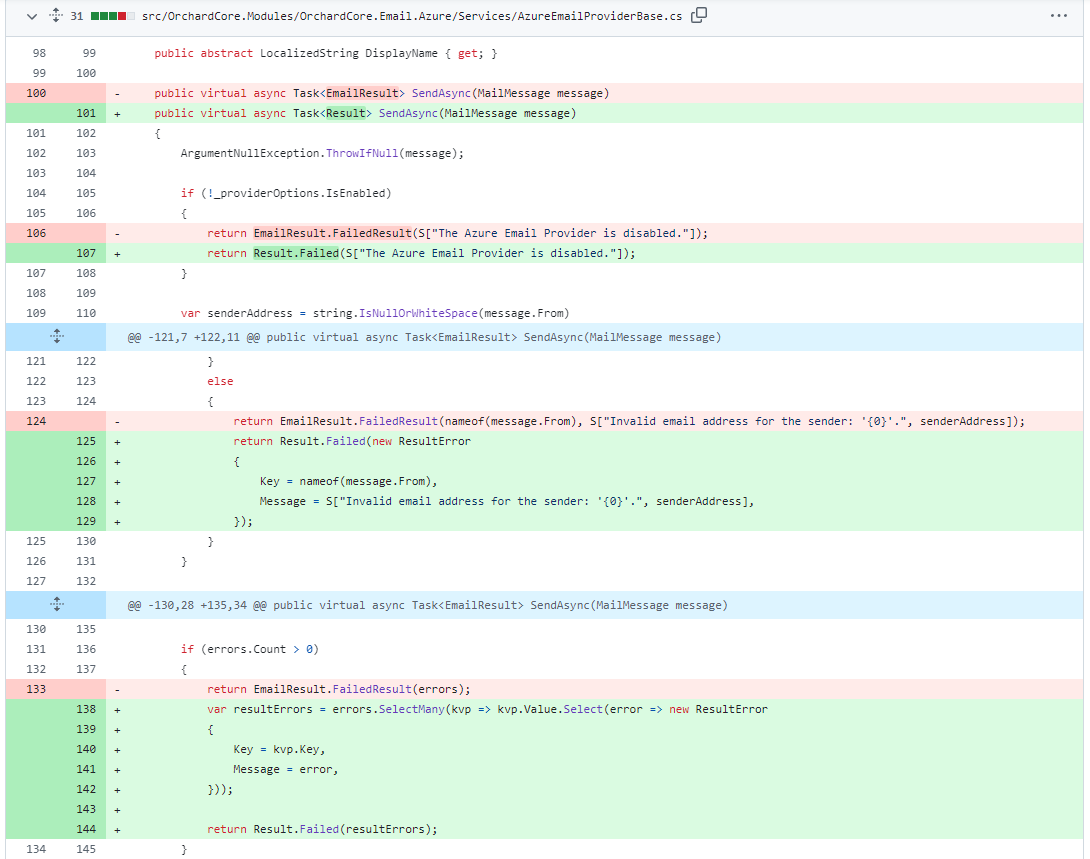
We used to use a pattern that returns an object containing messages regarding error or success messages. For example, the EmailResult class was used to represent the result of sending an email, and the SmsResult class was used to represent the result of sending an SMS. These classes have been replaced by Result, which provides a more consistent and flexible way to handle operation results.
So, Hisham Bin Ateya introduced a lightweight Result pattern to represent operation outcomes without throwing exceptions for control flow. The new Result and Result<T> types indicate success/failure and may carry zero or more ResultError entries (supporting LocalizedString for localized messages).
Demos
Enhanced Blocks Editor for content creators
If you remember, Nick Jackson introduced a new block-style editor for Flow Part and Bag Part that provides a modern, visual content type picker with thumbnail previews, category filtering, and search functionality. This enhances the content-editing experience by allowing editors to browse and select content types more intuitively. If you haven't heard about it, check out our corresponding post with it, along with a demo. This feature was just merged to the main branch of Orchard Core a few weeks ago, but improvements are already coming!
He started his demonstration by showing the ability to insert blocks at any position within the Bag Part using a plus icon, similar to the Flow Part, eliminating the need to add blocks only at the end and then rearrange them.
The demo included new options to duplicate a block within the same page and to copy a block from one page to another, streamlining content creation and reducing repetitive manual entry. You can do this by right-clicking the block header and selecting Copy or Duplicate from the contextual menu.
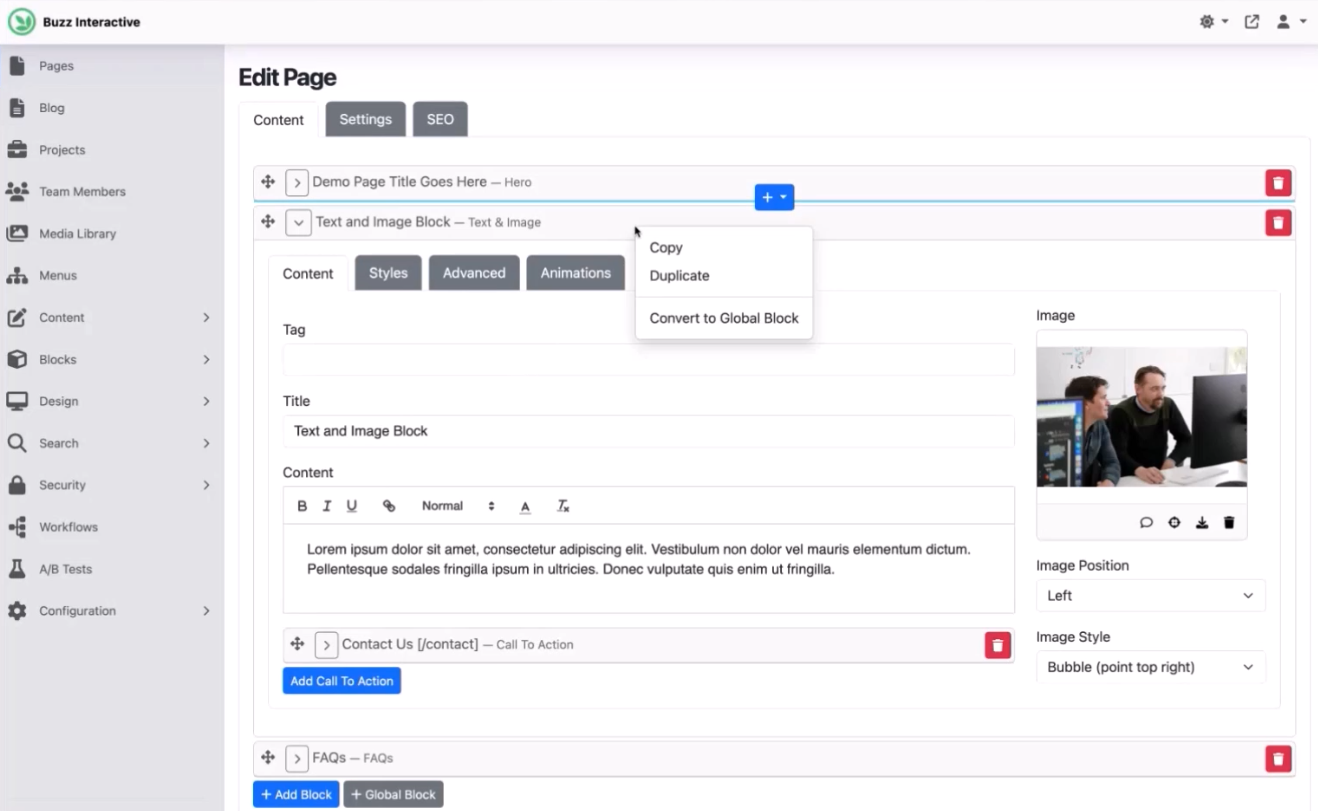
The Duplicate feature duplicates the selected block directly beneath it, creating an exact clone.
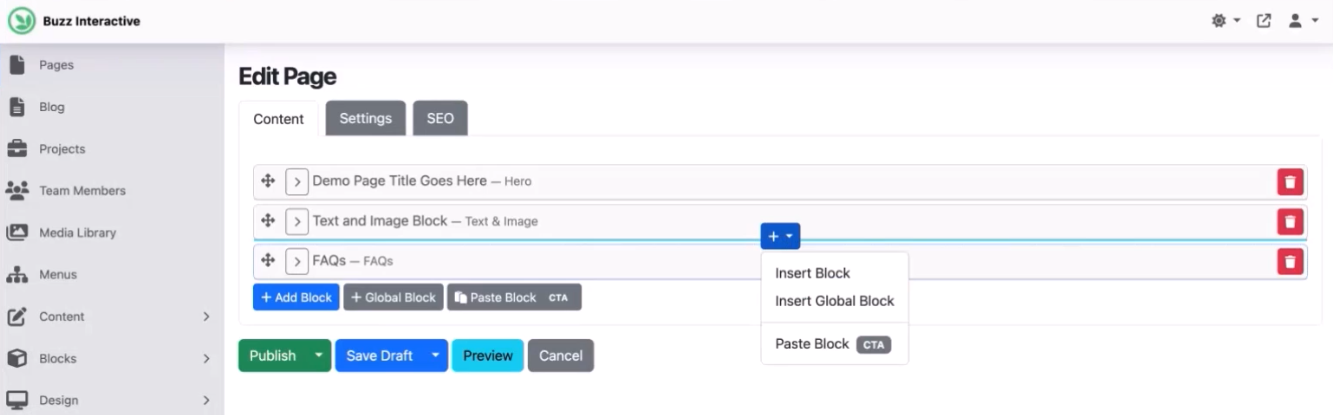
If you want to copy a block from one page to another, you have to select the Copy option from the contextual menu. This feature provides you with two ways to insert your block. The first one is using the Paste Block button under the blocks. It will add the block at the end of the list. Or if we click on the plus icon and select the Paste Block option, it will copy that block at the selected location (CTA (Call to Action) here is the name of the block we want to copy).
Now, let's see the concept of Global Blocks, which are content items that can be referenced across multiple pages. Editing a Global Block updates all instances, and users can detach it to create an independent copy for further customization. If you want to create a Global Block based on your block, you need to select the Convert to Global Block option from the contextual menu. It will open up a modal where you can set a descriptive name for your Global Block.
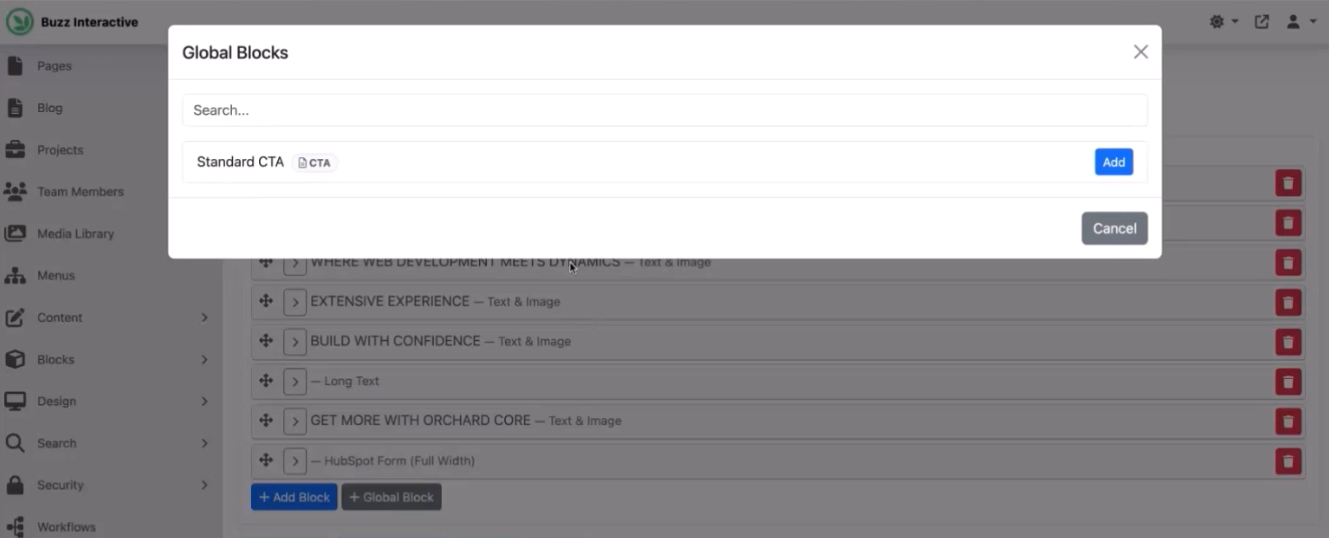
But how to use this Global Block? If you remember, there was a Global Block button at the bottom of the Bag Part and Flow Part editor. If you click that, we get a little modal window that lists all the available Global Blocks in the system. Here you have a search feature to find your Global Block by name, and if you hit the Add button, the Global Block will be inserted into the editor.
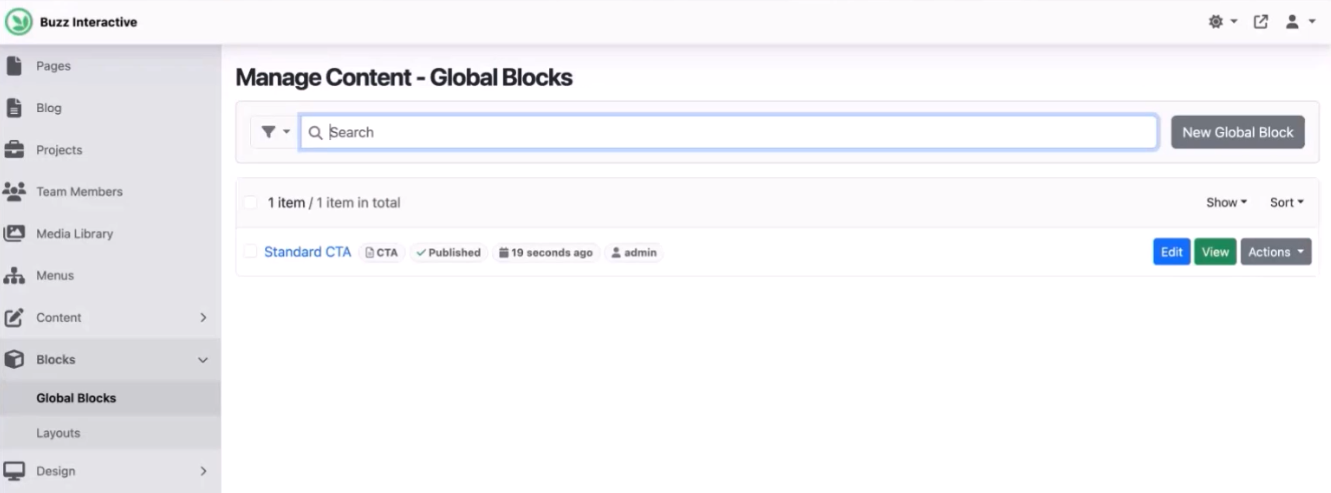
If you want to edit your Global Block, you can do it in two ways. First, you can hit the Edit button within the editor of your Flow Part or Bag Part, which will redirect you to the editor of the selected Global Block. The other way is to select the new Global Blocks option under the Blocks menu. This page shows you all of the available Global Blocks you have defined in Orchard Core. And of course, you can create new Global Blocks here by selecting the New Global Block button, and hitting the Edit button will allow you to edit the selected Global Block.
And it's still just the surface! Head to YouTube for a recording to see more, including the technical structure behind Global Blocks, like handling of content item references, and the use of local storage and custom controllers for copy-paste operations!
News from the community
Last call: Orchard Harvest 2026 survey
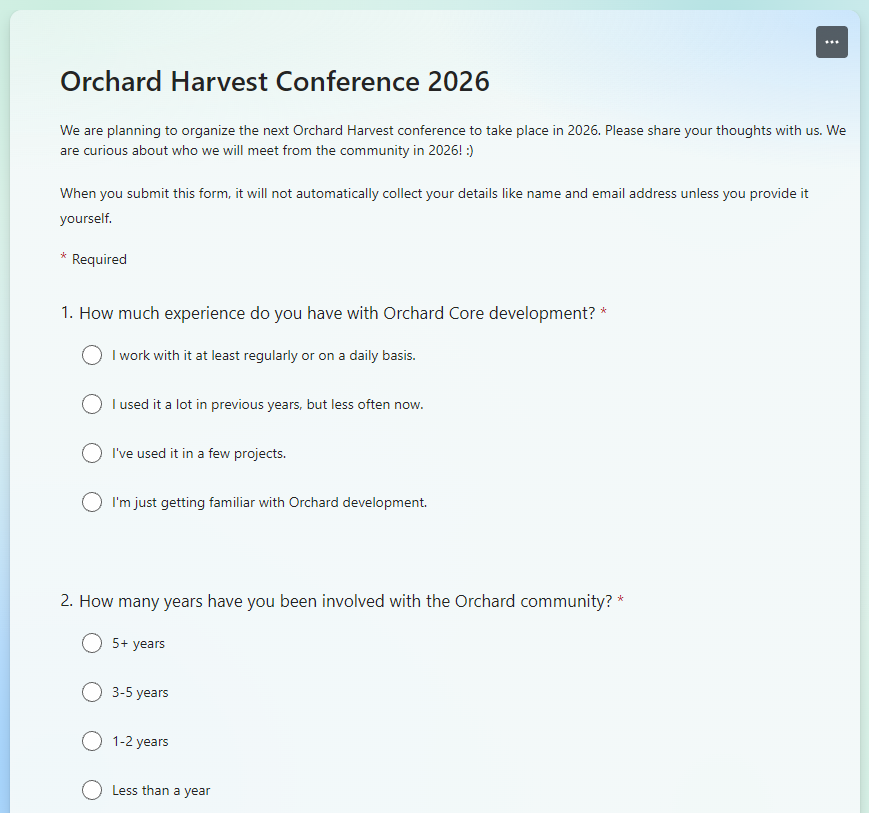
After last year, the Orchard Harvest Conference will be held again in 2026. Last time, it was held in Prague, and for this year, we're planning to bring it to North America.
We would like to understand what actually matters to the Orchard Core community:
- What's your travel budget reality?
- Which locations and dates work best with your schedule?
- What conference format gets you the most value?
If you've ever attended Harvest, thought about attending, or are just active in the Orchard Core community, your answers would really help us shape the event. You can fill out the questionnaire here until March 9th!
We're committed to making Orchard Harvest accessible and valuable for as many community members as possible. Thanks for helping us!
Orchard Dojo Newsletter
Lombiq's Orchard Dojo Newsletter has 424 subscribers! We have started this newsletter to keep the Orchard community informed about the latest news on the platform. By subscribing to this newsletter, you will receive an email whenever a new post is published to Orchard Dojo, including 'This Week in Orchard', of course.
Do you know of other Orchard enthusiasts who would like to read our weekly articles? Tell them to subscribe here!