How Does AI Stay Personalized Across Sessions? Orchard Harvest 2025 recordings are up! - This week in Orchard (22/05/2026)
Have you ever wondered how AI stays personalized across sessions? This week, Mike Alhayek shows the AI Memory feature, which introduces persistent, user-scoped memory that enables personalized experiences across conversations!
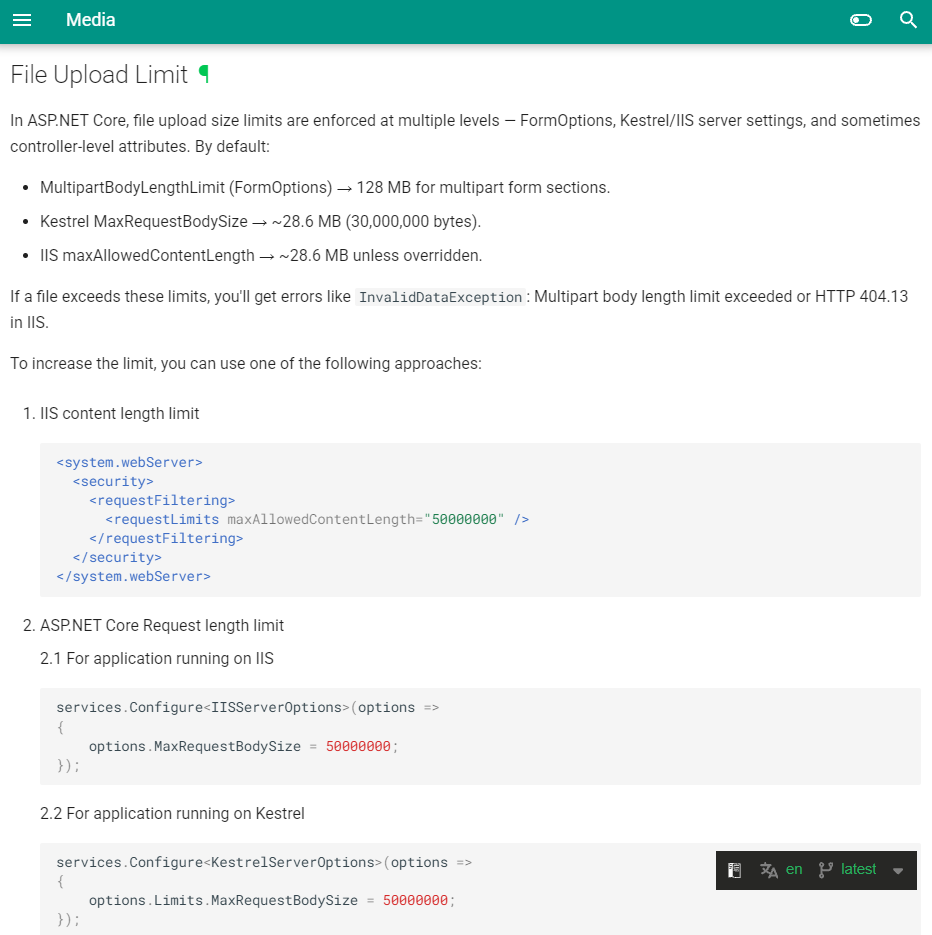
The global file upload limit configuration makes it easier and more consistent to manage upload restrictions across actions. Hisham Bin Ateya added a new section to the Orchard Core documentation explaining how file upload limits work and how to customize them.
Thanks to Sotiris Roussos, developers also gain a new Transliterate Liquid filter that converts Unicode text into SEO-friendly ASCII representations, with seamless integration into slug generation and media workflows.
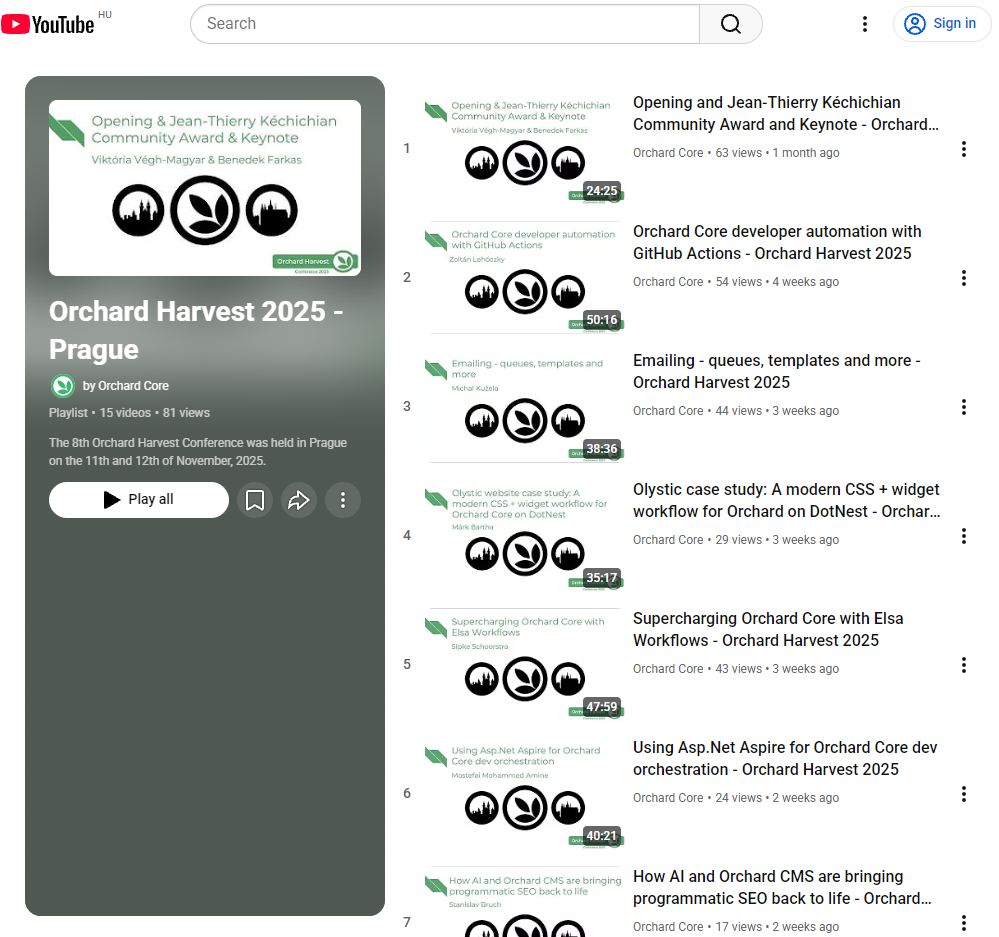
All Orchard Harvest 2025 sessions are now available on YouTube, making it easy to catch up on the latest ideas and updates!
Ready to explore what's new?
Orchard Core updates
File Upload Limit documentation
There was a question about how to set file upload size limits, and we came up with an idea to have a global solution so we don't have to set custom limits every time we create new actions. Hisham Bin Ateya added a new section to the Orchard Core documentation explaining how file upload limits work and how to customize them.
New Transliterate Liquid Filter
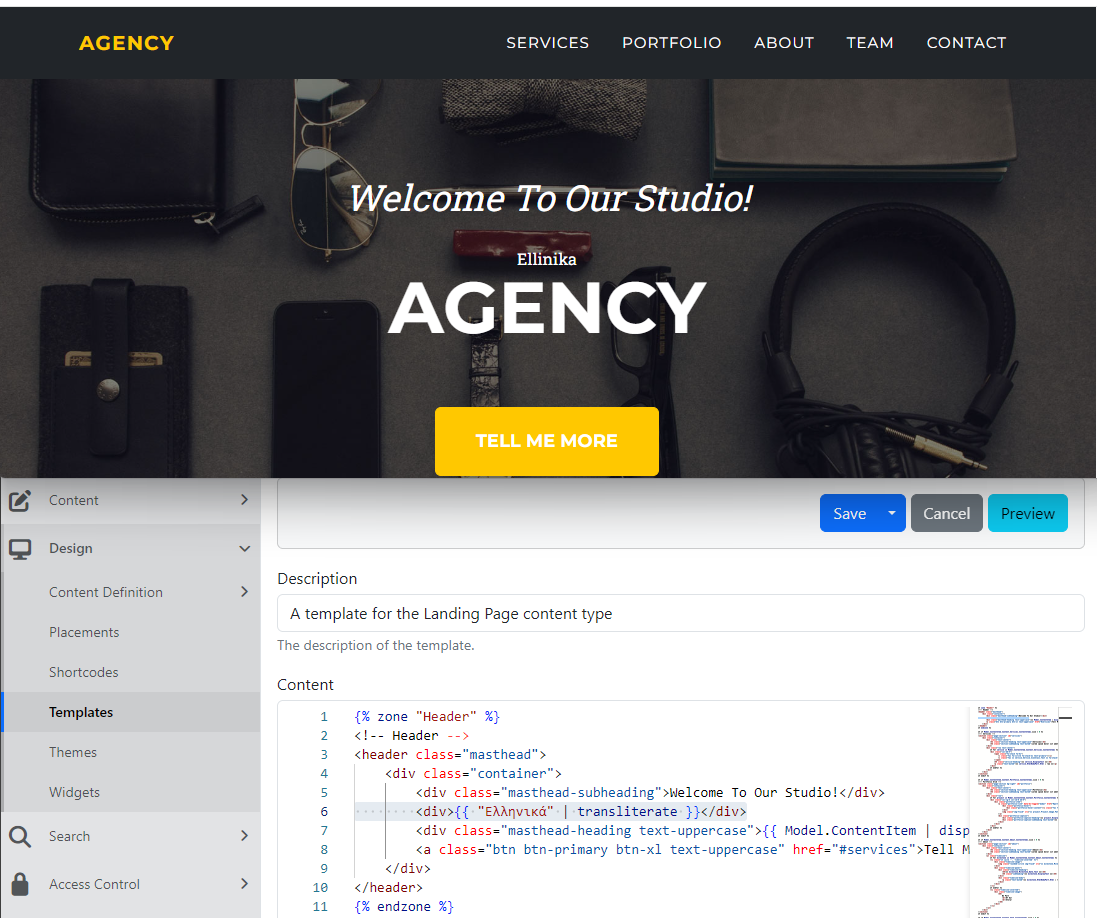
Sotiris Roussos introduced a new transliterate Liquid filter to the OrchardCore.Liquid module. It converts Unicode text (e.g., Greek, Cyrillic, Arabic, Chinese, etc.) into its closest ASCII/Latin representation using the AnyAscii library. It also means that, from now on, the Slugify string filter transliterates the provided string. The same applies to the Media Slugify module (if enabled) for Media files. Let's see how this works!
We set up our site using the Agency recipe, which enables the Templates module by default and provides a template for the Landing Page content type, which we can use for our small presentation. But first, don't forget to enable the Localization feature, as the transliterate filter is part of it.
Another thing to mention is the Media Slugify module, which transforms newly created folders and files into SEO-friendly versions by generating slugs. By default, transliteration happens when the feature is enabled. But there are configuration values you can use to enable or disable transliteration. You can read more about it in the Media Slugify module's documentation.
But for now, let's navigate to Design -> Templates and edit the predefined Content__LandingPage template. As you can see, we used the transliterate filter in line 6, which transliterates the non-Latin text to Ellinika.
Demos
How Does AI Stay Personalized Across Sessions?
The AI Memory feature of the AI Suite for Orchard Core provides persistent, user-scoped AI memory, enabling the AI to remember durable, non-sensitive preferences and background details for authenticated users across multiple conversations.
To test this quickly, clone the repository from GitHub, then head to Orchard's admin UI and select Tools -> Features. Here you will find three features related to memory:
- AI Memory: Provides persistent, user-scoped AI memory for AI profiles and chat interactions.
- AI Memory indexing using Azure AI Search: Provides services to index AI memory in Azure AI Search indexes.
- AI Memory indexing using Elasticsearch: Provides services to index AI memory in Elasticsearch indexes.
For now, we want authenticated user memories to be stored in the core AI Memory feature and indexed into Elasticsearch for semantic lookup, so we will enable the AI Memory indexing using Elasticsearch feature. After, we have to make sure that we have an AI Memory (Elasticsearch) index set up (we can do that under Search -> Indexes).
But why is it good for us, or what's the advantage of using AI Memory? We can use memory for durable, non-sensitive information, like:
- response style preferences,
- formatting preferences,
- active projects or workstreams,
- recurring topics the user commonly asks about,
- stable background context that the user explicitly wants remembered.
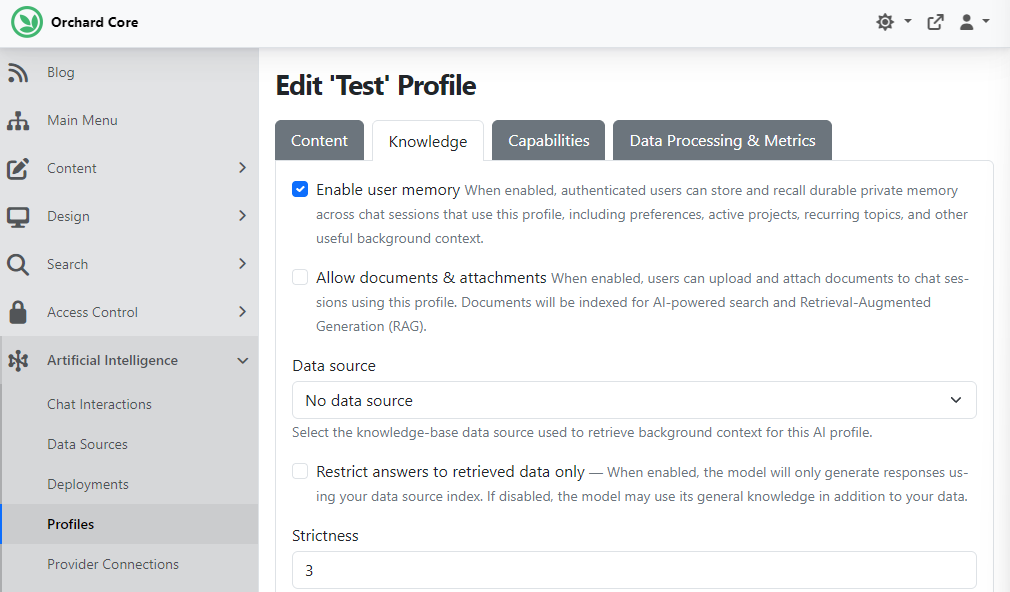
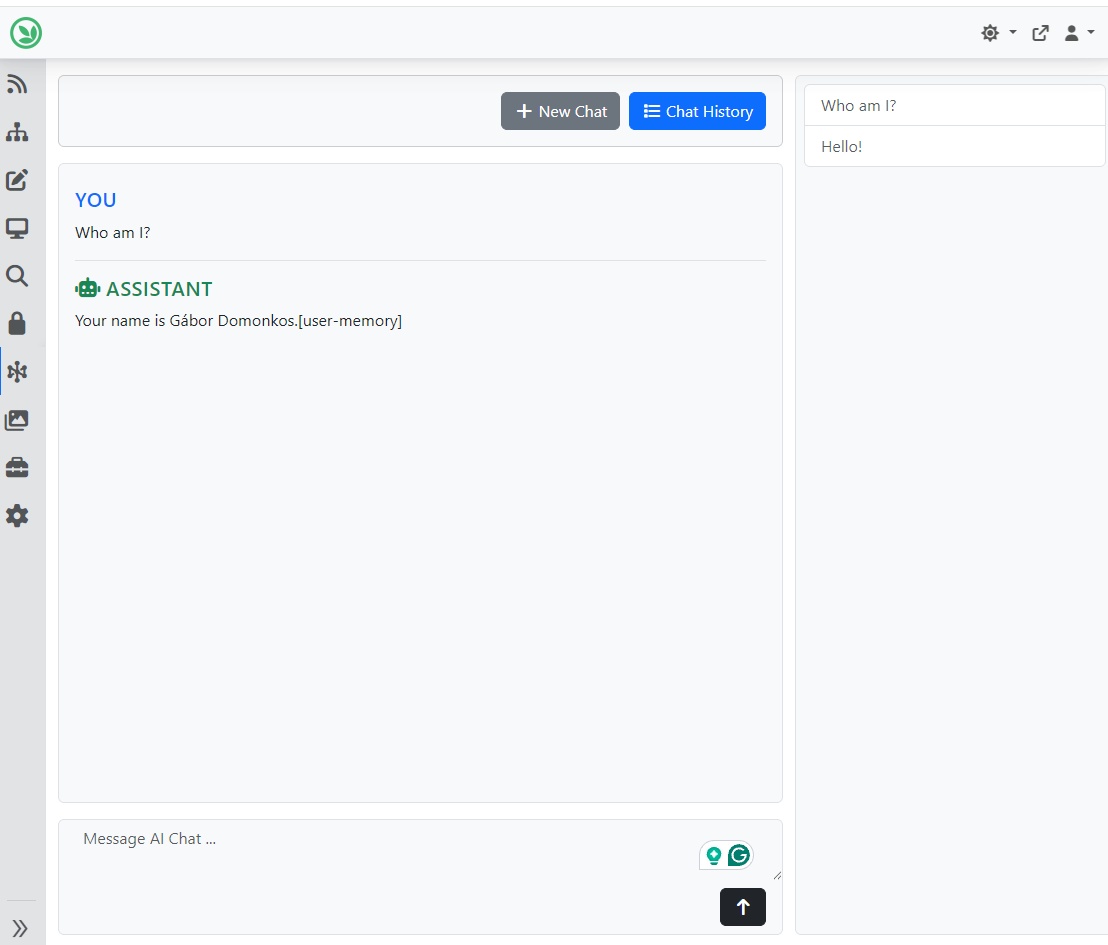
OK, now let's see it in action using a Profile. Head to Artificial Intelligence -> Profiles and create a new one or edit an existing AI Profile. Here, you will notice that we have ticked the Enable user memory checkbox. Now start a chat with this profile and ask something like, "Who am I?"
As you can see, the profile has information about me; it knows my name because it's stored in the memory (this information comes from the internal memory).
And as always, if you want to see this feature in action, head to YouTube for a recording by Mike Alhayek!
News from the community
Orchard Harvest 2025 recordings are up!
The 8th Orchard Harvest Conference was held in Prague on the 11th and 12th of November, 2025. It was an excellent opportunity to share knowledge, discuss development plans and ideas, and, foremost, meet the community.
We recorded every session, and they are now available on YouTube (the last recording will be available in a few hours)! If you haven't done so yet, subscribe to this YouTube channel, and you can find the playlist of last year's Harvest recordings here.
Orchard Dojo Newsletter
Lombiq's Orchard Dojo Newsletter has 417 subscribers! We have started this newsletter to keep the Orchard community informed about the latest news on the platform. By subscribing to this newsletter, you will receive an email whenever a new post is published to Orchard Dojo, including 'This Week in Orchard', of course.
Do you know of other Orchard enthusiasts who would like to read our weekly articles? Tell them to subscribe here!