Jean-Thierry Kéchichian Community Award 2026, Orchard Harvest next week - This week in Orchard (04/09/2026)
Need to filter the admin contents list by more than one content type at once? A small change now lets you pass multiple content type IDs or stereotypes in the same query.
Looking for documentation on YesSql, security, theming from an HTML template, the Media Picker, or shapes? Several new Key Topics pages cover exactly that.
Curious how Orchard Core scales across multiple backend nodes with failover? We walk through the upcoming tenant clustering feature.
And since this is our last This week in Orchard post before Orchard Harvest 2026, we cover the latest news about the now-online conference and the voting for the Jean-Thierry Kéchichian Community Award.
This week's changes come from Mike Alhayek, Antoine Griffard, Lazizbek Ergashev, and Sébastien Ros.
Orchard Core updates
Support multiple content type IDs and stereotypes in admin contents list filtering
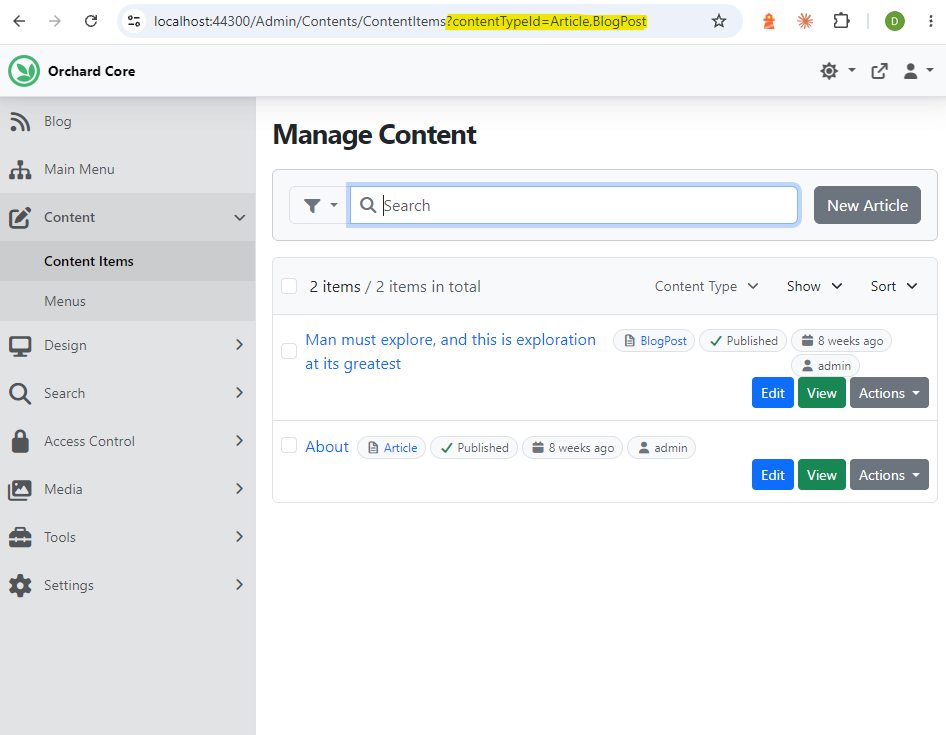
The admin contents list only accepted a single contentTypeId and a single stereotype to scope the filtered view. This change by Mike Alhayek makes the Contents admin list action support filtering by multiple content type IDs or stereotypes, while preserving the existing parameter names.
- Pass contentTypeId as repeated query-string values or as a comma-separated list to scope the list to several content types (e.g. ?contentTypeId=Article&contentTypeId=BlogPost or ?contentTypeId=Article,BlogPost).
- Pass stereotype as repeated query-string values or as a comma-separated list to scope the list to content types that match any value (e.g. ?stereotype=Widget&stereotype=Page or ?stereotype=Widget,Page).
- Existing single-value route and query-string parameters continue to work as before.
Head to Content -> Content Items to see the admin contents list. The Content Type dropdown filter still only lets you filter by a single content type, but if you want to list multiple, say Articles and Blog Posts together, use the query string directly: /Admin/Contents/ContentItems?contentTypeId=Article,BlogPost
Orchard Core then lists all content items of both types. The same applies to widgets via the stereotype parameter.
Improving Orchard Core's Documentation
Antoine Griffard improved the documentation of Orchard Core by adding several new pages to the Key Topics category highlighting all of the features and capabilities of Orchard Core which haven't been mentioned in detail yet.
Orchard Core does not use an ORM like Entity Framework. Most of its persistent application data (including content items, users, settings, and workflows) is stored with YesSql, a .NET document database interface over a relational database. This page describes how YesSql works, what indexes are, and how to define them, along with several other examples.
Orchard Core ships with a complete membership system through the Users module, enabled by default in the CMS recipes. A new page covers User management and what the module provides; another covers the login screen, including how to disable local login entirely and how to force authentication through an external provider such as Microsoft, Facebook, Twitter, GitHub, Google, or any OpenID Connect provider. A third page covers registration and its options, such as requiring new users to verify their email address before they can log in. Beyond authentication, the Security module lets you configure security headers.
Many websites start from a static HTML template, whether hand-crafted or downloaded from providers like Start Bootstrap or HTML5 UP. This guide explains how to turn such a template into a fully working Orchard Core theme.
The Media Picker is the dialog that lets users browse the Media Library and select one or more assets without leaving the page they're editing. Check out this page to see how to use it with a Media Field or from a text editor, including how to display the selected media.
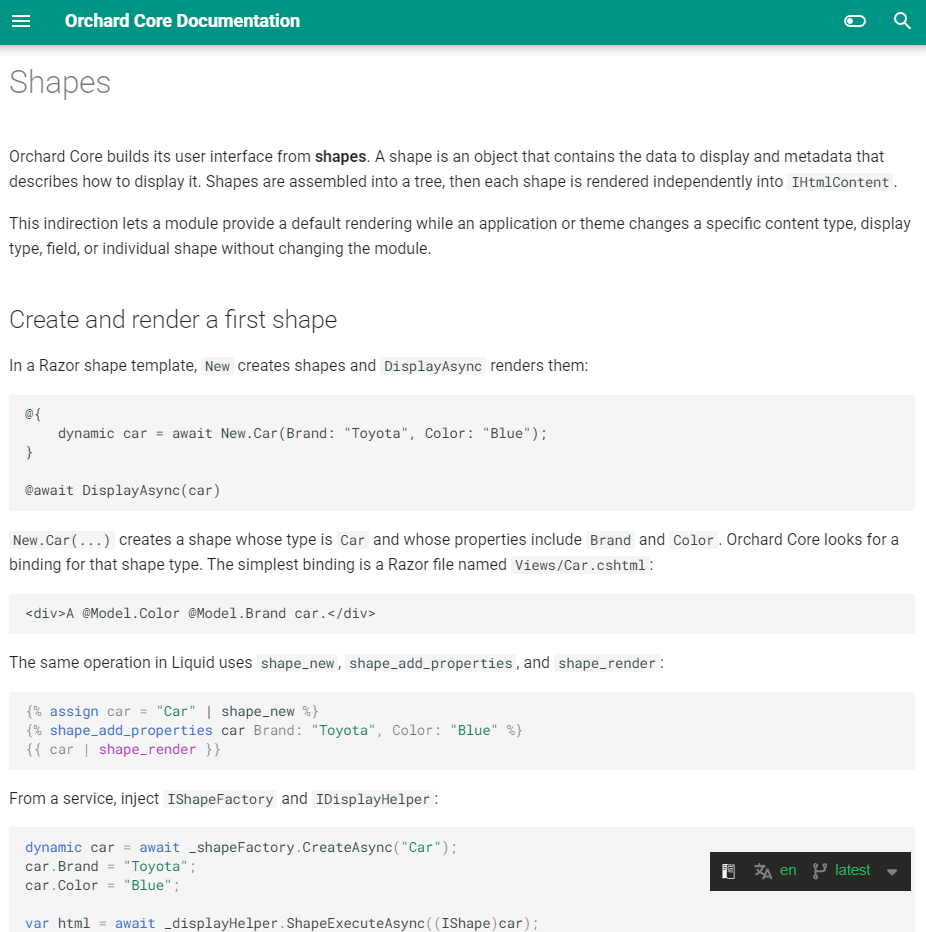
Orchard Core builds its user interface from shapes: objects that hold the data to display and the metadata describing how to display it. The concept is unique enough to Orchard Core that it can be hard to grasp at first. This page walks through creating and rendering your first shape, the shape contract, and how to name templates and shape types correctly.
Lazizbek Ergashev documented the command recipe step and the built-in createUser command. He added a command step section to the Recipes reference, and a Commands section to the Users reference listing the createUser switches.
Demos
Tenant Clustering in Orchard Core - Scaling Multi-Tenant Apps
Sébastien Ros walks through Orchard Core's upcoming tenant clustering feature, which lets you distribute tenants across multiple backend nodes for better scalability and high availability. We cover how it works, how to configure it, and what happens during failover.
The tenant clustering feature assigns tenants to specific backend nodes, spreading load across a cluster and enabling failover if a node goes down. An edge node acts as a proxy (built on YARP), routing each incoming request to the right backend based on the tenant's configuration.
Tenants are assigned to clusters through a hashing mechanism (a stable slot computed from the tenant identifier) defined in configuration. The edge node uses this to decide which backend should handle each tenant, and picks up configuration changes dynamically when the config provider supports reload notifications.
Clusters can contain multiple backends for redundancy. If one backend fails, the others in the same cluster keep serving requests, giving you high availability via YARP's load balancing and passive failover.
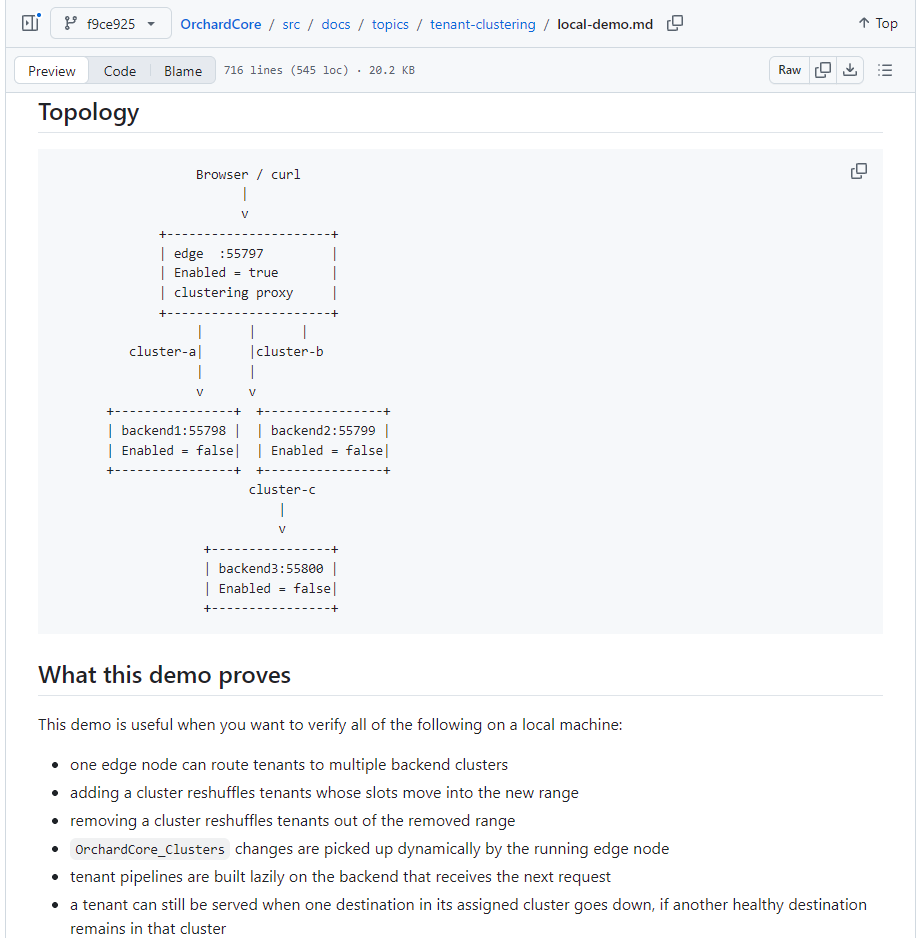
You can also find a Local Tenant Clustering Demo for spinning up multiple nodes locally, along with the Tenant Clustering Internals topic, in this pull request.
Head to YouTube for a recording to see it in more detail.
News from the community
Orchard Harvest 2026 - See you next week!
This is our last This week in Orchard post before Orchard Harvest, so here's everything you need to know before we meet again next week.
Due to various factors, we had to make the difficult decision to move the event online. Orchard Harvest 2026 will be hosted through Microsoft Teams, and anyone can join for free. Find the latest information on the conference website and grab your complimentary tickets here.
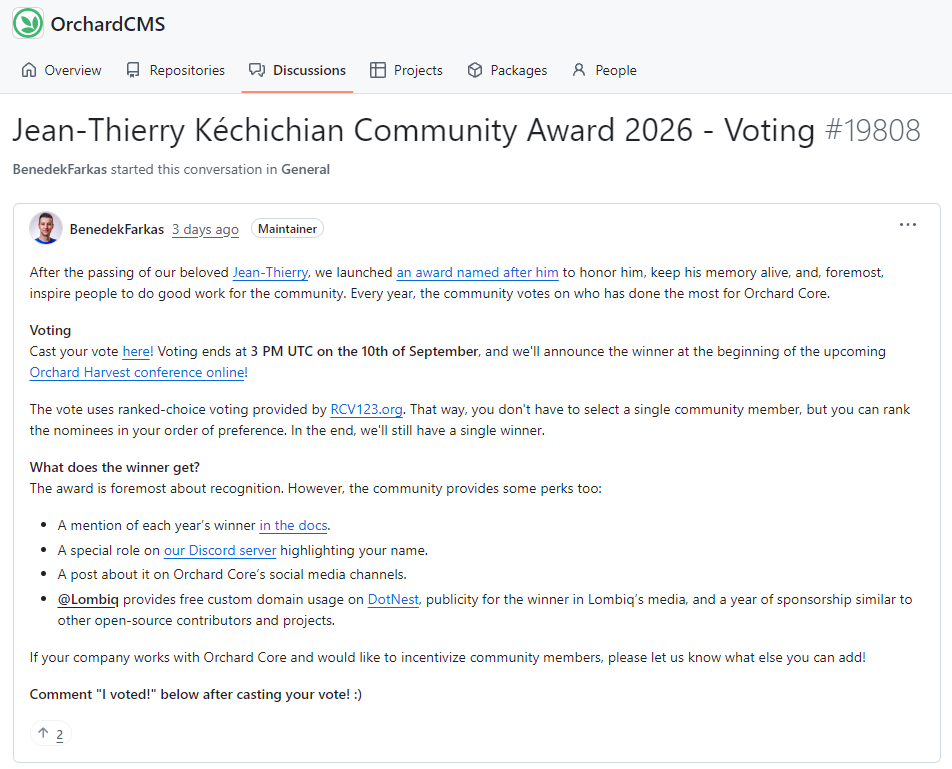
At the end of 2023, our good friend Jean-Thierry Kéchichian, a truly extraordinary member of our community, unexpectedly passed away. To honor him, keep his memory alive, and inspire people to do good work for the community, we launched an award named after him for exceptional community members. Every year, the community votes on who has done the most for Orchard Core: code contributions (including documentation), helping with issues and discussions, evangelization outreach, community management, or anything else, as long as it's public and tangible. After the nominations, it's now time to vote.
Cast your vote here. Voting is open until 3 PM UTC on September 10, and we'll announce the winner at Harvest. Check out this discussion for more information.
Sponsorship Spotlight: Mike Alhayek
Mike Alhayek is one of the main developers of Orchard Core and the second winner of the Jean-Thierry Kéchichian Community Award in 2025. In our latest Sponsorship Spotlight interview, he shares what he values most about the platform: "Its flexibility... a modular architecture where every feature can be customized, replaced, or extended."
Read the full interview to learn about his journey from discovering Orchard Core in 2021, the AI Suite, and the newly released CrestApps.OrchardCore v2 and his upcoming "Unpacking AI Orchestrator" talk at Harvest next week.

Orchard Dojo Newsletter
Lombiq's Orchard Dojo Newsletter has 409 subscribers! We have started this newsletter to keep the Orchard community informed about the latest platform news. By subscribing to this newsletter, you will receive an email whenever a new post is published to Orchard Dojo, including 'This Week in Orchard', of course.
Do you know of other Orchard enthusiasts who would like to read our weekly articles? Tell them to subscribe here!