Orchard Core Gallery, Meta Conversions API support - This week in Orchard (16/10/2026)
Losing conversion data due to ad blockers and browser tracking prevention? The Meta Pixel feature now supports the Meta Conversions API, so events can be sent to Meta straight from the server, even from a workflow.
Need to run your own code when a user signs out? A new ILogoutFormEvent interface and a User Logged Out workflow event cover that.
Looking for a community module or theme before building your own? The Orchard Core Gallery lists them and lets you filter by Orchard Core version and tags.
And still running Orchard 1? Lombiq's upgrade of Canopy Realtor Association's three sites to Orchard 1.11 shows how to stay current without a full platform migration.
This week's changes come from Jasmin Savard, Mike Alhayek, and Antoine Griffard.
Orchard Core updates
Meta Conversions API support
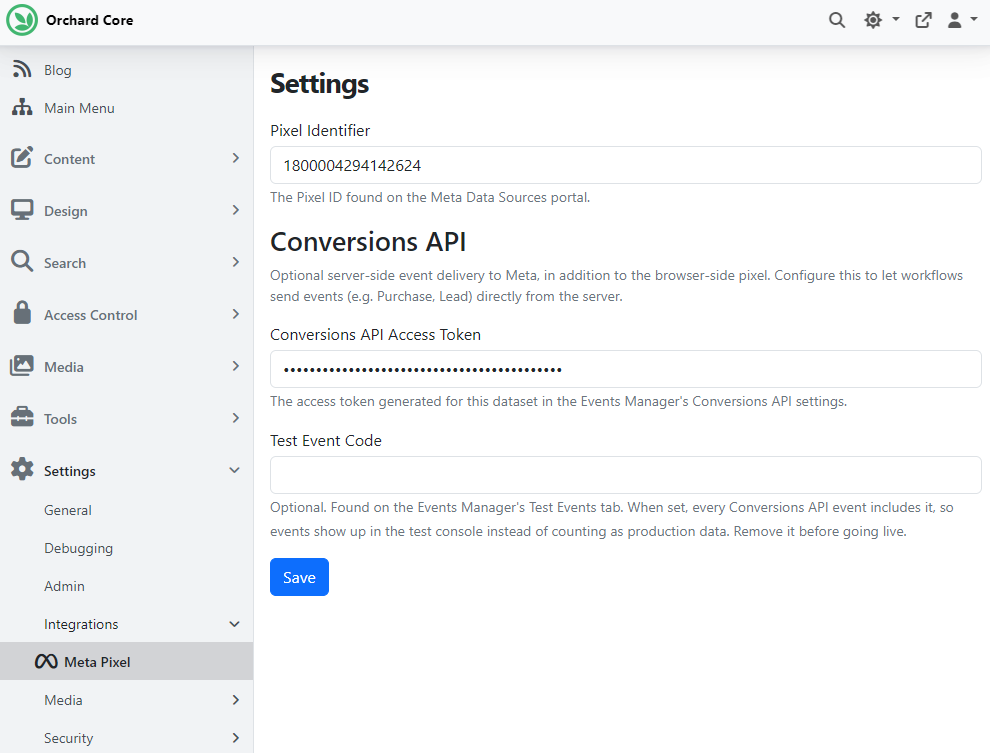
Orchard Core's Meta Pixel feature adds Meta Pixel tracking to your site: once it's enabled, you provide your Pixel Identifier under Settings -> Integrations -> Meta Pixel.
Thanks to Jasmin Savard, the feature now also supports the Meta Conversions API, which sends events to Meta directly from the server instead of (or in addition to) the browser-side pixel. This is useful for events that shouldn't depend on client-side JavaScript, such as ones triggered from a background process or ones blocked by ad blockers and browser tracking prevention. Besides the Pixel Identifier, the Meta Pixel settings page now has two new fields:
- Conversions API Access Token: The access token generated from the Events Manager for the pixel's dataset. This value is stored encrypted.
- Test Event Code: Optional. The test event code from the Events Manager's "Test Events" tab. When set, events are sent tagged for testing and show up in the test console instead of counting as production data. Remove it before going live.
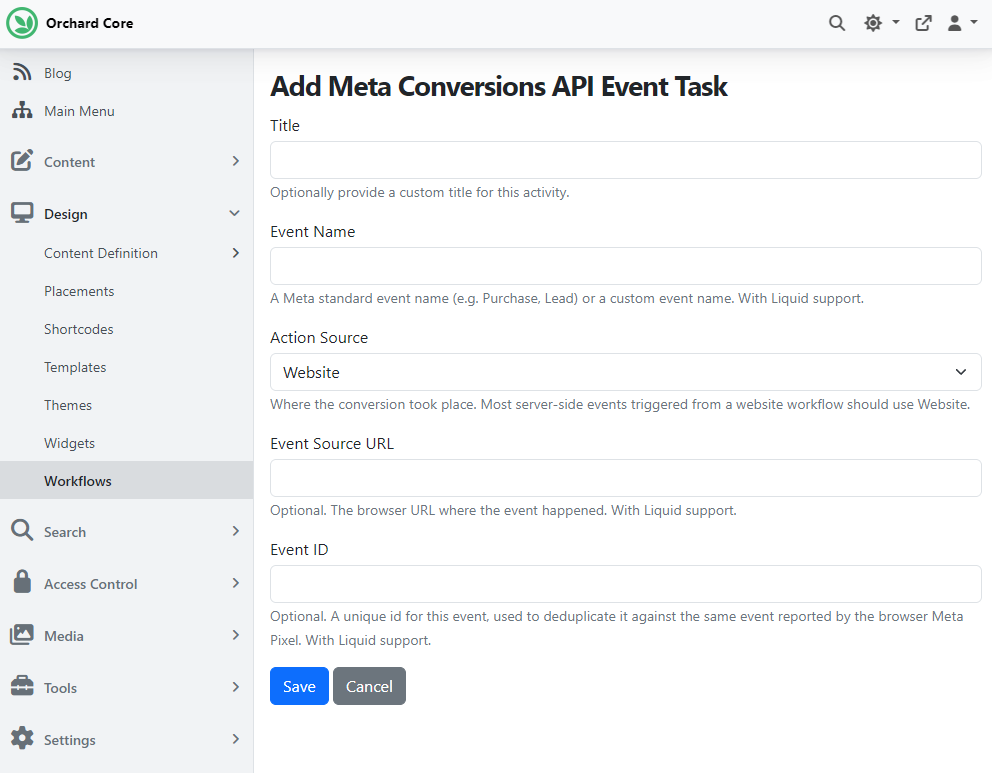
If you enable the Workflows feature under Tools -> Features, a new Meta Conversions API Event task also appears in the workflow editor under the Meta category. Add it to any workflow to send a server-side event (e.g., Purchase, Lead) to Meta when that workflow runs. The task accepts:
- Event Name: The standard or custom event name to send (e.g., Purchase, Lead). Supports workflow expressions.
- Action Source: Where the event happened, e.g., Website, App, Email, etc., as required by the Conversions API.
- Event Source URL: Optional. The URL of the page or resource associated with the event. Supports workflow expressions.
- Event ID: Optional. A unique identifier for the event, used to deduplicate events also sent by the browser-side Meta Pixel for the same action. Supports workflow expressions.
The task produces two outcomes, Done and Failed, depending on whether the API call succeeded.
New ILogoutFormEvent to hook into the user logout process
Thanks to Mike Alhayek, a new ILogoutFormEvent interface (with the LogoutFormEventBase convenience base class) lets modules hook into the logout process, complementing the existing ILoginFormEvent. Implementations are invoked when a user signs out through the account logout endpoint: LoggingOutAsync(IUser user, CancellationToken cancellationToken) runs before the user is signed out (while the principal is still available), and LoggedOutAsync(IUser user, CancellationToken cancellationToken) runs afterward. Register a handler like any other event service: services.AddScoped<ILogoutFormEvent, MyLogoutFormEvent>();
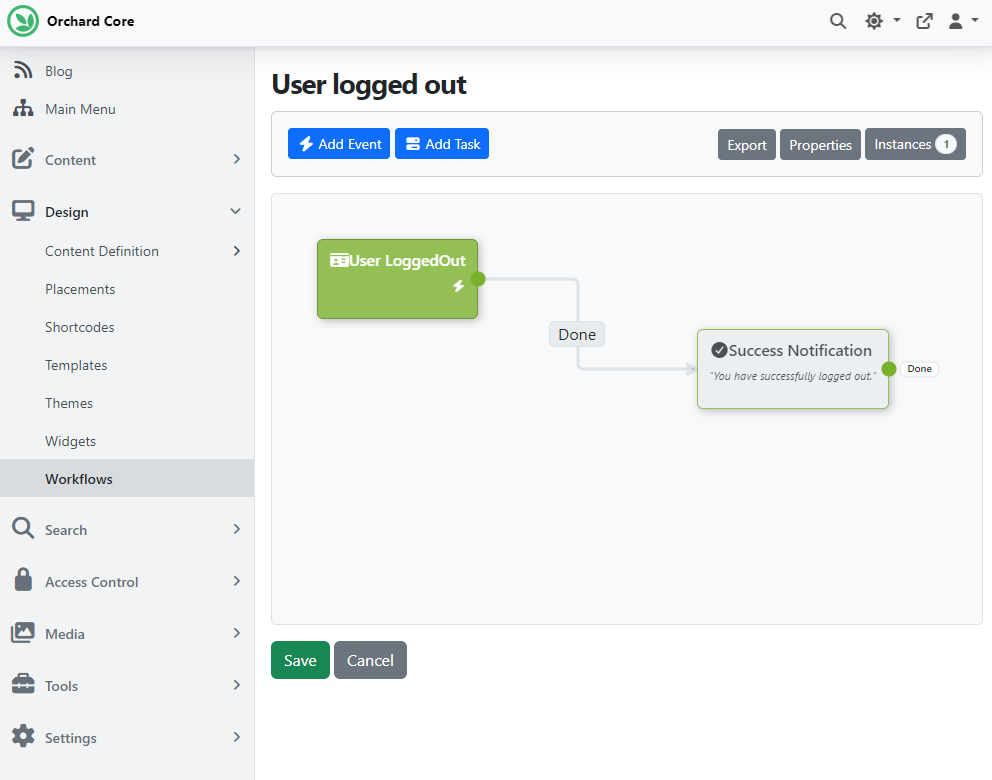
When you enable the Workflows feature under Tools -> Features, a new User Logged Out event is also available, complementing the existing User Logged In event. It's triggered when a user signs out, so workflows can react to logout, for example, to clean up related state or send a notification. To try it, head to Design -> Workflows, create a new workflow, and click Add Event: you'll find the User Logged Out event under the User category. Our sample workflow below displays a success notification once the user signs out.
Demos
Orchard Core Gallery
The Orchard Core Gallery lists the themes and modules available for Orchard Core, built by the community. Thanks to Antoine Griffard and Mike Alhayek for their work on the site.
The home page shows the most recent modules and themes along with their authors. Select one to see its details: how to install it, which Orchard Core version it supports, and useful links with a short description.
You can browse modules and themes by the Orchard Core version they support and filter them by tags. Since the Gallery also lists the modules and themes that ship with Orchard Core itself, there's also an option to show only the community-built ones.

To submit your own module or theme, select How to from the menu for the steps. For a live demonstration of the site, check out the recording.
Built something for Orchard Core? Add it to the Gallery so others can find it!
News from the community
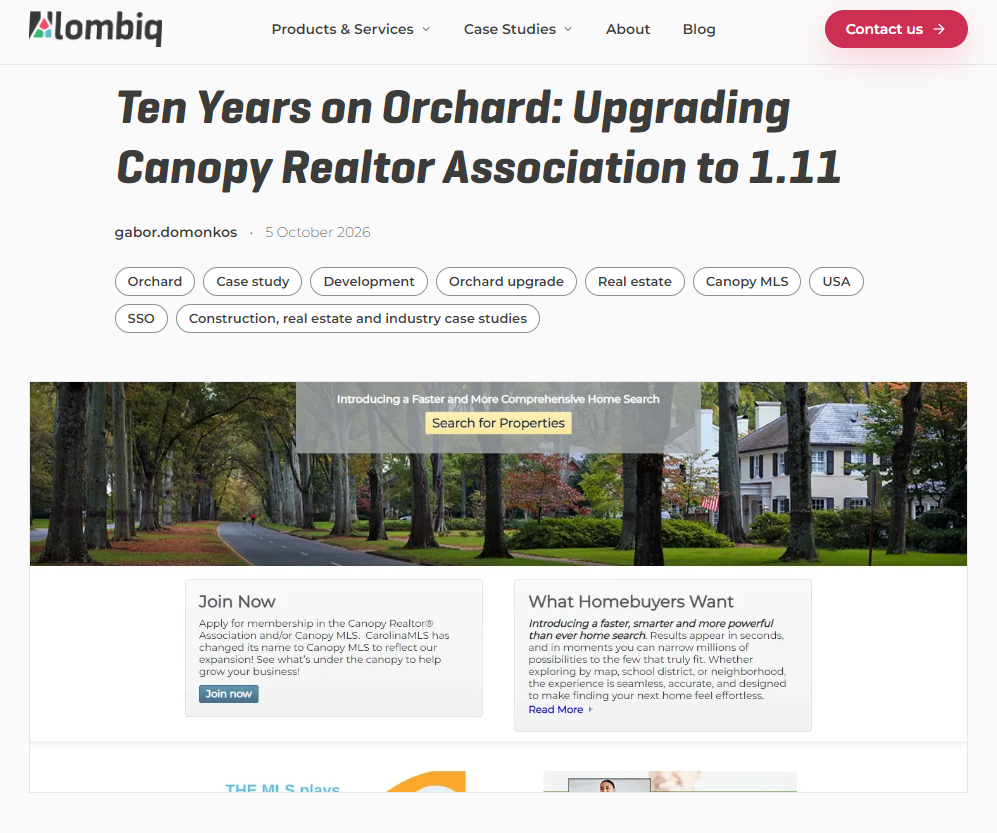
Ten Years on Orchard: Upgrading Canopy Realtor Association to 1.11
Not every Orchard 1 site has to move to Orchard Core right away. Lombiq has worked with Canopy Realtor® Association, which represents more than 13,000 Realtors® across Carolinas and beyond, since 2014, when we helped launch its three sites: CarolinaHome.com, CanopyReInstitute.com, and CanopyRealtors.com.
After running Orchard 1.10.1 since 2016, the sites moved to Orchard 1.11 in early 2026. Staying on the version-upgrade path brought security fixes, performance improvements, and bug fixes without a full-platform migration, so content and integrations stayed intact. Along the way, we removed the theme's own copies of Bootstrap and jQuery (Orchard 1.11 ships current versions), updated the custom modules, and kept the listings data sync daemon running throughout.
Read the full story on our blog!
Orchard Dojo Newsletter
Lombiq's Orchard Dojo Newsletter has 405 subscribers! We have started this newsletter to keep the Orchard community informed about the latest platform news. By subscribing to this newsletter, you will receive an email whenever a new post is published to Orchard Dojo, including 'This Week in Orchard', of course.
Do you know of other Orchard enthusiasts who would like to read our weekly articles? Tell them to subscribe here!