Orchard Harvest 2026 Location, Bulk option for attaching Localization Part to content types - This week in Orchard (27/03/2026)
This time, you can see a demo by Hisham Bin Ateya of a bulk option for attaching the Localization Part to content types.
Before that, let's check out the new Data Protection guide, thanks to Laode Muhammad Al Fatih, which provides information on implementing data protection in Orchard Core applications, particularly in multi-tenant and load-balanced environments.
And thanks to Nick Jackson, there is a new settings panel with a CodeMirror textarea for customizing the EasyMDE editor options on both the Markdown Field and the MarkdownBody Part when using the WYSIWYG editor.
Without further ado, let's dive in!
Orchard Core updates
Data Protection guide
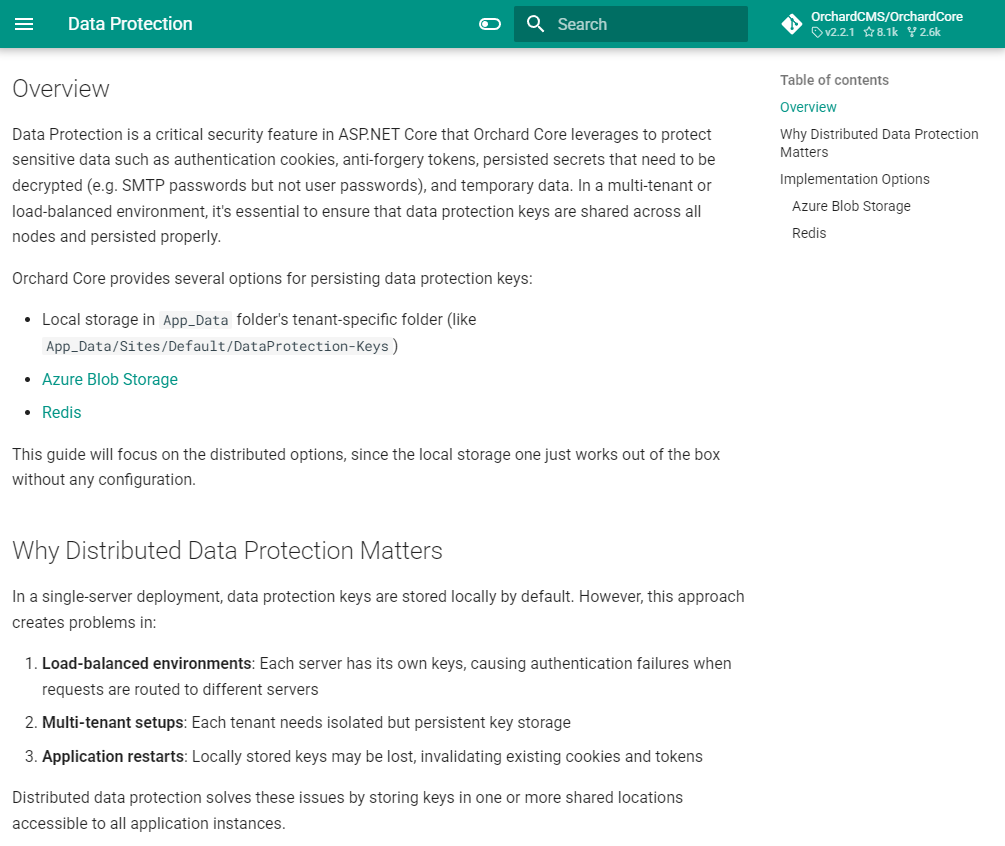
Thanks to Laode Muhammad Al Fatih, there is now a new guide that provides information on implementing data protection in Orchard Core applications, particularly in multi-tenant and load-balanced environments. The guide also explains when you should use Distributed Data Protection and what providers do that.
For detailed information about implementing data protection with Azure Blob Storage, including configuration options and Liquid templating, see the following page.
For detailed information on implementing data protection with Redis, including configuration options and persistence considerations, see this page.
Configurable EasyMDE editor settings to Markdown WYSIWYG editors
Currently, the EasyMDE editor used by the Markdown Field and Body Part is not customisable. The toolbar buttons, spell checker, and other editor options are hardcoded, meaning site administrators have no way to tailor the editing experience to their needs, for example, removing unused toolbar buttons, enabling the spell checker, or adjusting other EasyMDE configuration options. This contrasts with the HTML Body Part's Trumbowyg editor, which already supports configurable options via a settings panel.
Nick Jackson added the same level of configurability to both Markdown WYSIWYG editors. That means there is a new settings panel with a CodeMirror textarea for customizing EasyMDE editor options on both the Markdown Field and the MarkdownBody Part when using the WYSIWYG editor. The custom options are validated as valid JavaScript objects using Acornima. Toolbar button names are automatically mapped to their full definitions from mdeToolbar, preserving media/shortcode integration, and empty/null options fall back to the default toolbar configuration.
To try this out, let's set up a site using the Blog recipe. The Blog recipe provides us a Blog Post content type which has a MarkdownBody Part attached. Head to Design -> Content Definition -> Content Types and edit the content definition of the Blog Post content type. If we hit Edit near the attached MarkdownBody Part, we will see a textarea, where we can provide the editor options for the WYSIWYG editor. Let's say we wanted a very simple editor with just some basic options: undo/redo, text formatting, and the ability to insert Shortcodes and Images from the Media Library.
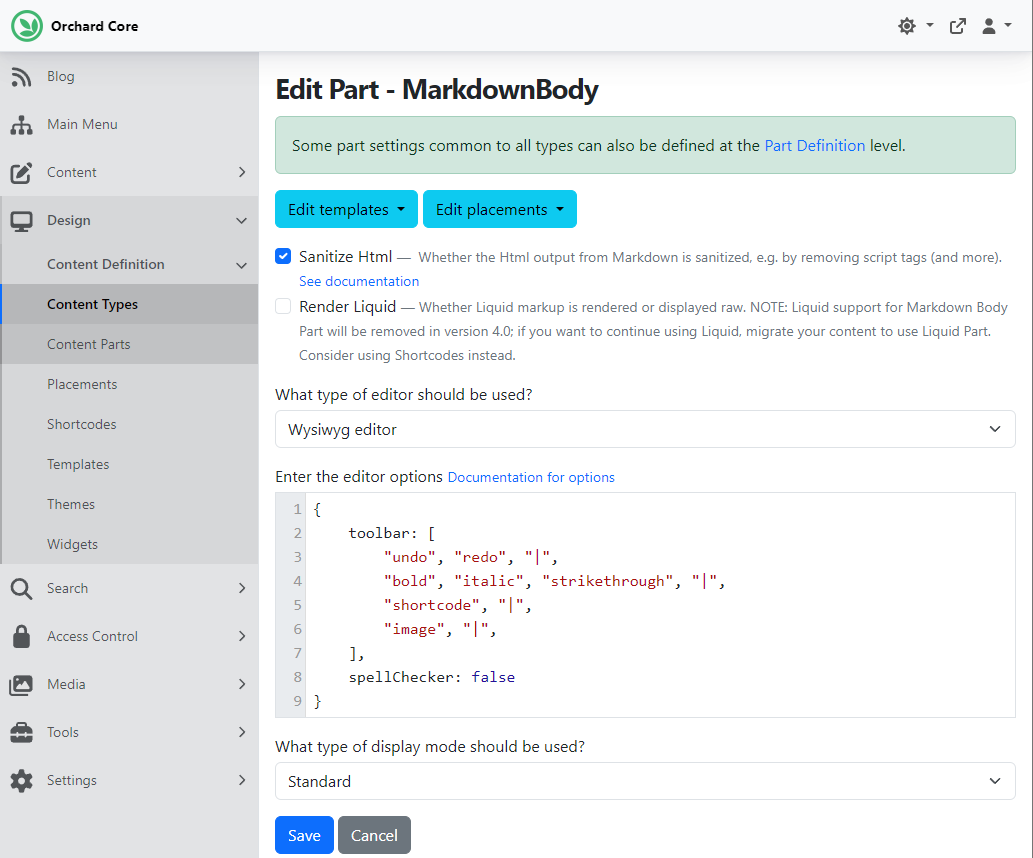
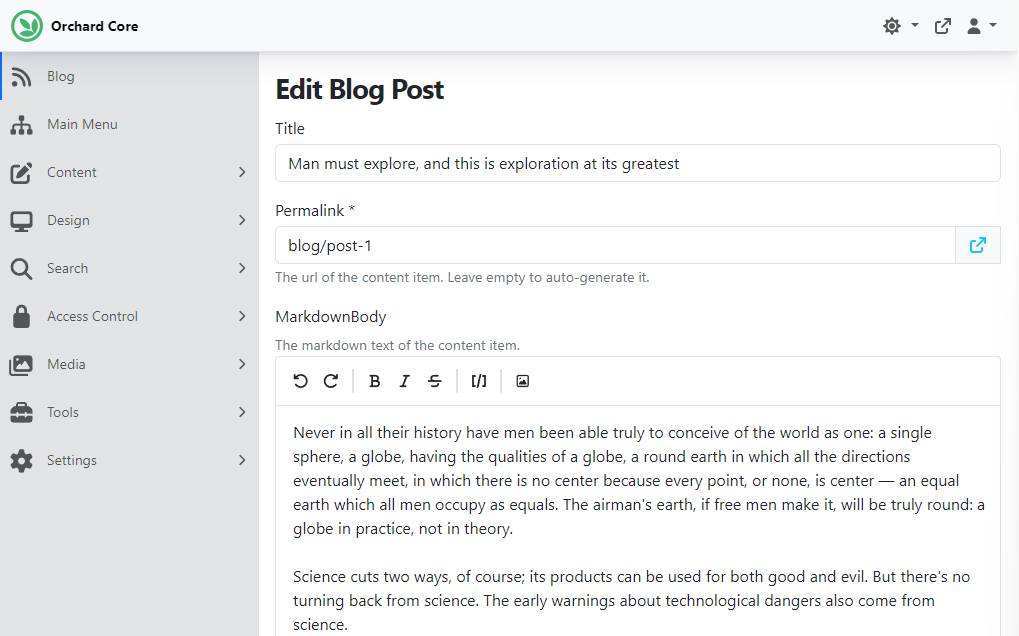
If we hit Save, we can go to the Blog option on the menu and edit our predefined blog post. And as you can see, the MarkdownBody text area will only show the buttons on the toolbar that we have previously defined.
Demos
Bulk option for attaching the Localization Part to content types
After enabling the Content Localization feature, users must manually add the Localization Part to each content type they want to localize. This is not immediately obvious and can lead to confusion. Once the user enables the Content Localization feature, they would expect that localization to work on content types. But they discover that they need to manually edit each content type and attach the Localization Part. Users should be guided on what to do next after enabling the Content Localization feature, or have an easier way to enable localization for multiple content types.
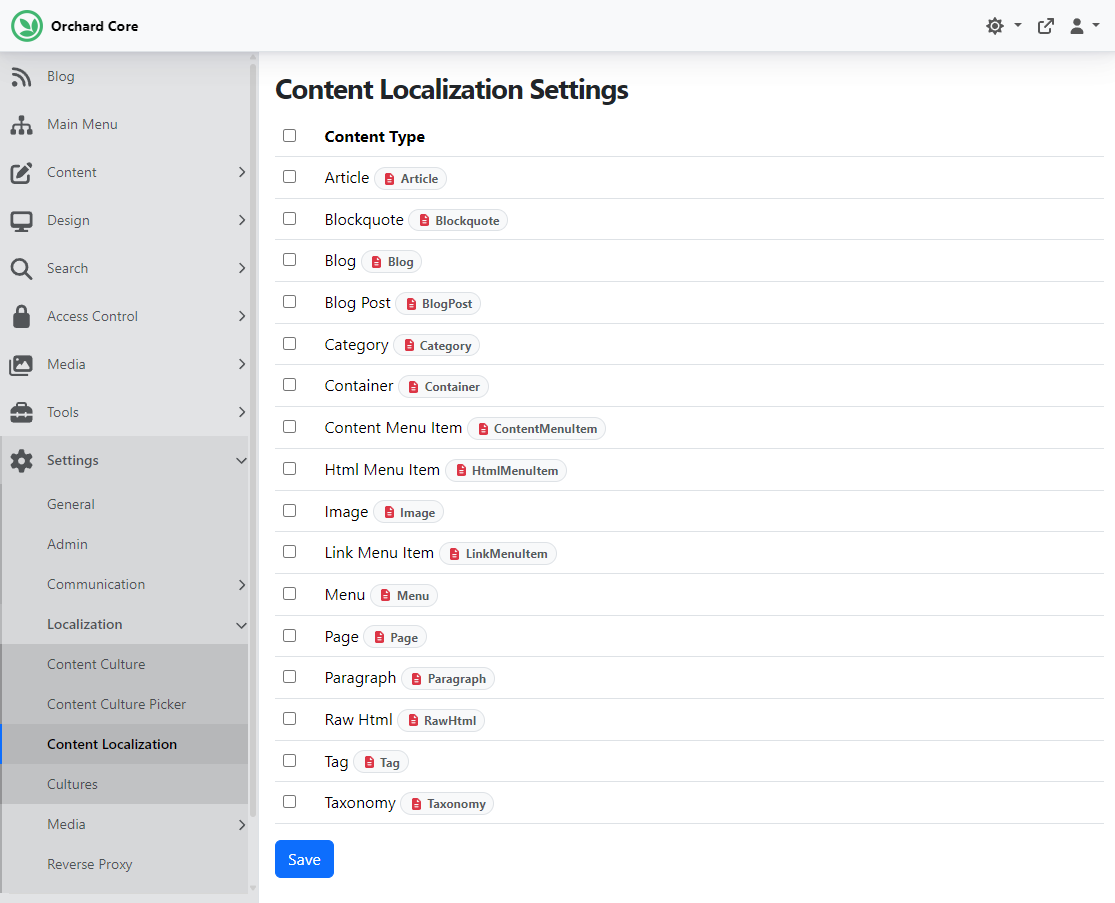
In this demo, Hisham Bin Ateya provides a solution to that: a bulk attachment option. If you check out this PR, you will see that he provided a settings page that lists all content types with checkboxes and allows users to add and remove the Localization Part to multiple content types at once. Now let's see this in action quickly!
First, make sure you have enabled the Content Localization module under Tools -> Features. After, you will see a new option in the menu under Settings -> Localization, called Content Localization. On this page, users can select multiple content types at once. We can say that we want to attach the Localization Part to the Article, Blog Post, and Page content types. Once you hit Save at the bottom of the page, the Localization Part will be attached to the content types you have selected. If you deselect a content type from this list, the Localization Part will be removed from that content type.
And as always, if you want to see this feature in action, head to YouTube for a recording!
News from the community
Orchard Harvest 2026 Location
After last year, the Orchard Harvest Conference will be held again in 2026. The first step was to assess the potential interest and what would be needed. We created a survey, and now we have the results! Thank you for your feedback so far regarding Orchard Harvest! We have received many responses, which have helped us get a better idea of the right place and time. It seems that most respondents are open to an in-person conference this year, with the USA receiving the most votes for location, followed by Europe and Canada, though the differences in votes were small. But a significant portion of respondents expressed reluctance to attend in the US; half of the 32 respondents did not want to go to the US, and some provided comments to that effect.
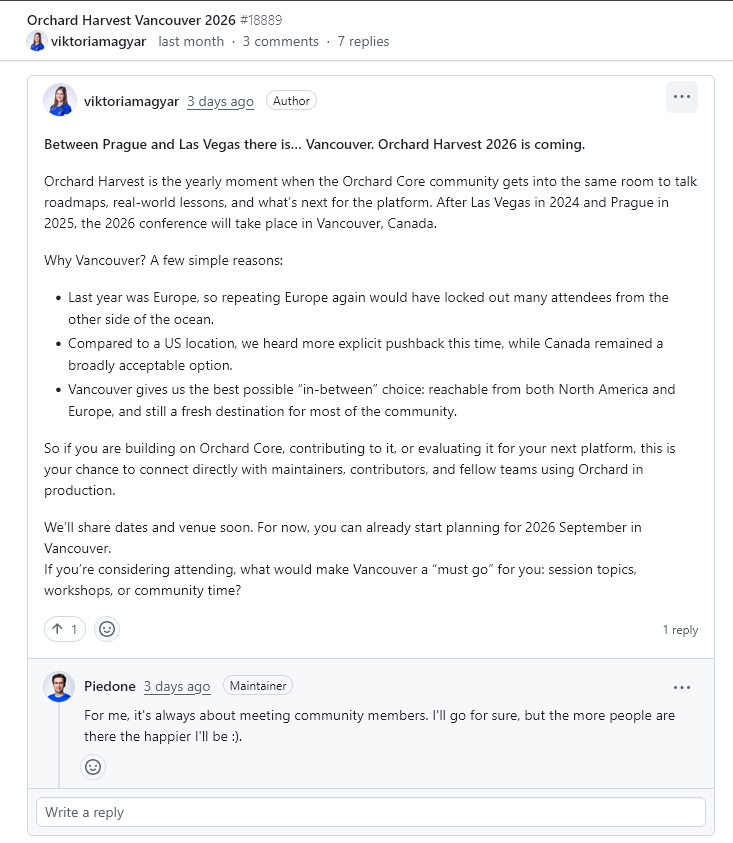
After Las Vegas in 2024 and Prague in 2025, the 2026 conference will take place in Vancouver, Canada. Why Vancouver? A few simple reasons:
- Last year was Europe, so repeating it would have locked out many attendees on the other side of the ocean.
- As we mentioned, compared to a US location, we heard more explicit pushback this time, while Canada remained a broadly acceptable option.
- Vancouver offers the best possible "in-between" choice: reachable from both North America and Europe and still a fresh destination for most of the community.
So if you are building on Orchard Core, contributing to it, or evaluating it for your next platform, this is your chance to connect directly with maintainers, contributors, and fellow teams using Orchard in production.
We'll share dates and venue soon. For now, you can already start planning for 2026 September in Vancouver.
If you're considering attending, what would make Vancouver a "must go" for you: session topics, workshops, or community time? Please share your thoughts with us under this discussion.
And as always, as we move forward, we will keep community members informed of the details, and you will also find every detail in this newsletter.
Orchard Dojo Newsletter
Lombiq's Orchard Dojo Newsletter has 423 subscribers! We have started this newsletter to keep the Orchard community informed about the latest news on the platform. By subscribing to this newsletter, you will receive an email whenever a new post is published to Orchard Dojo, including 'This Week in Orchard', of course.
Do you know of other Orchard enthusiasts who would like to read our weekly articles? Tell them to subscribe here!