Rate Limits module, DotNest sites upgraded to Orchard Core 3 - This week in Orchard (25/09/2026)
Ever wondered why a permission shows up as effective for a role you didn't expect, or struggled to figure out what a feature depends on before enabling it? The Admin Interface now explains both, with clearer effective-permission tooltips and a better Features UI experience.
Curious what's new across the Deployment, Data, Publish Later, and Alias module docs? They just got a lot more detailed.
Want to stop a flood of requests from hammering your login or API endpoints, or any of your endpoints? A new Rate Limits module adds centralized, configurable rate limiting for Orchard Core.
Do you know that DotNest sites have already been upgraded to Orchard Core 3.0? They have, along with the rest of the stack around them.
This week's changes come from Georg von Kries, Mike Alhayek, and Antoine Griffard.
Orchard Core updates
Enhancing the Admin Interface
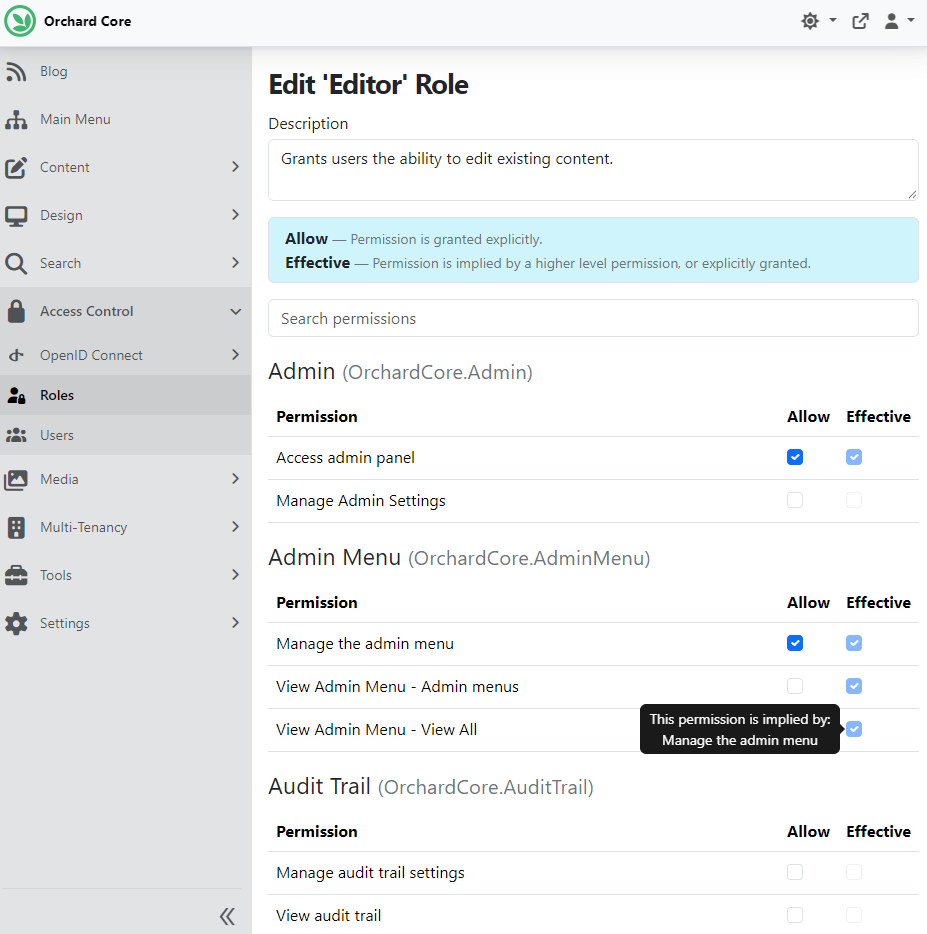
This change by Georg von Kries improves the role permissions management UI and backend logic to provide more detailed, accurate information about how permissions are granted and where they come from. It adds new logic to identify permissions implied by others, improves UI tooltips to explain why a permission is effective, and updates data structures to support these features.
We can try it by entering the admin area, navigating to Access Control -> Roles, and editing one of the roles. If we hover over an Effective checkbox, we can see an explanation of why a given permission is effective. As you can see, the Editor role has the View Admin Menu - View All permission effectively because the role has the Manage the admin menu permission.
Mike Alhayek updated the Features UI. Head to Tools -> Features and notice the following improvements:
- Better text alignment and spacing.
- Tooltips to display dependency descriptions.
- Enhanced search experience.
We searched for email and checked the dependencies of the Email Notifications module. If we hover over one of its dependencies, for example, the Liquid one, we can see a tooltip showing the description of the given feature.

Improving Orchard Core's Documentation
Antoine Griffard improved the Orchard Core documentation by adding several new sections to the built-in Orchard Core modules, highlighting features and capabilities that haven't been covered in detail yet.
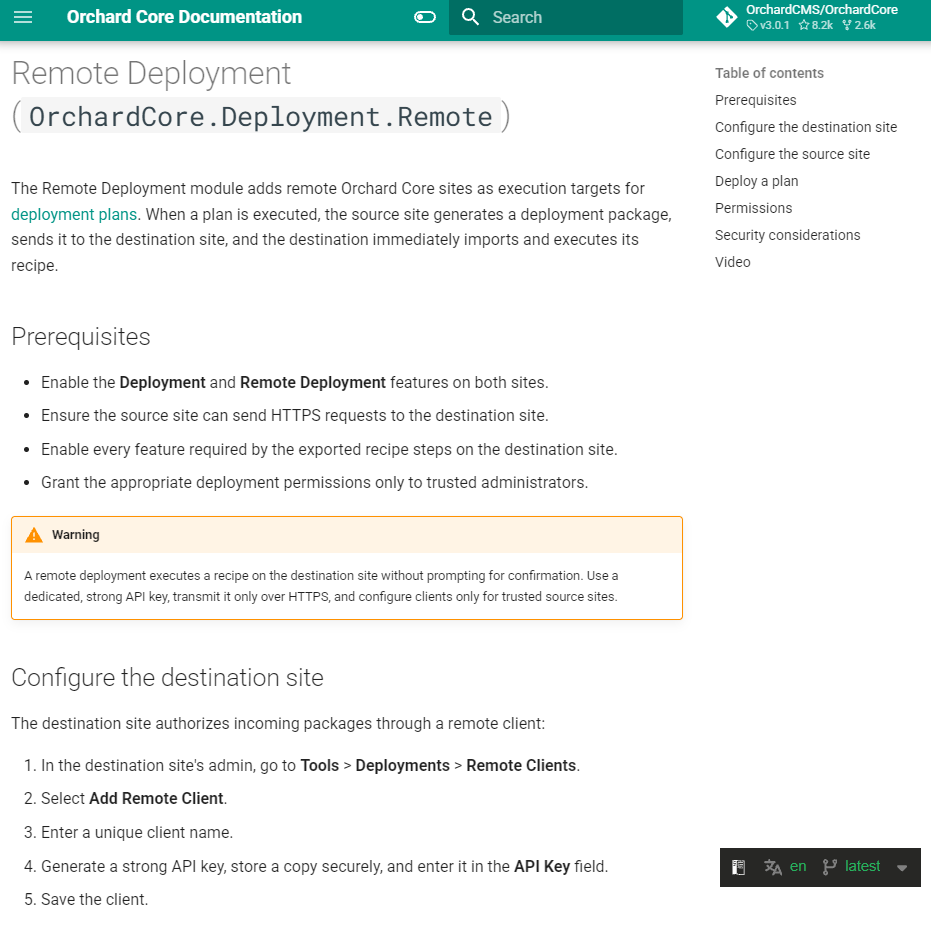
The Deployment and Remote Deployment pages currently provide little more than a short description and videos, leaving users without enough information to configure or troubleshoot these features safely. He updated these documents with
- Deployment plan creation, execution, package import, built-in steps, permissions, and extensibility.
- The deployment recipe step with a complete JSON example.
- Source and destination setup for remote deployments, including the exact import endpoint.
- Remote deployment permissions, troubleshooting guidance, and security considerations for API keys and packages.
The Data module documentation was updated to include supported database providers and current SQLite behavior, along with tenant-scoped YesSql options and setup-time table-naming presets. For the Publish Later module, he documented the editor workflow, permissions, and time-zone handling, explained background publication semantics and edge behavior, and added programmatic scheduling and display customization guidance. For the Alias module, the documentation now covers AliasPart activation, configuration, recipes, generation, validation, and lifecycle behavior, including Liquid, Razor, C#, YesSql, GraphQL, shape alternate, and content-handle extension APIs, along with permissions, limitations, and troubleshooting guidance.
Demos
Rate Limits module
Mike Alhayek introduces a new Rate Limits module that centralizes request rate limiting for Orchard Core tenants. When enabled, it provides:
- A configurable global fixed-window rate limit per remote IP address.
- Route-specific rate limits that Orchard Core features can register by route name and HTTP method.
- Centralized rate-limiter configuration so features such as Users and OpenID can protect sensitive endpoints without each feature registering its own middleware.
Static assets are excluded from the tenant rate limiter because the middleware is ordered after Orchard Core static-file handling.
To see this in action, head to Tools -> Features and enable the Rate Limits module. Once you enable this feature, you will find a new option called Rate Limits under Tools, where you can add rate limit policies. You will find one policy called Default Global Policy, which is added by default. A default read-only policy is also added by code. The Login endpoint is automatically secured when you enable the module. If other features support rate limiting, those will be listed here as well; for example, here you can see the Register and connect/token endpoints.
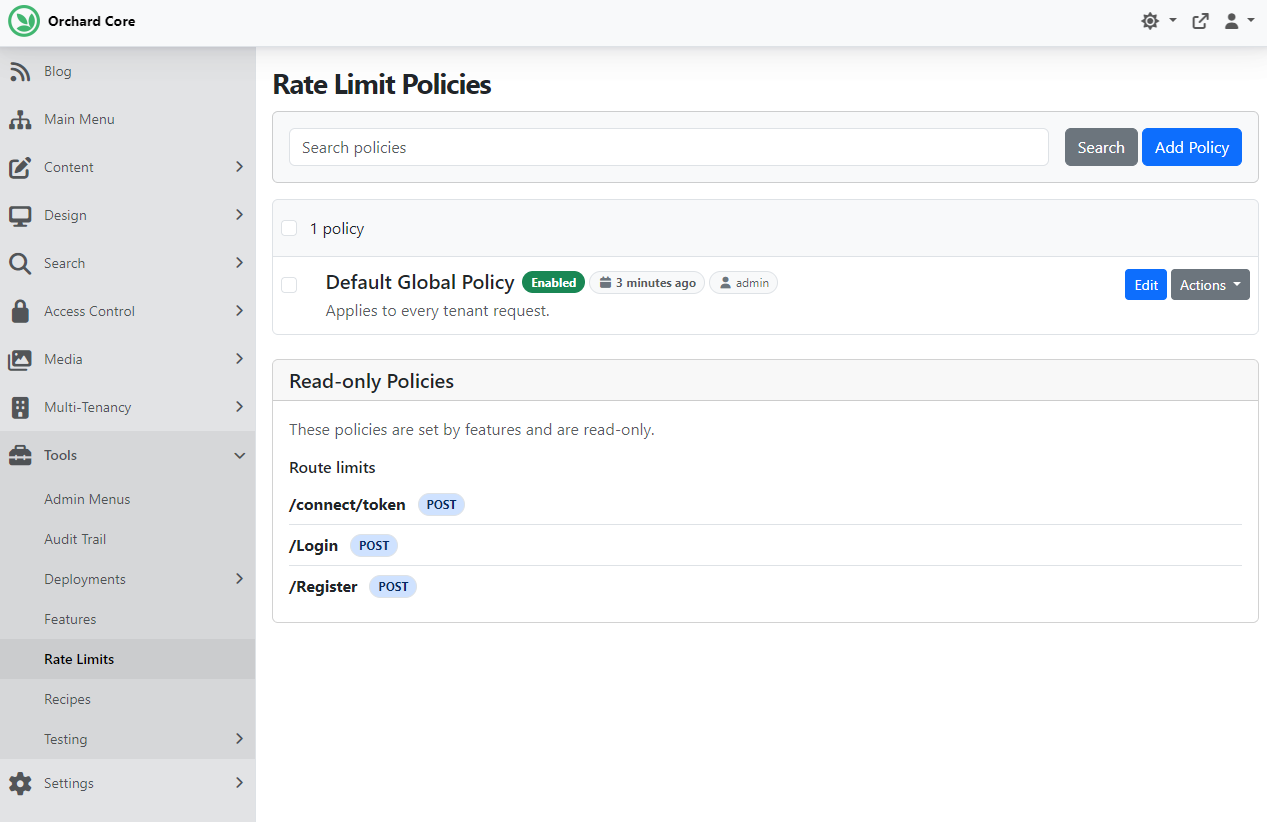
Now, click Edit near the Default Global Policy, and you'll see that, by default, each person can make 150 requests per second.
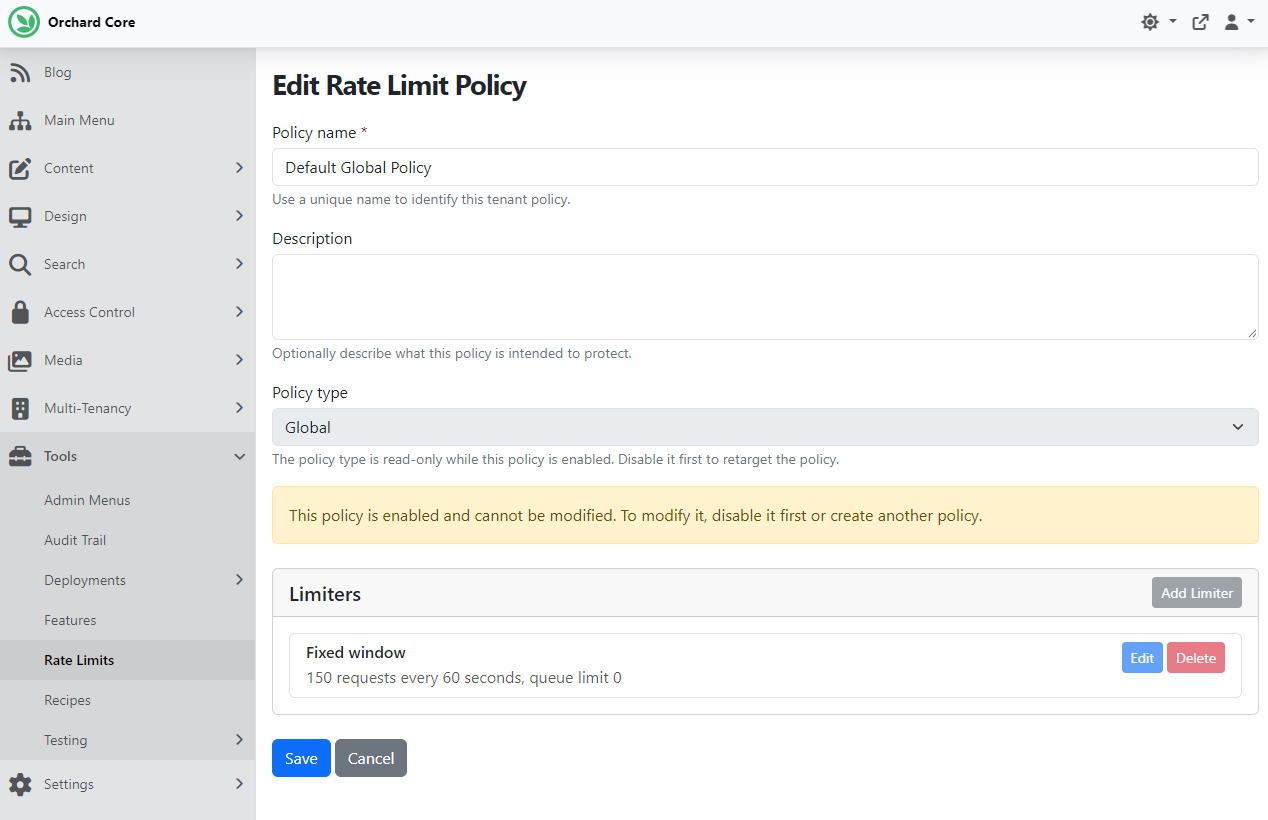
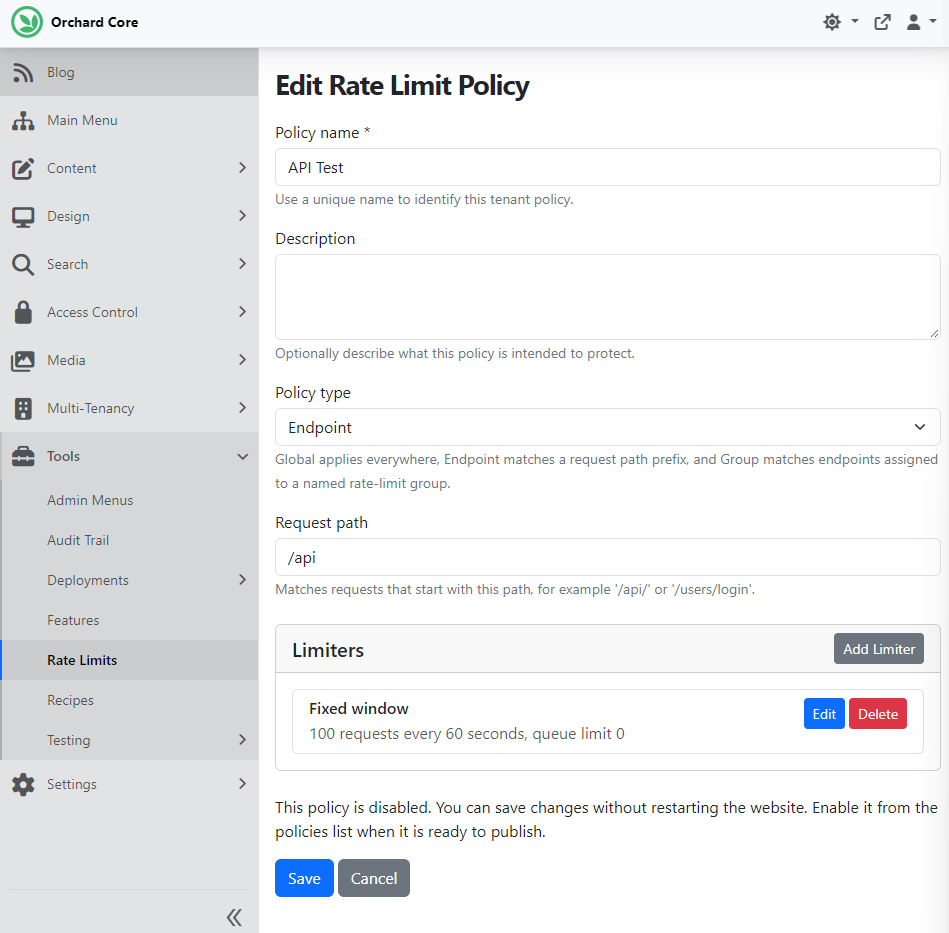
It's time to add a new policy by choosing the Add Policy button. The Policy type can be Global, which applies to the entire website and is good for setting a baseline budget for all dynamic requests. If you select Endpoint, you can specify which endpoint you want to secure. Let's say you have an API that you want to secure. First, give it a name, description, and set the Request path (matches requests whose path starts with the configured path). After that, you can start adding limiters. Clicking the Add Limiter button opens a new modal showing the available limiter types. We selected the Fixed window for now, but you can learn more about the limiter types in the module documentation. And of course you can have multiple limiters if you want.
Check out the module's documentation to see what else you can achieve with this feature, and head to YouTube for a recording.
News from the community
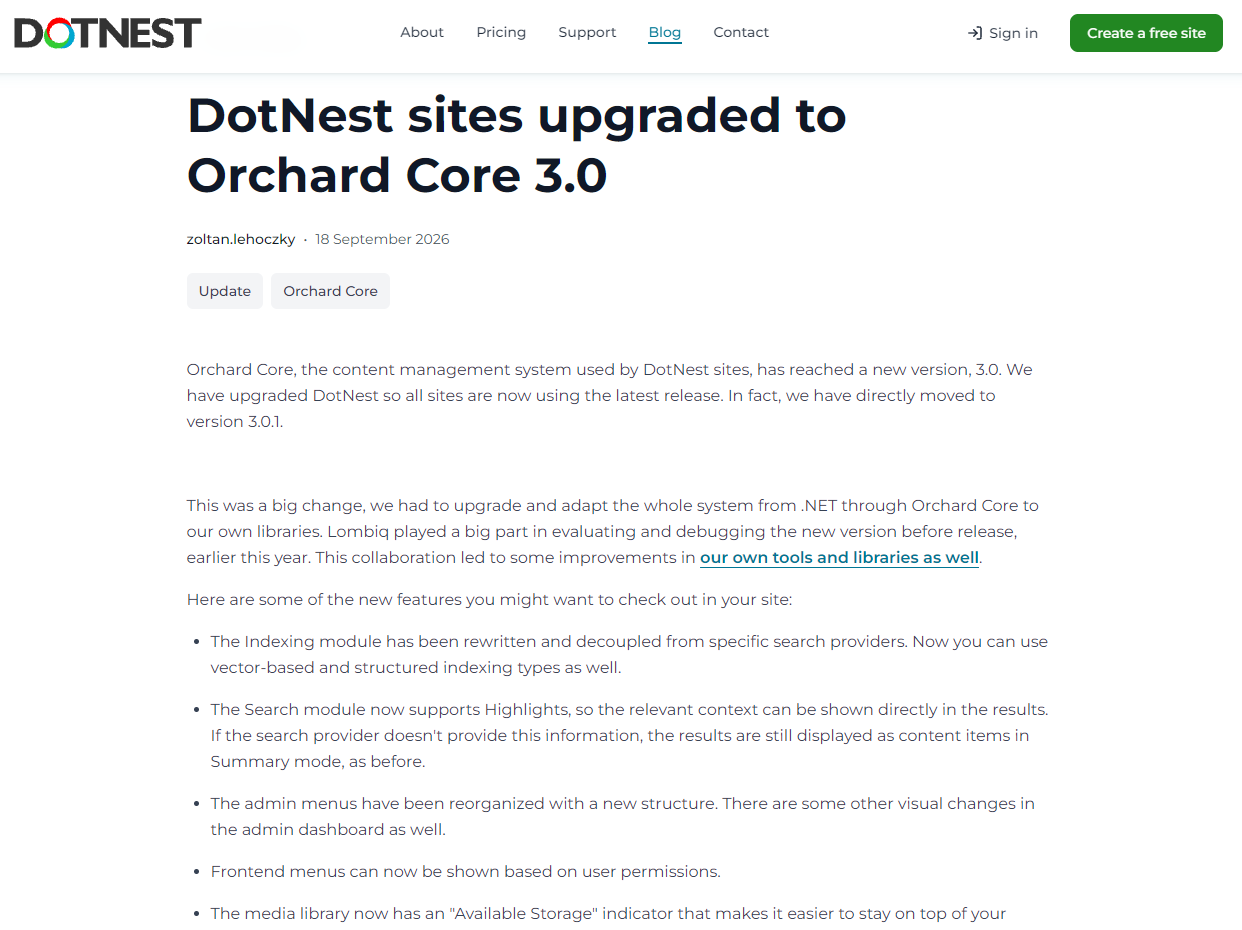
DotNest sites upgraded to Orchard Core 3
DotNest, the Orchard Core SaaS, is now running on Orchard Core 3.0.1! This was much more than a routine version bump: we upgraded the full stack around DotNest, from .NET and Orchard Core through to Lombiq's own libraries and extensions.
There's a nice connection here, too. Earlier this year, we at Lombiq were heavily involved in evaluating and debugging Orchard Core 3 before its release. That work not only helped improve Orchard Core itself, but also led to improvements in our own open-source tools and libraries. For DotNest users, the upgrade brings plenty of useful additions, including:
- A rewritten, provider-independent indexing system, with support for vector and structured indexes.
- Search result highlighting.
- Reorganized admin menus and UI improvements.
- Permission-based frontend menus.
- An Available Storage indicator in the media library.
- The latest CrestApps AI Suite by Mike Alhayek for integrating AI providers.
- An upgraded Orchard Core Commerce stack.
All DotNest sites have already been upgraded, so users can start taking advantage of these improvements right away.
Read more about what changed in our blog post! To try it out in a few clicks, head to your DotNest site!
Orchard Dojo Newsletter
Lombiq's Orchard Dojo Newsletter has 406 subscribers! We have started this newsletter to keep the Orchard community informed about the latest platform news. By subscribing to this newsletter, you will receive an email whenever a new post is published to Orchard Dojo, including 'This Week in Orchard', of course.
Do you know of other Orchard enthusiasts who would like to read our weekly articles? Tell them to subscribe here!