Admin Menus Localization support, MCP Prompts and MCP Resources support - This week in Orchard (03/04/2026)
We have two demos prepared for this week! The first demo is by Hisham Bin Ateya on adding localization support for Admin Menus, and the second is MCP Prompts and MCP Resources support by Mike Alhayek! Both are worth watching!
Before the demos, let's check out the new content manager ValidateAsync behavior, which means that now ValidateAsync() only performs validation and returns the result, and it no longer cancels the session on failure.
And thanks to Mike Alhayek, there is a new PlacementLocationBuilder fluent API as a type-safe alternative to manually constructing placement location strings in display drivers.
Enough talking, let's see these in detail!
Orchard Core updates
Remove implicit CancelAsync from ValidateAsync
This change means the code won't cancel the current session if an issue occurs during validation in the DefaultContentManager.ValidateAsync() method. It's up to the caller of the validation, because this can discard unrelated pending changes from other components sharing the session.
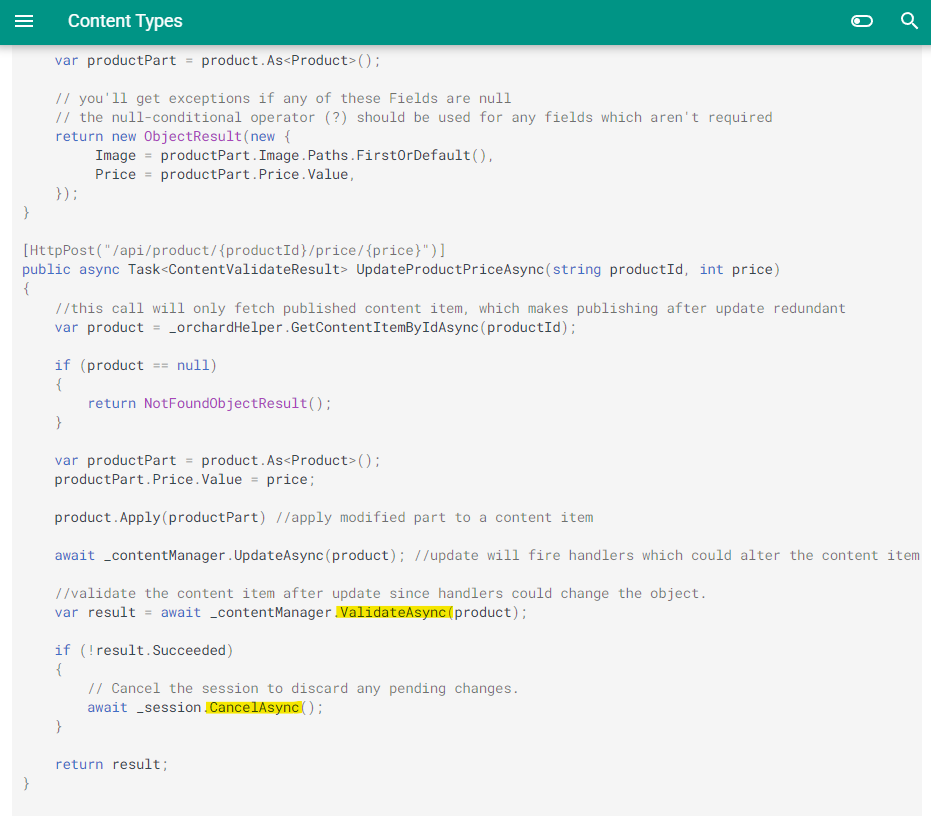
So, session cancellation is now the caller's responsibility, matching the expected pattern in which the consumer decides how to handle a validation failure. ValidateAsync() only performs validation and returns the result. It no longer cancels the session on failure. The change has been mentioned in the release notes of the upcoming v3 of Orchard Core. There is another page in the documentation that describes how to create a new content type, adding content parts to a type, consuming content parts and fields from C#, etc. That page also contains an example of consuming your content item as your content part in a controller. And in that code, you can see that inside the UpdateProductPriceAsync method, we first validate the content item. If validation fails, we cancel the session to discard any pending changes.
Fluent Placement Location Builder
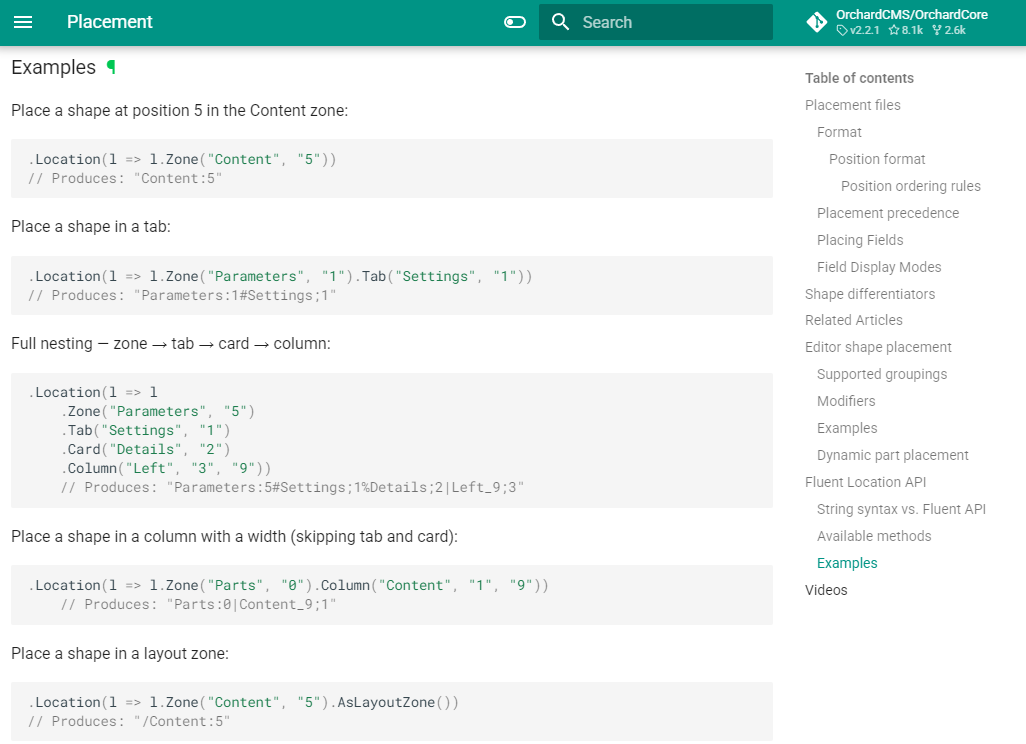
A new PlacementLocationBuilder fluent API has been added as a type-safe alternative to manually constructing placement location strings in display drivers. The builder uses a single class where all methods return the same instance for easy chaining, following the placement nesting hierarchy (Zone -> Tab -> Card -> Column). Each method in the chain returns the same builder instance, so all methods are available at any point after .Zone(). Note that levels can be skipped, for example .Zone().Card() without a .Tab() is valid.
To help you better understand this change, Mike Alhayek also updated the documentation with the available methods and added some nice examples!
Demos
Admin Menus Localization support
The Admin Menu module allows users to create custom admin menus in the Admin UI. If you set up your site using the Blog recipe, you will notice that it provides an admin menu by default, which you can see under Tools -> Admin Menus.
Hisham Bin Ateya shows the new feature here, which is about having a way to localize admin menus as well. To test this quickly, make sure your site supports at least two cultures under Settings -> Localization -> Cultures. It's also recommended to enable the Admin Culture Picker feature under Tools -> Features, which provides a culture picker shape for the admin area.
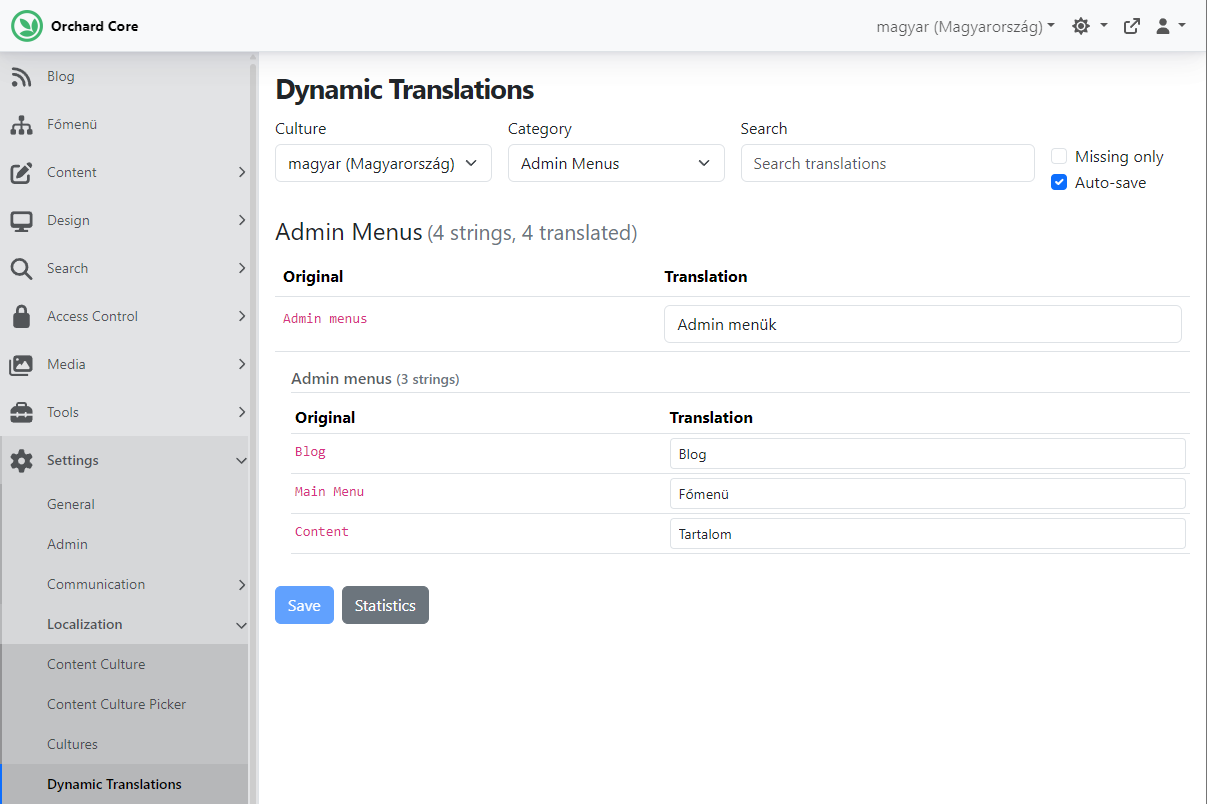
Now, thanks to the Dynamic Translations feature and this addition, we can easily translate admin menus by going to Settings -> Localization -> Dynamic Translations. Here, you can select the Admin Menus under the Category drop-down and add translations to the available admin menus on your site, as well as to their admin menu nodes. Let's add the Hungarian translations to these!
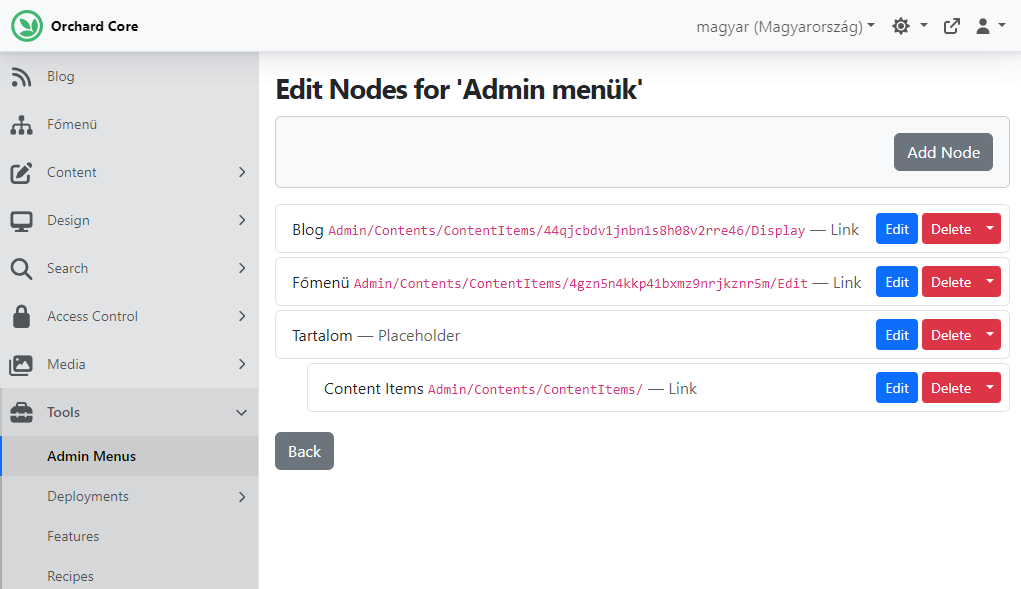
Now let's head to Tools -> Admin Menus and use the admin culture picker to switch to Hungarian. And as you can see, all of the nodes will display in the selected culture for which we have added translations.
If you want to see this feature in action, head to YouTube for a recording!
MCP Prompts and MCP Resources support
Last year, we wrote about the MCP Client features that you can use to connect your application to remote MCP servers using standard HTTP requests and to connect your application to MCP servers running locally, typically in containers.
Now let's talk about MCP Servers! The MCP Server Feature allows your Orchard Core application to expose its AI tools and capabilities to external MCP clients. This feature supports the SSE transport type, enabling real-time communication.
First of all, you need to clone the CrestApps - Orchard Core repository, which contains the Artificial Intelligence Suite, which is a comprehensive and extensible AI ecosystem built on Orchard Core, designed to unify and streamline AI integration and management.
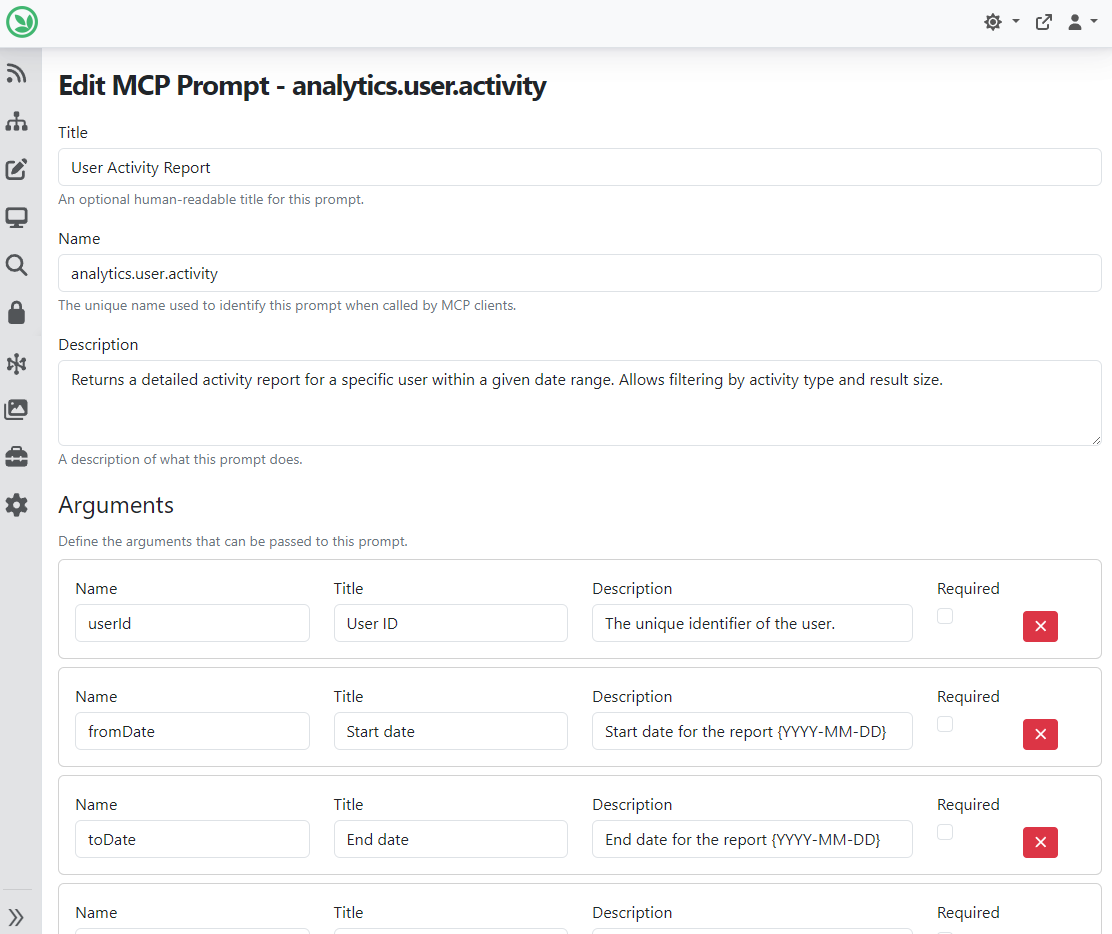
Now we can go to Tools -> Features to enable the Model Context Protocol (MCP) Server feature. This time, we will focus on MCP Prompts and Resources, which we will find in the admin UI under Artificial Intelligence -> Model Context Protocol -> Prompts/Resources. Under the Prompts one, you can use the UI to add MCP Server prompts. Here you can see that we added an MCP Prompt named analytics.user.activity that returns a detailed activity report for a specific user within a given date range. And you can see that we defined some arguments as well, such as the user's unique identifier and the maximum number of records to return.
You can add MCP Server resources by hitting the Resources option on the menu. If you click the Add Resource button, you'll see a modal where you can choose from the available resource types.
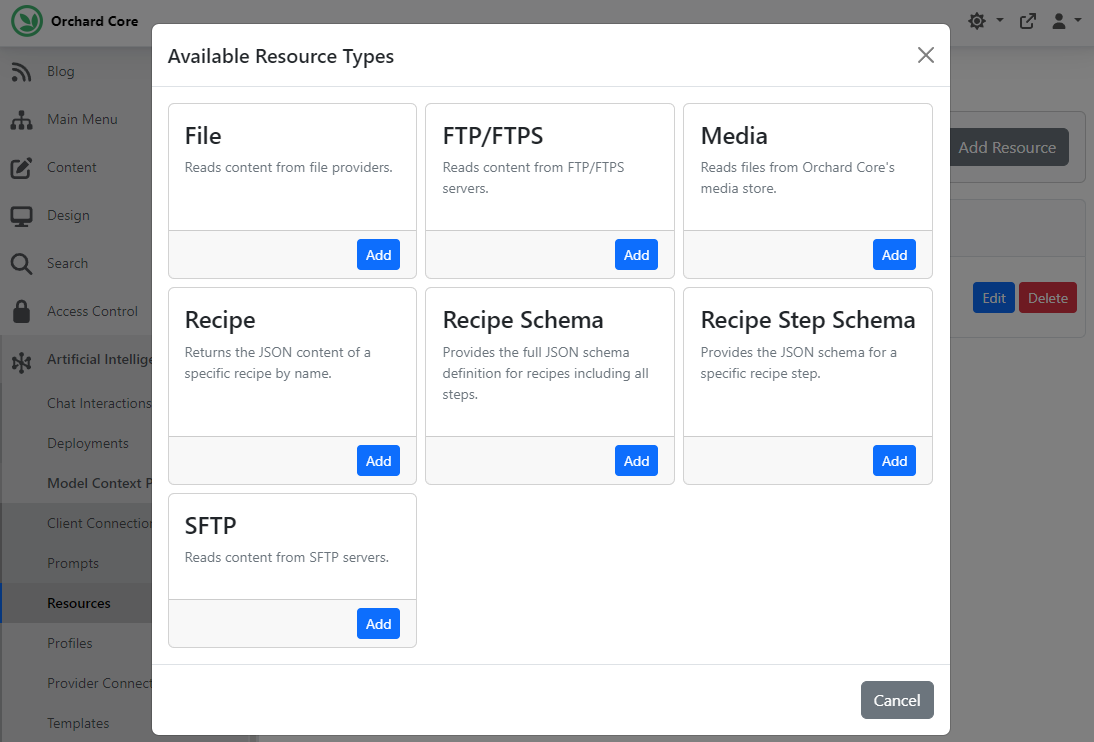
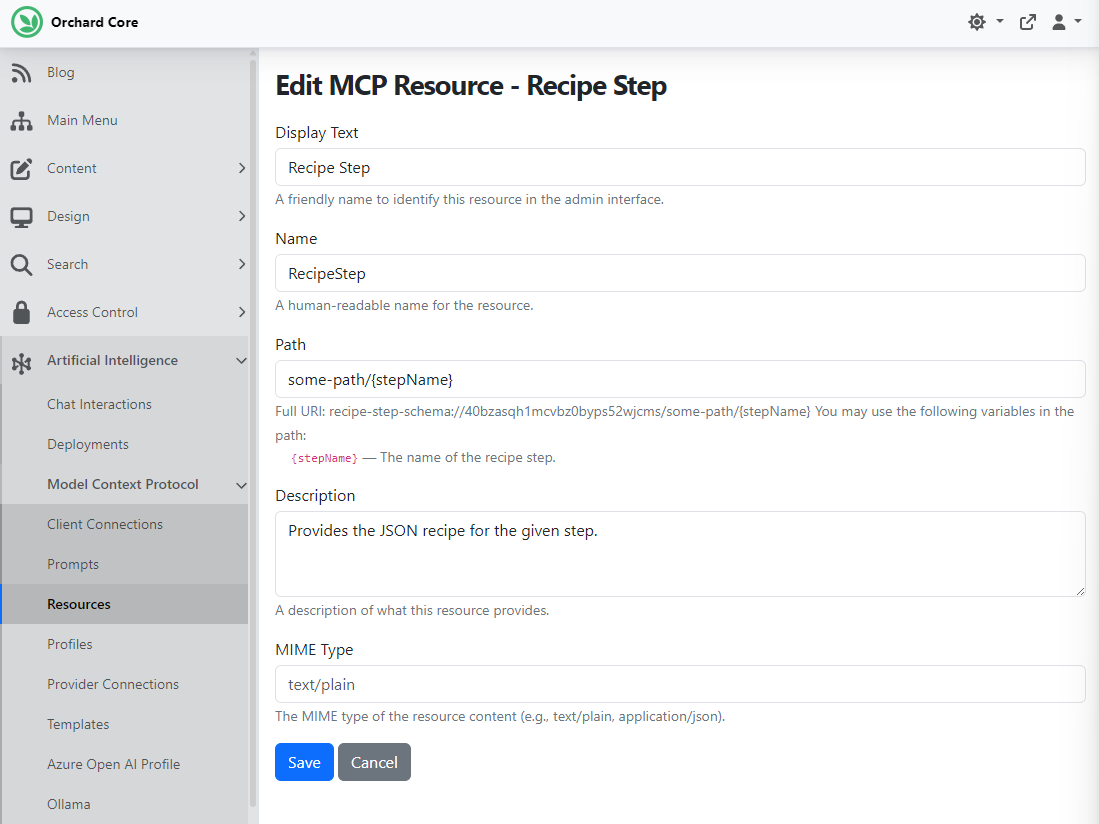
For this demo, we selected the Recipe Step Schema, which provides a JSON schema for a specific recipe step.
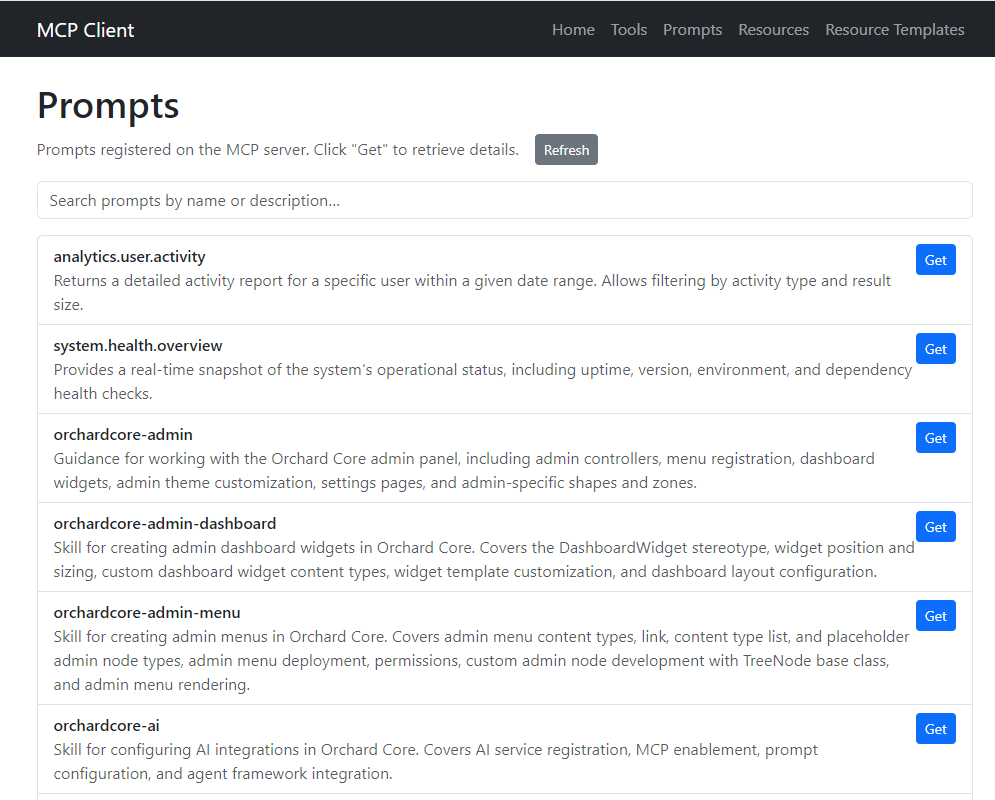
The repository contains an Aspire app called CrestApps.Aspire.AppHost. If you run this application, it provides a sample app called McpClientSample that helps you to see what's available on your server. This sample app connects to the MCP server hosted by CrestApps.OrchardCore.Cms.Web and demonstrates listing tools, prompts, and resources.
If you hit Go to Tools in the navigation tabs, that will list all the MCP tools exposed by the MCP server and invoke them with custom arguments.
If you select Go to Prompts, the sample app will list all MCP prompts and retrieve each prompt's details. Here, you can see that the top two are the ones that we defined via the UI. The rest of those are coming from the Agent Skills project. If you haven't heard about it, we wrote about this project a few weeks ago.
And if you click on Resources, the app will list concrete MCP resources with fixed URIs and read their content directly. All of these, again, come from the Agent Skills project.
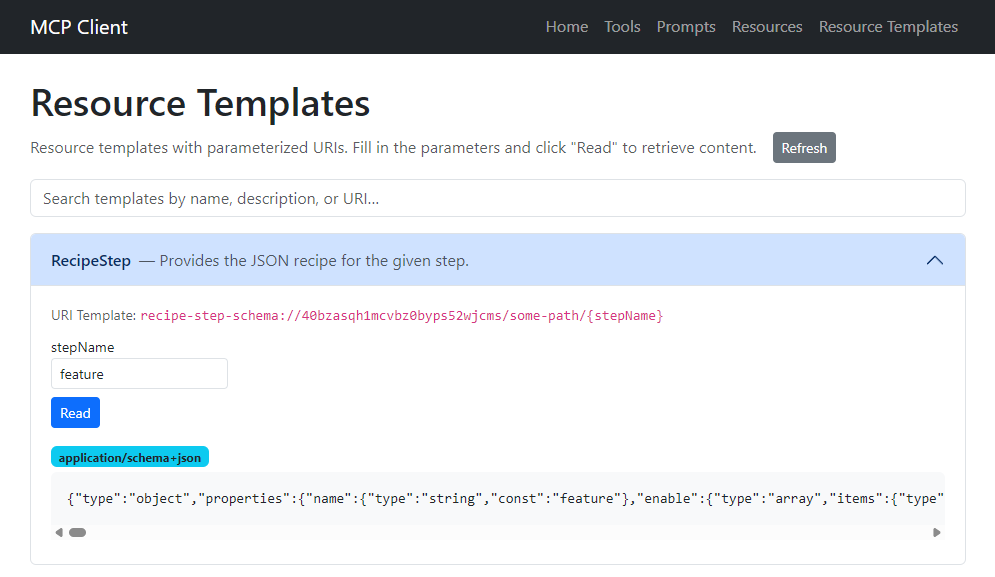
Lastly, there is a Resource Templates option where you can browse parameterized resource templates, fill in variables, and read content. Here you can see the one that we defined earlier in the UI with a parameter. Here is our RecipeStep resource. If we provide a value for stepName (such as feature), you will actually get information about that feature. So, it just gives you information about the recipe step.
And that's not all of it! As always, if you want to see more, head to YouTube for a recording by Mike Alhayek!
News from the community
Orchard Harvest 2026 Location
After last year, the Orchard Harvest Conference will be held again in 2026. The first step was to assess the potential interest and what would be needed. We created a survey, and now we have the results! Thank you for your feedback so far regarding Orchard Harvest! We have received many responses, which have helped us get a better idea of the right place and time. It seems that most respondents are open to an in-person conference this year, with the USA receiving the most votes for location, followed by Europe and Canada, though the differences in votes were small. But a significant portion of respondents expressed reluctance to attend in the US; half of the 32 respondents did not want to go to the US, and some provided comments to that effect.
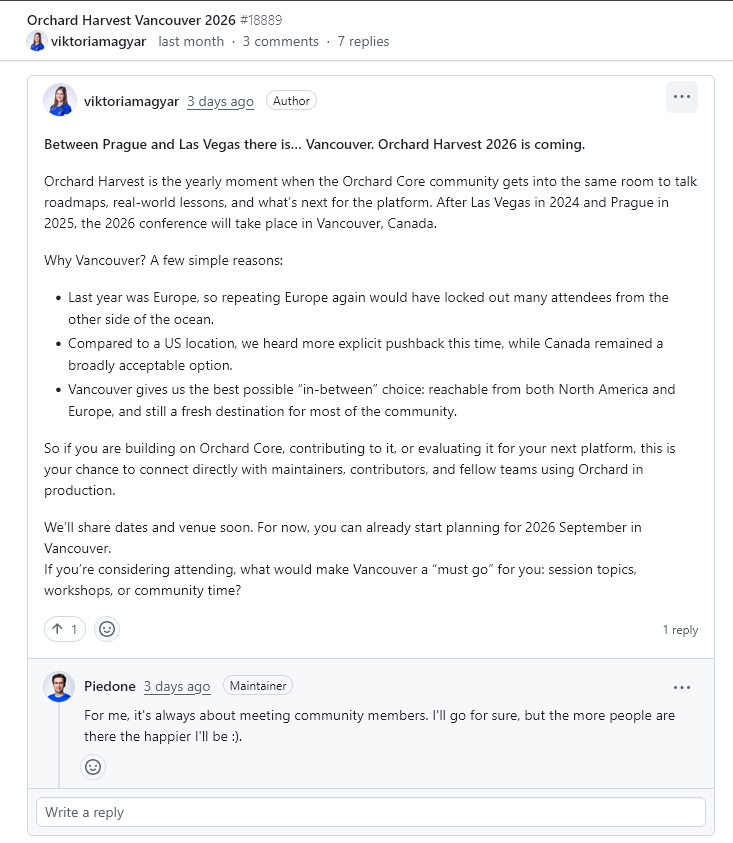
After Las Vegas in 2024 and Prague in 2025, the 2026 conference will take place in Vancouver, Canada. Why Vancouver? A few simple reasons:
- Last year was Europe, so repeating it would have locked out many attendees on the other side of the ocean.
- As we mentioned, compared to a US location, we heard more explicit pushback this time, while Canada remained a broadly acceptable option.
- Vancouver offers the best possible "in-between" choice: reachable from both North America and Europe and still a fresh destination for most of the community.
So if you are building on Orchard Core, contributing to it, or evaluating it for your next platform, this is your chance to connect directly with maintainers, contributors, and fellow teams using Orchard in production.
We'll share dates and venue soon. For now, you can already start planning for 2026 September in Vancouver.
If you're considering attending, what would make Vancouver a "must go" for you: session topics, workshops, or community time? Please share your thoughts with us under this discussion.
And as always, as we move forward, we will keep community members informed of the details, and you will also find every detail in this newsletter.
Orchard Dojo Newsletter
Lombiq's Orchard Dojo Newsletter has 422 subscribers! We have started this newsletter to keep the Orchard community informed about the latest news on the platform. By subscribing to this newsletter, you will receive an email whenever a new post is published to Orchard Dojo, including 'This Week in Orchard', of course.
Do you know of other Orchard enthusiasts who would like to read our weekly articles? Tell them to subscribe here!