Speaker application for Orchard Harvest 2026 and Orchard Harvest 2025 recordings - This week in Orchard (17/04/2026)
This week in Orchard, we've got some exciting updates you won't want to miss!
Mike Alhayek showcases new AI Documents features that bring Retrieval-Augmented Generation (RAG) to both Chat Interactions and Profiles.
Benedek Farkas introduces independent Render Liquid and Sanitize HTML settings for HTML and Markdown components, and thanks to Hisham Bin Ateya, there is a new Liquid filter that localizes dynamic data strings using the current culture.
And don't miss our Avastec case study, highlighting how we supported the event management backend for one of the largest retailers.
Oh, and have we mentioned that we will start publishing last year's Harvest recordings starting next Monday? Check them out for some inspiration and apply to be a speaker for this year's Harvest!
Ready to explore? Let's dive in!
Orchard Core updates
Independent Render Liquid and Sanitize HTML settings for HTML and Markdown components
The current SanitizeHtml settings' hint could be a little bit misleading, and enabling or disabling it causes potentially unwanted behavior because the hint only refers to preventing custom scripts, which is true, but it does much more by default. This, in itself, is trivial to fix. However, the SanitizeHtml setting also governs whether Liquid markup is rendered. If SanitizeHtml is false, that means Liquid is rendered. This prevents a simple use case where (script) sanitization is desired, but Liquid should still be rendered.
Regardless of the setting, the Liquid code is always validated. This is problematic when Liquid code is included as a code sample (in a <code> block) and is invalid, e.g., because it references a Liquid tag that is not available in the current system. This affects HtmlBody Part, Html Field, Markdown Part, and Markdown Field.
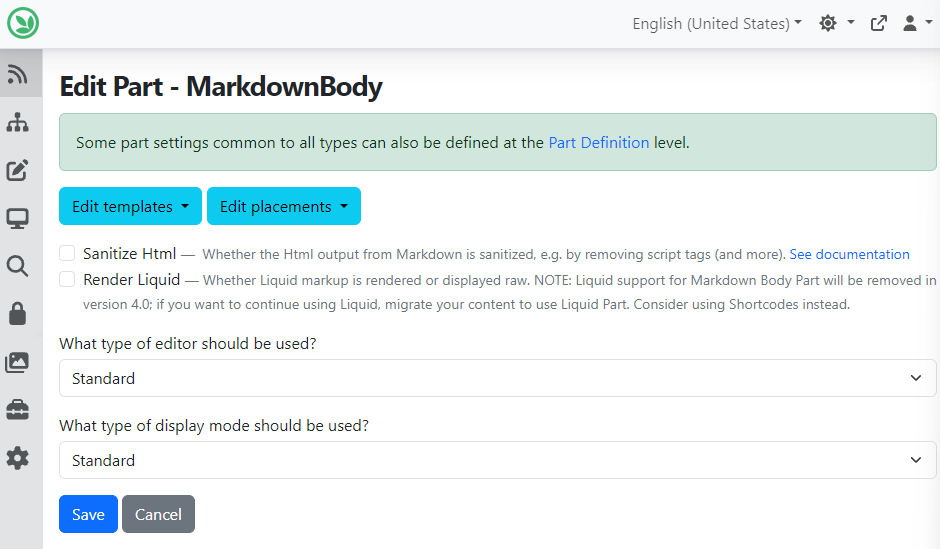
Let's see Benedek Farkas's solution to this issue! If you set up your site using the Blog recipe, you will get a predefined Blog Post content type with the MarkdownBody Part attached. If you edit the settings of the attached MarkdownBody Part, you will notice the new Render Liquid option, which lets you control whether your Liquid markup is rendered or displayed raw. Please note that the Liquid rendering support is here only for backward compatibility and will be removed in version 4.0. As you can see, both settings are false in our case.
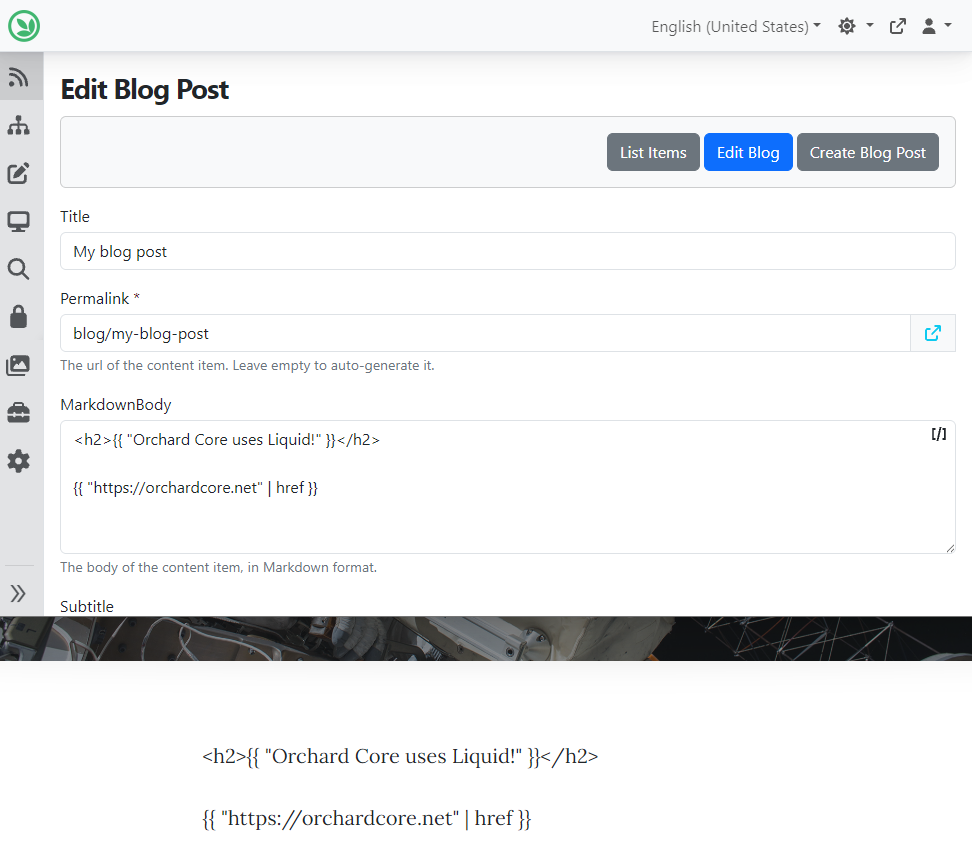
Now, let's create a new Blog Post with some sample content. As you can see in the screen below, the Liquid code is not validated because the Render Liquid option is disabled.
New Data Localization Liquid filter
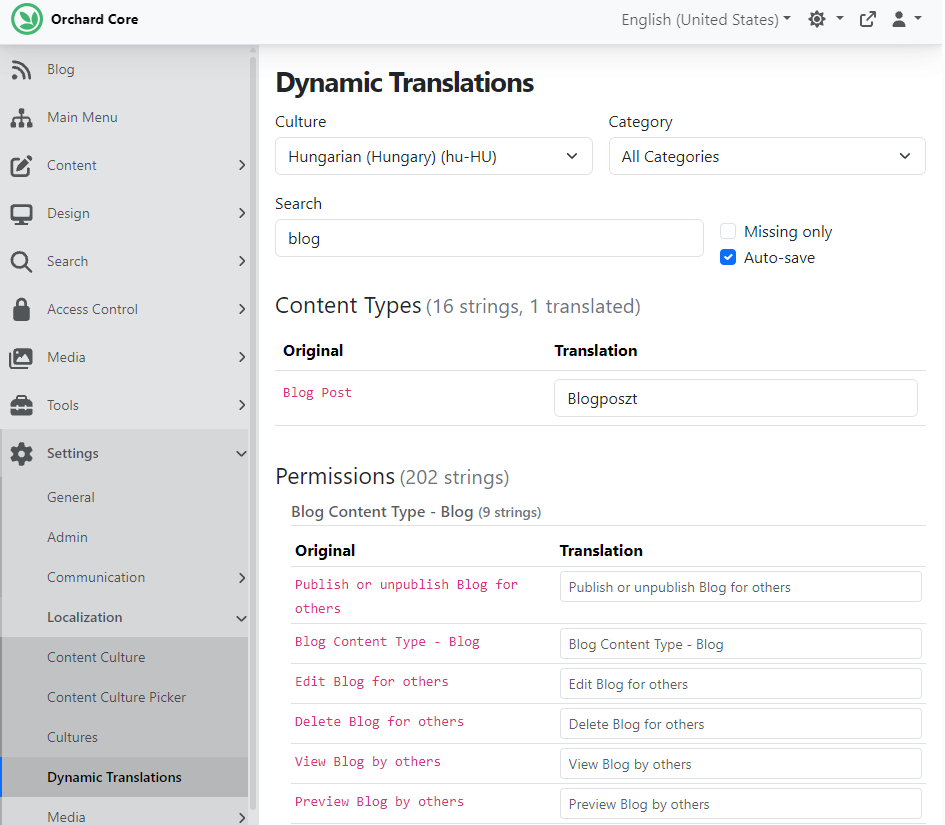
And while we are talking about Liquid, let's take a look at a new Liquid filter by Hisham Bin Ateya, that localizes dynamic data string using the current culture. We fire up the blog post that we created earlier and make sure that the Render Liquid option is set to true. Then we have to make sure that our site supports multiple cultures under Settings -> Localization -> Cultures. We used the Dynamic Translations UI under Settings -> Localization -> Dynamic Translations to add a Hungarian translation for the Blog Post content type. If that UI is new to you, it's OK; that's quite a recent addition that you can read about in detail in this post.
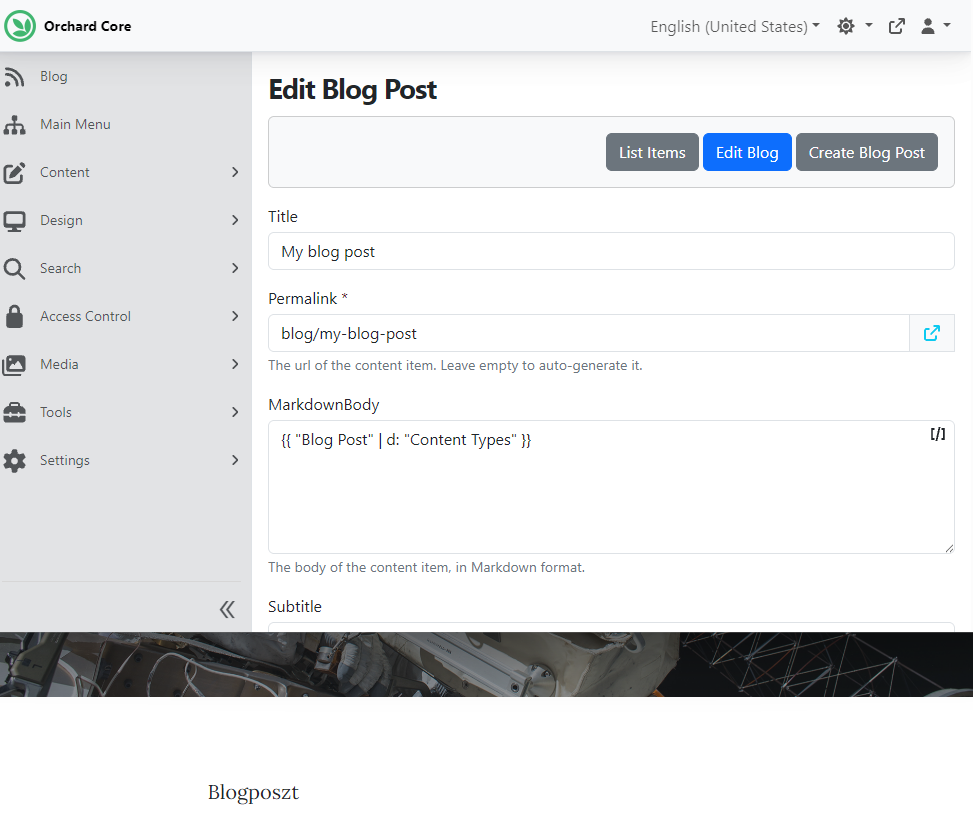
Now let's see how that filter works! As you can see, we want to display the localized value of the Blog Post string, and the context for the string is Content Types. If we publish this content item and view it in the front end, we will see that the site displays the text Blog Post as Blogposzt.
Demos
AI Documents for Chat Interactions and Chat Sessions
We will continue the demo from last week, where we discussed the AI Data Source module of the AI Suite, which provides AI data source management, knowledge base indexing, and RAG search capabilities for Orchard Core. If you haven't read it yet, you can find it here.
Let's say we don't want to have only data in the indexes; we also want to use the uploaded documents, work with them, and ask questions about them. The features called AI Documents (OpenXML) and AI Documents (PDF) extend the AI Documents feature by allowing PDF and OpenXML files (ie, docx, xlsx, pptx). If we enable the AI Documents for Chat Interactions feature, we will be able to upload documents in the Chat Interactions UI.
Now we can go to Artificial Intelligence -> Chat Interactions, where we can start a new chat or continue an existing one. You will notice the Documents tab, which allows you to attach documents to chat against your own data. The content will be extracted and used as context for AI responses. But as you can see, it warns you to select an index profile for indexing documents in chat interactions.
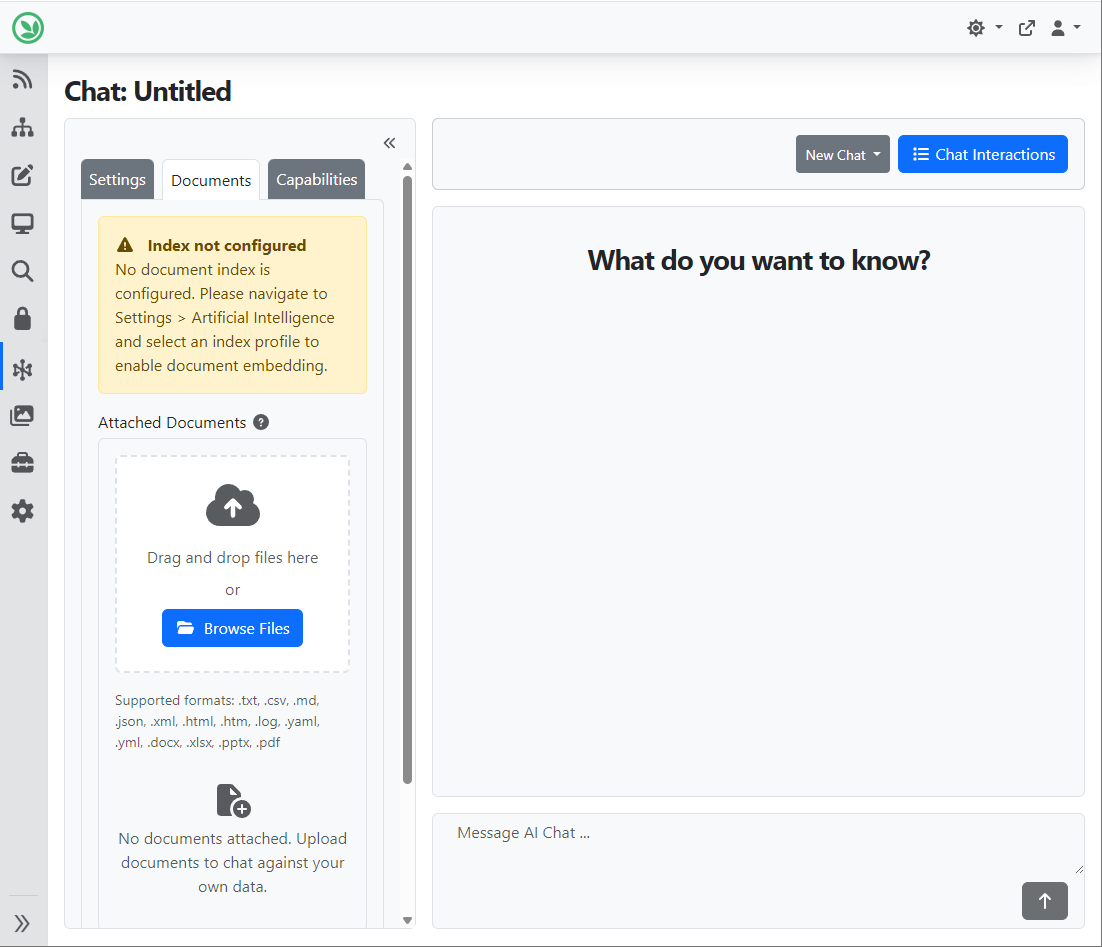
To do that, we need to navigate to Settings -> Artificial Intelligence and select an index profile.
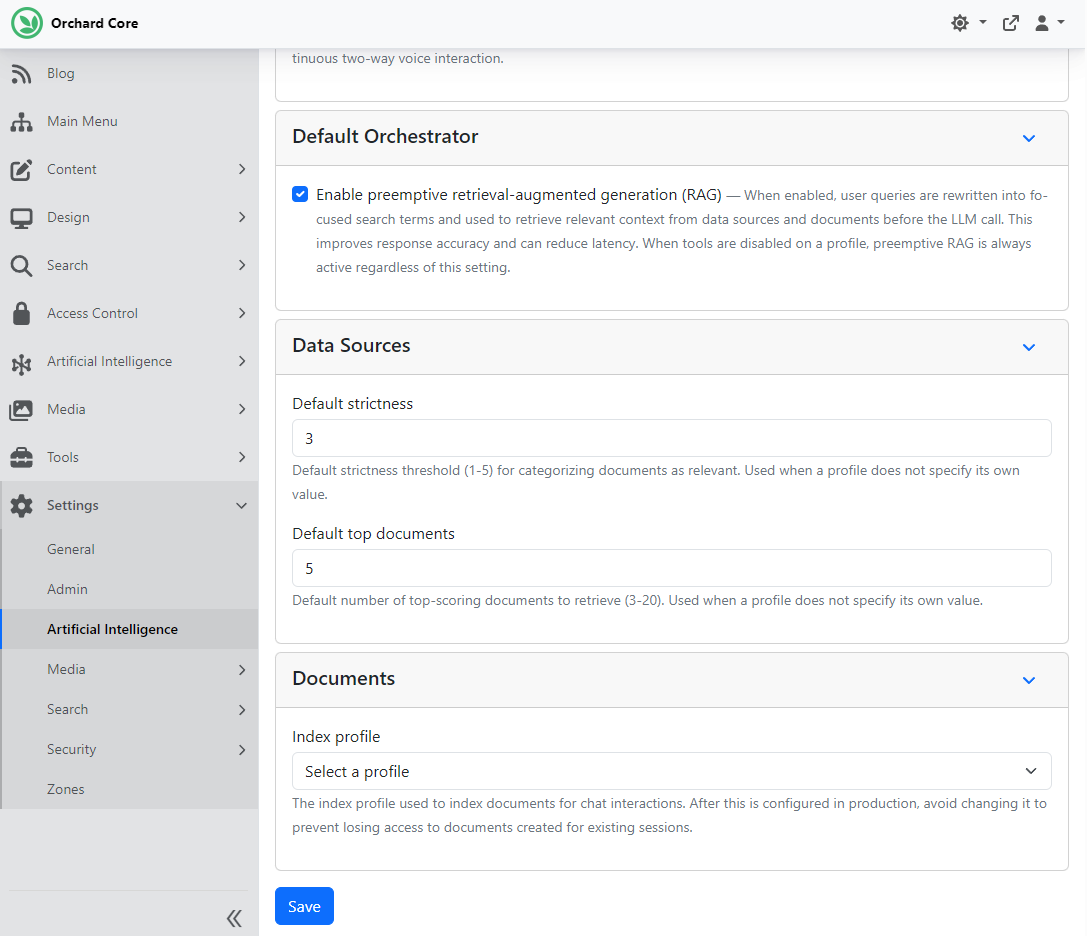
Now we can go back to the Chat Interactions UI, attach documents, and ask questions like "summarize the file". AI can do that because the document is processed and indexed, so we can retrieve data from the index.
There is another feature called AI Documents for Chat Sessions, which provides document upload and Retrieval-Augmented Generation (RAG) support for AI Chat Sessions and Widgets. The difference between Chat Interaction and Chat Session is that Chat Interaction is a playground that you can reach under Artificial Intelligence -> Chat Interactions, the one that we showed you previously. There is nothing preconfigured.
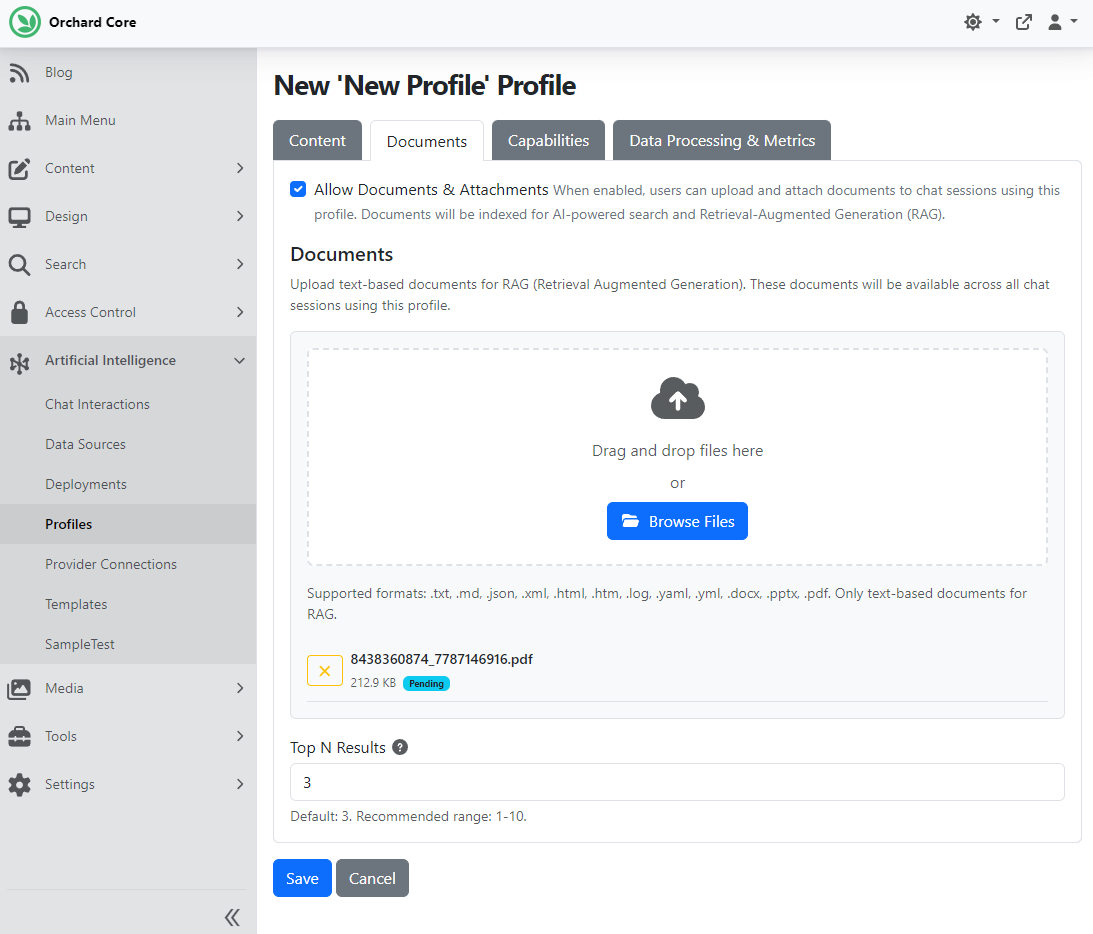
If you want to have a Chat Session, you have to create a Profile first under Artificial Intelligence -> Profiles. A Profile allows you to preconfigure system instructions, setting up an initial prompt, the Profile Type, and so on. But what's interesting for us here is the content of the Documents tab. If you enable the AI Documents for Profiles feature, you can allow Documents and Attachments in this tab, which means users can upload documents to chat sessions using this profile, as you can read. If we upload a file here and create a new chat based on the profile (which we can do by clicking on the Actions button and select the New chat from the drop-down menu near the profile under Artificial Intelligence -> Profiles), we can chat about the content of the uploaded document without having the need to upload the given documents again and again because it's preconfigured.
And it's still not all of it! If you want to see these features in action, don't forget to head to YouTube for a demo by Mike Alhayek!
News from the community
Speaker application for Orchard Harvest 2026 and Orchard Harvest 2025 recordings
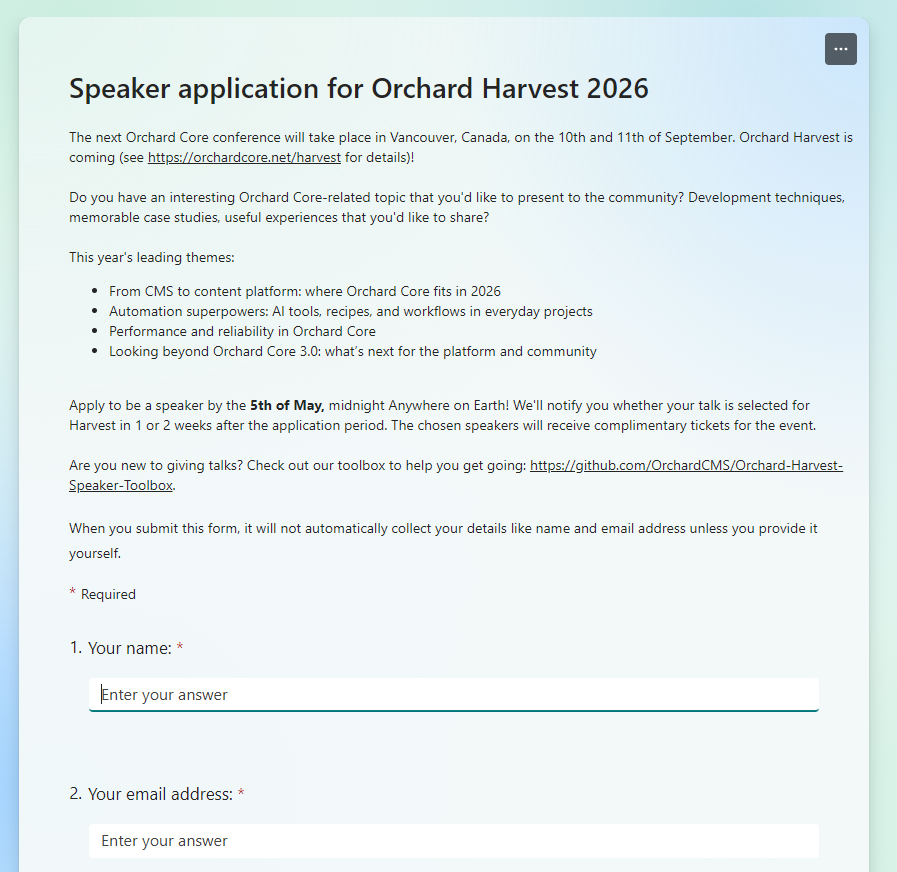
The next Orchard Core conference will take place in Vancouver, Canada, on the 10th and 11th of September.
Do you have an interesting Orchard Core-related topic that you'd like to present to the community? Development techniques, memorable case studies, and useful experiences that you'd like to share?
This year's leading themes:
- From CMS to content platform: where Orchard Core fits in 2026.
- Automation superpowers: AI tools, recipes, and workflows in everyday projects.
- Performance and reliability in Orchard Core.
- Looking beyond Orchard Core 3.0: what’s next for the platform and community.
Application form: https://forms.office.com/pages/responsepage.aspx?id=Wt6elek45kStyIVVO-uCICDdeeZFbXdAlSWTkdgpZAtUQzA3UzVNUERJTk4zVlEwRUtXNkM2SlI4Sy4u
Apply to be a speaker by the 5th of May, midnight, anywhere on Earth! We'll notify you whether your talk is selected for Harvest in 1 or 2 weeks after the application period. The chosen speakers will receive complimentary tickets for the event.
The 8th Orchard Harvest Conference was held in Prague on the 11th and 12th of November, 2025. We recorded every session, and starting next Monday, we will begin publishing them on the Orchard Core YouTube channel. The videos will be published every Monday, Wednesday, and Friday at 4:00 PM UTC. If you haven't done so yet, subscribe to this YouTube channel for upcoming Harvest videos and some inspiration if you are considering being a speaker this year! Here you can find the playlist for last year's Harvest recordings.
Event management backend for one of the largest retailers - Avastec case study by Lombiq
When a live, high–traffic event platform needs new features urgently, you don't get the luxury of rewrites or downtime.
That was the situation when Avastec asked us to take over and continue the development of an Orchard Core–based headless event management backend used by one of the world's largest retailers.
The system was already in production, powering a public Node.js frontend. The goals were clear:
- ship new functionality quickly,
- improve performance and reliability,
- keep upgrades safe and traceable,
- all without disrupting users.
Our work focused on long-term maintainability under real delivery pressure:
- Replacing recipe-based data migrations with code-based migrations for better traceability.
- Introducing automated UI tests to protect core user journeys.
- Delivering new features like ticketing, GDPR integrations, multi-brand rollout, and QR code-based entry management.
- Adding observability via Azure Application Insights to support stable operations.
All of this was done incrementally, without breaking the live experience.
As Steve Taylor, CTO and Founder of Avastec, put it:
"They (...) delivered improvements without disrupting a live, high-traffic platform… balancing rapid feature delivery with long-term maintainability and performance."
This project is a good example of what Orchard Core enables when combined with disciplined engineering practices: fast change, low risk, and systems that keep improving instead of accumulating debt.
Read the full case study here!
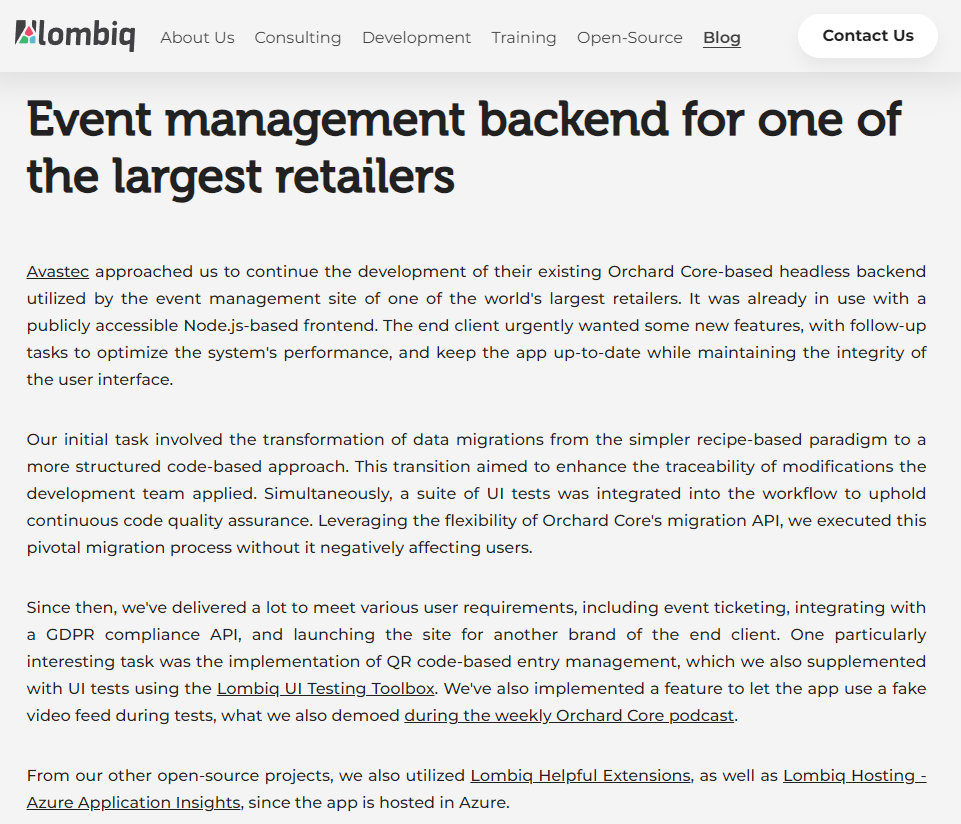
Do you want to launch an event management platform on Orchard Core? We have actually built several more too, get in touch with us!
Orchard Dojo Newsletter
Lombiq's Orchard Dojo Newsletter has 421 subscribers! We have started this newsletter to keep the Orchard community informed about the latest news on the platform. By subscribing to this newsletter, you will receive an email whenever a new post is published to Orchard Dojo, including 'This Week in Orchard', of course.
Do you know of other Orchard enthusiasts who would like to read our weekly articles? Tell them to subscribe here!